Claude for Small Business: 15 Agentic Workflows Explained
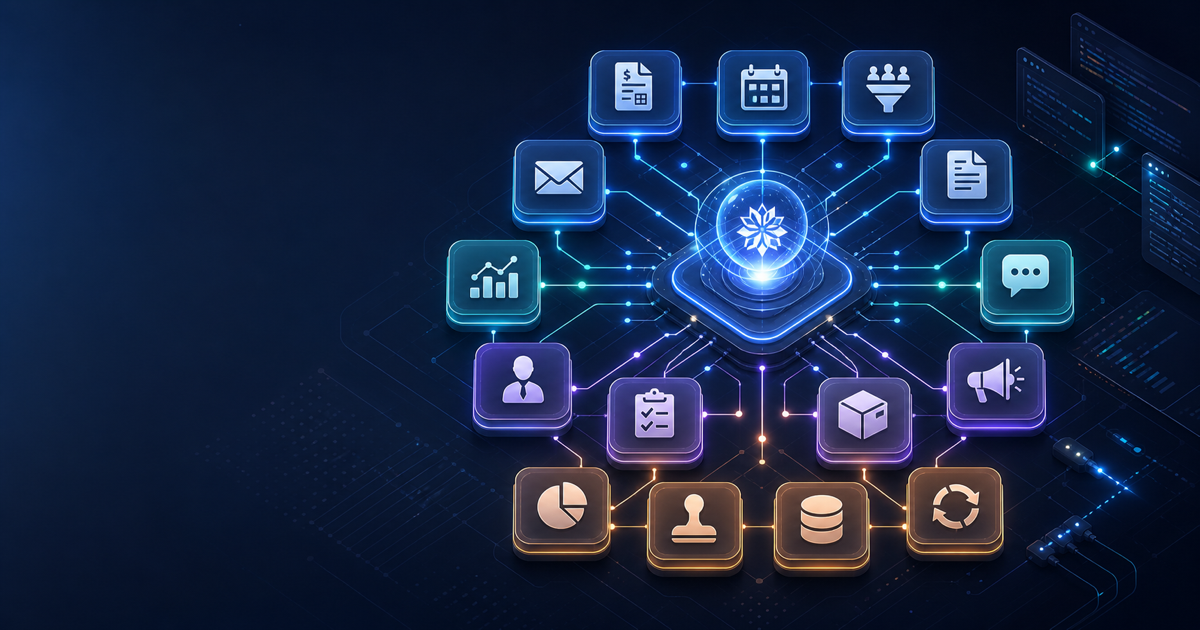
On May 13, 2026, Anthropic launched Claude for Small Business — a packaged set of agentic workflows, reusable skills, and MCP-based connectors built directly into Claude Cowork. If you build software for small and medium businesses, or consult teams that use QuickBooks, HubSpot, or Google Workspace, this release opens a concrete integration path worth understanding now.
What Claude for Small Business Actually Is
Claude for Small Business is not a new standalone product. It is a toggle install inside Claude Cowork, Anthropic's task-automation platform that sits on top of Claude Team and Enterprise plans. Enabling it adds two things to an existing Cowork workspace:
- 15 ready-to-run agentic workflows spanning finance, operations, sales, marketing, HR, and customer service
- 15 reusable skills — composable automations built from the recurring tasks that small business owners said slow them down most
The package carries no additional charge beyond existing Claude license costs and whatever partner tools a business already subscribes to. A business paying for QuickBooks and a Claude Team plan gets the QuickBooks workflows at no extra line item.
The Eight Native Connectors
Claude for Small Business ships with connectors to eight platforms out of the box:
| Platform | Category | Key Workflow Areas |
|---|---|---|
| Intuit QuickBooks | Finance | Payroll, month-end close, reconciliation, tax prep |
| PayPal | Finance | Invoice chasing, cash-flow forecasting |
| HubSpot | Sales / CRM | Lead triage, customer pulse, campaign attribution |
| Canva | Marketing | Campaign creation, asset generation |
| DocuSign | Operations | Contract preparation and follow-up |
| Google Workspace | Operations | Document drafting, meeting prep, team comms |
| Microsoft 365 | Operations | Reporting, spreadsheet analysis, email drafts |
| Slack | Communications | Status updates, alerts, async coordination |
Beyond these eight, Anthropic's connector directory lists Square, Stripe, and Webflow, and the broader catalog has grown past 200 integrations — all built on the Model Context Protocol (MCP).
How the 15 Workflows Break Down
Anthropic hasn't published a numbered list, but verified coverage across the six workflow categories comes from official announcements and press coverage:
Finance (QuickBooks + PayPal focus)
- Payroll planning — pulls current headcount data, drafts a payroll run summary for owner review
- Month-end close — reconciles accounts, surfaces discrepancies, drafts the close summary
- Cash-flow forecasting — reads receivables and payables, generates a forward 30/60/90-day view
- Invoice chasing — identifies overdue invoices and drafts follow-up messages
- Tax season prep — organizes deductions, flags missing documentation
Sales and Marketing (HubSpot + Canva)
- Lead triage — scores inbound leads against configured criteria and routes to the right owner
- Customer pulse — runs across deal history and flags accounts at churn risk
- Campaign attribution — ties revenue back to marketing channels for a reporting cycle
- Campaign creation — takes a brief and generates copy variants, image prompts for Canva
Operations and HR
- Contract preparation — drafts agreements from templates, routes for DocuSign signature
- Onboarding checklist — creates a role-specific onboarding task list and assigns to tools
- Meeting prep — pulls agenda items from email threads and calendar context
Customer Service
- Support ticket triage — categorizes inbound requests and suggests response templates
- Knowledge base update — surfaces repeated questions and drafts FAQ entries
- Escalation routing — flags tickets that match defined escalation criteria
Every workflow follows the same approval model: Claude reads the relevant data, prepares a draft or plan, and waits for owner approval before anything sends, posts, or commits a payment.
The MCP Foundation — And Why Developers Should Care
All Claude for Small Business connectors are built on the Model Context Protocol, the open standard Anthropic first released in late 2024. MCP works as a universal adapter layer between Claude and external tools: each connector exposes a standardized set of read, write, and action capabilities that Claude can call without custom integration code on the platform side.
This architecture creates a direct developer opportunity. If a tool has an MCP server, Claude can connect to it. The 200+ connectors in the directory are all community or vendor-built MCP servers. For developers building SMB-focused products:
- Building a new SaaS for SMBs? Publishing an MCP server makes your tool a Claude connector candidate without waiting for Anthropic to build it.
- Consulting for SMB clients? An MCP server for a niche tool your client already uses can slot directly into their Cowork workspace.
- Extending existing workflows? The skills system lets you compose custom automations on top of the 15 prebuilt ones using the same connector substrate.
The Axios coverage of the launch noted that Anthropic also shipped new Claude Code tools specifically for SMB development contexts — though the specific toolset details weren't publicly documented at launch.
Permission Inheritance and Security Model
One detail worth understanding before deploying this for clients: Claude for Small Business inherits permissions from the connected tool's existing access control system. If an employee cannot see a vendor record in QuickBooks today, they cannot reach it through Claude either. The connector passes through the user's existing OAuth token — Claude does not get elevated access.
This means the security review for a Claude Cowork deployment is largely the same as the review for adding a new OAuth-connected app. The additional surface to evaluate is the approval workflow itself: who can trigger a workflow, and who can approve the prepared action.
What the Roadshow Signals
Anthropic backed the launch with a 10-city roadshow starting May 14 in Chicago, offering free half-day AI fluency workshops for small business leaders. The tour continues through Tulsa, Dallas, Baton Rouge, Birmingham, Salt Lake City, Baltimore, San Jose, and Indianapolis.
Separately, Anthropic co-authored a free online course with PayPal titled "AI Fluency for Small Business," taught by owners who have already integrated Claude into their operations. The combination of a physical roadshow and a sponsored course suggests Anthropic is treating SMB adoption as a distribution channel, not just a product extension.
For developers, that roadshow creates a visible inflection point. When an SMB owner completes a workshop and wants to extend Claude to a tool the package doesn't cover, that is a consulting or integration opportunity. The timing to build familiarity with MCP connector development is before that demand arrives.
Setting Up Claude Cowork for a Client
The setup path is straightforward for existing Claude Team subscribers:
- Log in to Claude.ai and navigate to the Cowork section
- Enable the Claude for Small Business toggle
- Connect the relevant tools using the connector directory (OAuth flow per tool)
- Assign workflows to team members
- Configure approval routing — who sees the prepared draft before it executes
No additional infrastructure is required. Cowork runs inside Claude's existing managed environment.
For developers who want to extend beyond the prebuilt connectors, the starting point is the MCP documentation at modelcontextprotocol.io and the connector submission process in the Claude developer portal.
Comparison with Alternatives
| Platform | SMB AI Approach | Developer Path | Extra Cost |
|---|---|---|---|
| Claude for Small Business | Prebuilt workflows + MCP connectors | Build MCP servers | None (with Claude Team) |
| Microsoft Copilot for SMB | M365 embedded AI actions | Power Platform + Graph API | Per-user add-on |
| HubSpot AI (built-in) | CRM-native automation | HubSpot App Marketplace | Included in tier |
| Zapier AI Agents | Multi-tool workflow automation | Zapier platform (no AI building) | Per-task billing |
Claude for Small Business occupies a different position than Zapier or Copilot. Zapier is more flexible for arbitrary tool chains but doesn't bundle AI judgment into the workflow steps. Microsoft Copilot is deeply embedded in M365 but remains M365-centric. Claude's approach bundles language model reasoning into each step, so the "payroll planning" workflow isn't a trigger-action chain — it reads context and prepares a human-readable plan before anything executes.
Limitations to Know Before Deploying
The research-only nature of this article means Effloow Lab did not run a live Cowork session — the platform requires a Claude Team or Enterprise subscription. Based on sourced information, the limitations worth flagging:
- No public API for workflow execution — workflows are Cowork-UI-triggered, not programmatically callable via REST or SDK (as of launch)
- 15 workflows is a fixed starting set — Anthropic has not published a timeline for expanding it
- Dreaming and Outcomes (from Claude Managed Agents) are not part of this package — they are separate managed-agents-tier features
- Connector directory access requires a Claude account; there is no open browsing of available connectors at the time of writing
Claude for Small Business is a well-scoped launch: real workflows, real connectors, no extra charge. For developers, the MCP substrate is the part to focus on — it turns every tool you build an MCP server for into a potential Claude workflow component. Get familiar with MCP connector development now, before your SMB clients start asking.
FAQ
Q: Does Claude for Small Business require a separate Anthropic subscription?
No. It is included with Claude Team or Enterprise plans as a Cowork toggle. You pay for your Claude license and the existing tools you connect — QuickBooks, HubSpot, and so on — but there is no additional "Claude for Small Business" line item.
Q: Can developers call the Claude for Small Business workflows via API?
Not directly at launch. The 15 workflows are designed as Cowork UI actions, not API endpoints. The programmatic path for developers is building MCP servers that plug into the connector system, or using the Claude API directly to replicate workflow logic in custom applications.
Q: How does permission management work when connecting tools?
Claude inherits the existing permissions of the OAuth-connected user. If a specific employee cannot access certain records in QuickBooks or HubSpot today, Claude cannot reach them either. Approval gates before execution provide an additional control layer.
Q: Is Claude Code involved in the SMB workflows?
Anthropic hinted at Claude Code tools for SMB development contexts at launch, but the specific implementation was not publicly detailed. The primary integration mechanism for the 15 workflows is Cowork, not Claude Code directly.
Q: What's the difference between a "workflow" and a "skill" in this package?
Workflows are multi-step sequences that span an end-to-end task — such as running a month-end close across QuickBooks and generating a report. Skills are composable single-purpose automations that can appear inside multiple workflows — such as "extract overdue invoices" or "draft a follow-up message." Skills can be reused across different workflow contexts.
Key Takeaways
- Claude for Small Business launched May 13, 2026, as a toggle inside Claude Cowork — no additional cost for Team/Enterprise subscribers
- 15 workflows cover finance, operations, sales, marketing, HR, and customer service with approval-before-execution model
- All connectors run on MCP; the 200+ connector catalog is the developer integration surface
- Permission inheritance from connected tools means security review mirrors standard OAuth app review
- The 10-city roadshow and PayPal-co-branded course signal an aggressive SMB distribution push — developer opportunity scales with that adoption curve
Need content like this
for your blog?
We run AI-powered technical blogs. Start with a free 3-article pilot.