Canva AI 2.0 Agentic Suite: Developer Guide 2026
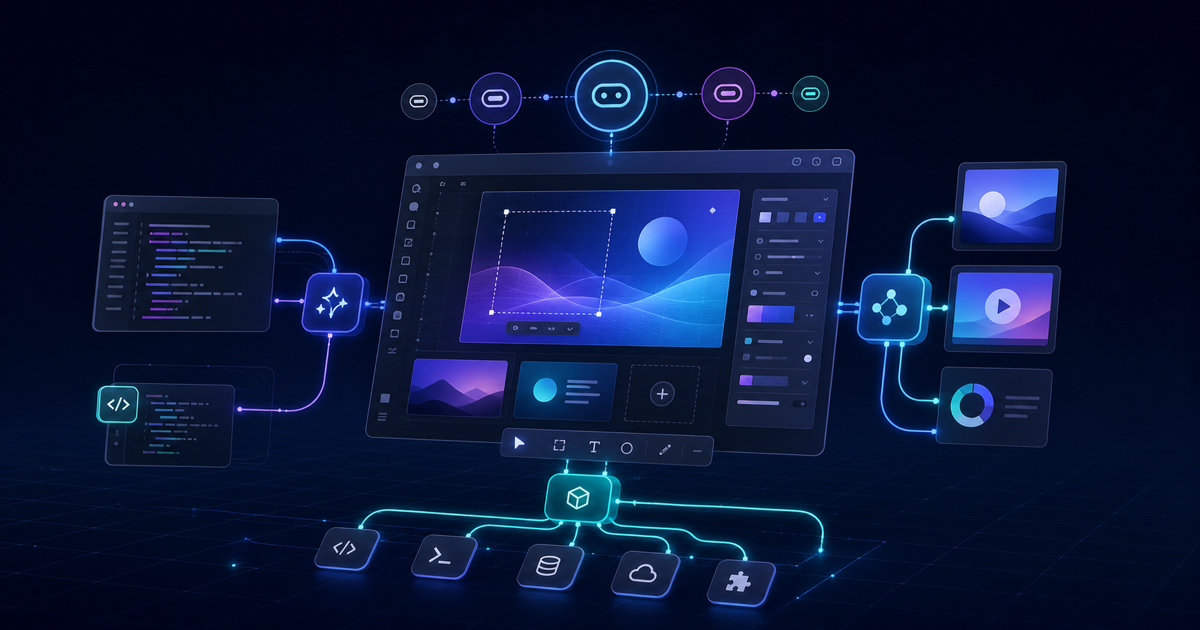
Canva has been quietly building one of the most-used AI surfaces in the world. With 200 million monthly active users, the design platform processes more AI-assisted creative work each month than most dedicated AI tools handle in a year. On April 16, 2026, at its annual Canva Create event, the company announced Canva AI 2.0 — the platform's biggest architectural shift since it launched in 2013.
For most users, the headline is a smarter creative assistant. For developers, the story is different: Canva AI 2.0 ships with a new proprietary foundation model, a documented MCP server, an expanded Connect API surface, and a formal Anthropic partnership that positions Canva as a design layer for AI-generated outputs. This guide walks through what actually changed, what's available to build against today, and where the meaningful developer surface is.
What Canva AI 2.0 Actually Is
Canva AI 2.0 is not an incremental upgrade to the old Magic Studio toolset. It's a rearchitected system built on four new layers: conversational design, iterative agentic editing, layered object intelligence, and living memory.
The assistant shift is the most visible. You describe an outcome in natural language — a product launch campaign, a content series, a client deck — and Canva AI coordinates the right tools to produce it. This is the "agentic" part: rather than requiring the user to pick tools manually, the system selects and sequences capabilities itself.
What makes this architecturally distinct from, say, a chatbot that generates images is the output model. Everything Canva AI 2.0 produces uses individual, editable objects rather than flat rasterized images. Ask it to swap a headline color, and it changes only that element. This is non-trivial: it means the AI output is directly workable inside a professional design environment, not a one-shot image you paste somewhere.
The platform launched in research preview on April 16, 2026, with general availability rolling out in the weeks following.
The Canva Design Model
The engineering foundation for AI 2.0 is the Canva Design Model — described by the company as the world's first foundation model built specifically to understand the structure, hierarchy, and complexity of real-world design work.
The framing matters because it clarifies what this model does differently. General-purpose image generation models (Midjourney, DALL-E, Imagen) optimize for visual plausibility and aesthetics. They produce flat outputs. The Canva Design Model understands design semantics: what a "section header" is versus a "body text block," how brand hierarchy works, what spacing rules govern a particular layout type. The output is structured, layered, and editable rather than a finished image.
Alongside the Design Model, Canva ships three purpose-built generative models:
| Model | Function | Speed vs Frontier | Cost vs Frontier |
|---|---|---|---|
| Canva Proteus | Style transfer | 2× faster | 23× cheaper |
| Canva Lucid Origin | Image generation | 5× faster | 30× cheaper |
| Canva I2V | Image to video | 7× faster | 17× cheaper |
These are Canva's own benchmarks against "comparable frontier alternatives" — independent third-party benchmarks are not yet available. The economics are worth noting regardless: a 30× cost reduction on image generation, if it holds at scale, is significant for any product that runs thousands of design jobs per day.
Six New Workflows
Canva AI 2.0 ships with six new intelligent workflow modules. These matter both for end users and for developers building on top of the platform.
Connectors
Connectors plug Canva AI directly into the services your team already uses. At launch, the connector catalog includes Slack, Gmail, Google Drive, Google Calendar, Notion, Zoom, HubSpot, Microsoft (Teams/365), Atlassian (Jira/Confluence), and Linear, with more in the pipeline.
From a developer perspective, connectors change what "content creation" means inside Canva. An agent can now pull a Slack conversation summary, a Google Doc brief, or a Linear issue description and feed it directly into a design workflow without an explicit data export step. For teams building internal creative tooling on top of Canva's API, this pre-built connector layer removes a significant integration burden.
Canva Code 2.0
Canva Code 2.0 lets users generate fully interactive, responsive web experiences from a conversational prompt. Describe what you want — a dashboard, a landing page prototype, a data visualization — and the AI produces working HTML/CSS/JS. The 2.0 version adds HTML importing: bring any HTML file or AI-generated code output into Canva and edit it interactively.
This is a meaningful developer surface. It positions Canva as an HTML-to-design bridge rather than just a design-to-export tool. Code generated in Claude, Cursor, or any coding agent can now be imported and refined visually inside Canva.
Sheets AI
Sheets AI generates fully structured, data-populated spreadsheets from a text description. Budget trackers, project timelines, content calendars — describe the structure and data requirements, and it builds the sheet. This is less relevant for most developer workflows but matters for product teams building content operations tools on top of Canva.
Scheduling
A built-in scheduling module handles content calendar management and direct social publishing. No hard developer API surface announced for this at launch.
Web Research
Canva AI can now execute live web research as part of a design workflow — pulling in current data, stats, or source material to populate content. Useful for automated brief-to-design pipelines.
Brand Intelligence
Brand Intelligence is the memory layer for design consistency. Canva AI learns your brand's visual language — color palettes, typography, spacing rules, tone — and applies it automatically across every new asset it produces. This connects to the platform's existing Brand Kit system but becomes persistent and context-aware rather than rule-based.
The Developer Integration Surface
This is where the article gets more concrete. Canva's developer tools have matured significantly over the past year, and AI 2.0 runs on top of an expanded API surface.
Canva Connect API
The Connect API is a RESTful interface for external applications to interact with Canva programmatically. It uses OAuth 2.0 with the Authorization Code flow and PKCE (SHA-256). The key endpoints and their rate limits:
- Design Request Export API: 10 requests per 10 seconds
- Design Add Native Element API: 20 requests per 10 seconds
- Assets API: Now supports video import (new in 2026)
- Design Import by URL: Load external designs directly (new in 2026)
- Resize API: Adapt content to multiple formats programmatically (new in 2026)
- Design Editing API: Generally available; enables AI-powered edits via API calls (new GA in 2026)
Canva publishes an OpenAPI spec, so generating a typed client in any language using openapi-generator is straightforward. An official starter kit is available at github.com/canva-sdks/canva-connect-api-starter-kit.
For webhooks, Canva's management API supports real-time event notifications, letting your integration react to design exports, asset uploads, or workflow completions without polling.
Canva Apps SDK
The Apps SDK lets developers build applications that run inside the Canva editor. These are embedded experiences — think a custom data connector, a brand asset manager, or a specialized template generator — surfaced to Canva's 200M users directly within their design workflow.
Apps publish through the Canva Marketplace and can be monetized. Canva provides component libraries, authentication utilities, and design context APIs for apps to read and modify the active canvas.
The Canva Dev MCP Server
The most immediately useful addition for developers already working with agentic toolchains is the official Canva Dev MCP Server. Documented at canva.dev/docs/connect/mcp-server, this server provides Model Context Protocol integration for the Canva development workflow.
Connect it to Claude Code, Cursor, VS Code, or Claude Desktop and your AI assistant gets direct access to Canva's API documentation, component references, and design context. Canva reports that the server exposes approximately 10 tools at runtime. The setup in Claude Code is a single terminal command.
This matters for a specific use case: building Canva apps or integrations. If you're writing a Canva connector or building an App SDK integration, having Canva's docs and component APIs directly available inside your coding agent eliminates a significant context-switching loop. You describe what you want to build, and the assistant has direct access to the relevant API surface.
Anthropic Partnership
Canva announced a deepened collaboration with Anthropic as part of AI 2.0. The partnership integrates Canva's Design Engine and Visual Suite directly into Claude — meaning Claude can now produce Canva-native design outputs, not just text descriptions of designs. Outputs from Claude and ChatGPT can also be imported directly into Canva for editing and publishing.
From a developer standpoint, this formalizes a workflow that previously required manual copy-paste: generate structured content with an AI assistant, push it into Canva, refine the visual output, and publish. That pipeline now has explicit tooling on both ends.
How AI Features Are Priced
Canva AI uses a credit-based model tied to your subscription tier:
| Plan | Monthly Cost | AI Uses/Month |
|---|---|---|
| Free | $0 | 50 |
| Pro | $15/user | 500 |
| Teams | $30/user | 500/user |
| Enterprise | Custom | Unlimited |
The Pro plan billed annually comes to $120/year ($10/month equivalent), saving roughly 33% versus monthly billing. For development and testing, the Free tier's 50 monthly AI uses is sufficient for basic API exploration. Production workloads generating significant design volume will likely need the Teams or Enterprise tier.
- Design-specific foundation model produces layered, editable output rather than flat images
- Official MCP server integrates with Claude Code, Cursor, and VS Code immediately
- Connect API is well-documented with an OpenAPI spec and official starter kit
- Connector catalog covers the most common enterprise tools at launch
- Anthropic partnership creates a formal Claude → Canva content pipeline
- AI 2.0 still in research preview at launch — GA rollout timeline is unspecified
- Model benchmark claims (7×, 30×) are self-reported without independent validation
- Connect API rate limits are modest for high-throughput automation (10 req/10s on exports)
- Apps SDK requires Canva Marketplace review before users can access your app
- No public pricing announced for API-level access beyond subscription credits
Practical Use Cases for Developer Teams
Given what's now available, a few integration patterns are worth considering:
Content pipeline automation: Use the Connect API's Design Editing API to push structured content (headlines, body copy, image assets) into pre-built Canva templates and export production-ready assets. This is the most mature API workflow and doesn't require the AI 2.0 features to work.
Agent-assisted design: Connect the Canva Dev MCP Server to your development environment and use Claude Code or Cursor to scaffold Canva App SDK projects with direct documentation access. Reduces setup friction significantly for new Canva integrations.
Claude-to-Canva publishing: Generate long-form content or structured briefs with Claude, then pipe the output into Canva AI 2.0 for visual formatting and publishing. The Anthropic partnership formalizes this workflow, though the precise API surface for programmatic handoff is still being documented.
Brand asset factories: Combine the Connectors (to pull data from HubSpot, Notion, or Google Sheets) with Canva AI's brand intelligence layer to build automated asset generation pipelines that stay on-brand without manual template management.
Where to Start
If you're evaluating Canva AI 2.0 as a developer, the fastest path to a working prototype:
- Inspect the API surface:
canva.dev/docs/connecthas the full Connect API reference and quickstart. The OAuth setup takes about 20 minutes. - Add the Dev MCP Server: If you're working in Claude Code or Cursor, configure the Canva Dev MCP Server. The documentation at
canva.dev/docs/connect/mcp-servercovers the setup. Once connected, your assistant can answer Canva API questions with direct documentation access. - Clone the starter kit:
github.com/canva-sdks/canva-connect-api-starter-kitis the fastest way to see authenticated API calls in practice. - Test the Design Editing API: This is the most powerful new addition for programmatic workflows. It's now generally available and enables AI-powered design modifications via REST calls.
FAQ
Q: Is Canva AI 2.0 available to all plan users?
As of the April 2026 launch, Canva AI 2.0 is in research preview with general availability rolling out over subsequent weeks. All plan tiers will get access, with higher-tier plans getting more monthly AI uses. Free plan users start with 50 AI uses per month.
Q: Can I use the Connect API on a Free Canva account?
Basic Connect API access is available on Free plans, but certain premium API endpoints (like the Design Editing API for high-volume use) require a paid plan. Canva offers quota trials — temporary access to premium APIs for evaluation — before requiring an upgrade.
Q: How does the Canva Dev MCP Server differ from the Canva Connect API?
They serve different purposes. The Connect API is for building integrations between your application and Canva (automating design workflows, exporting assets, managing templates). The Dev MCP Server is specifically for developers building Canva apps and integrations — it gives your AI coding assistant access to Canva's developer documentation and component references to speed up the development process itself.
Q: What happened to Magic Studio?
Magic Studio is the consumer branding for Canva's AI tools (Magic Write, Magic Edit, Dream Lab). These features are still present and are now bundled into Pro and Teams plans rather than having separate credit limits. Magic Studio tools are part of the Canva AI 2.0 ecosystem rather than a separate product.
Key Takeaways
Canva AI 2.0 is a genuine architectural shift, not a feature refresh. The Canva Design Model produces editable, layered design output rather than static images — a meaningful difference for any workflow that needs to modify AI-generated designs downstream. The six new intelligent workflows (especially Connectors and Canva Code 2.0) open up automation patterns that weren't feasible with the older platform.
For developers, the actionable additions are: the Design Editing API going GA, the official Dev MCP Server for Claude Code and Cursor integration, and the Anthropic partnership that formalizes a Claude-to-Canva content pipeline. The Connect API rate limits will constrain high-volume automation use cases, but for most integration scenarios the documented surface is solid.
The platform is still in research preview rollout, so a few capabilities may shift before full GA. Watch canva.com/newsroom and canva.dev/docs for updates on the Design Editing API expansion and the formalized AI output import workflow.
Canva AI 2.0 is worth evaluating if you're building content automation pipelines, integrating Claude outputs with a design workflow, or developing tools for teams that live in Canva. The Connect API and Dev MCP Server give you a workable integration surface today; the agentic features are compelling but still in preview rollout.
Need content like this
for your blog?
We run AI-powered technical blogs. Start with a free 3-article pilot.