Hermes Agent: Nous Research's Self-Improving Open-Source Agent Guide
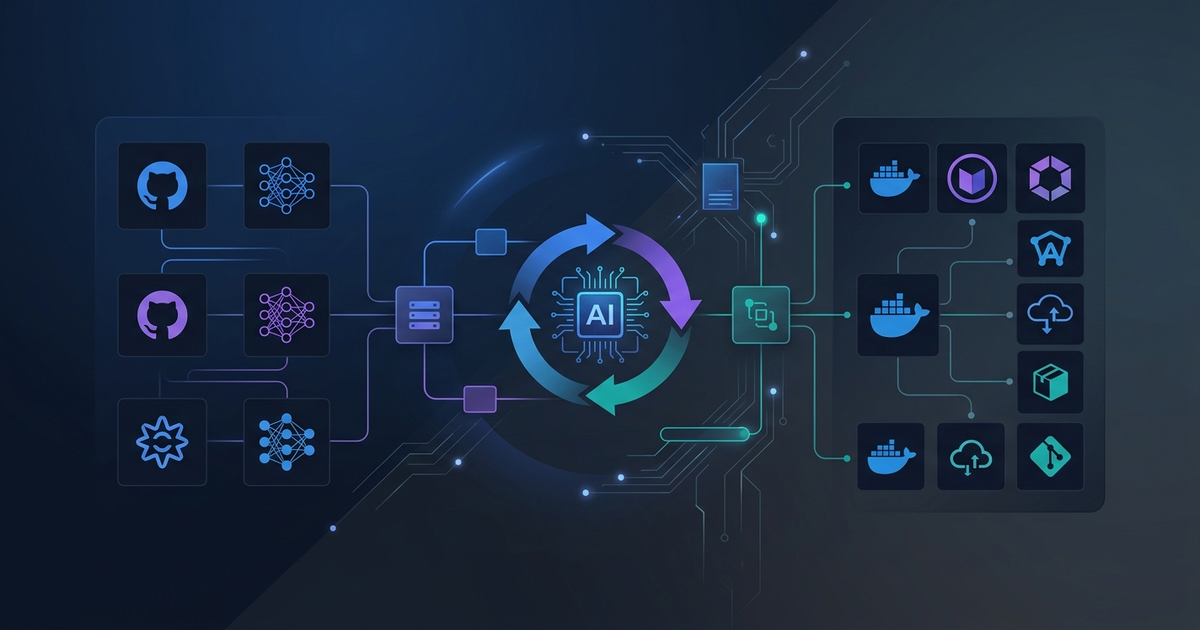
Hermes Agent, released by Nous Research on February 25, 2026, has grown to over 103,000 GitHub stars in roughly ten weeks. This article walks through a real local install, documents what the CLI actually exposes, and explains the GEPA self-improvement mechanism that makes the project technically interesting.
What Is Hermes Agent?
Hermes Agent is an open-source AI agent framework built around a persistent skill system. Unlike one-shot coding agents, it accumulates experience across sessions: when it solves a complex task, it saves the approach as a reusable skill. Those skills get reused and refined on future tasks.
The headline claim — agents become 40% faster on repeated tasks after accumulating 20+ self-generated skills — comes from GEPA (Genetic-Evolution-based Prompt Adaptation), an ICLR 2026 Oral paper by the same research team.
Version 0.10.0 (April 16, 2026) ships with 118 pre-built skills and six messaging integrations. The v0.13.0 PyPI package, released May 7, 2026, installs in seconds.
Install
The fastest path on macOS or Linux is pip:
pip3 install hermes-agent
# hermes-agent-0.13.0 installs with: openai, rich, python-dotenv, ruamel.yaml, httpx
The official curl installer is more complete (handles ripgrep, ffmpeg, virtualenv setup):
curl -fsSL https://raw.githubusercontent.com/NousResearch/hermes-agent/main/scripts/install.sh | bash
Note: the PyPI package is behind the GitHub main branch by roughly 2,500 commits at the time of writing. For production use, the curl installer is the better choice.
After install, the CLI entry point is hermes (or python3 -m hermes_cli.main if your PATH is not configured):
$ python3 -m hermes_cli.main version
Hermes Agent v0.13.0 (2026.5.7)
Python: 3.12.8
OpenAI SDK: 2.24.0
Update available: 2513 commits behind
Health Check with hermes doctor
The doctor command audits your environment before you spend time debugging:
$ hermes doctor

◆ Security Advisories       ✓ No active advisories
◆ Python Environment        ✓ Python 3.12.8  ⚠ Not in venv (recommended)
◆ Required Packages         ✓ OpenAI SDK, Rich, python-dotenv, PyYAML, HTTPX
◆ Optional Packages         ⚠ python-telegram-bot (not installed)
                            ⚠ discord.py (not installed)
◆ Configuration             ✓ ~/.hermes/.env exists
                            ✓ API key configured
                            ⚠ Config version outdated (v22 → v23)
◆ Auth Providers            ⚠ Nous Portal (not logged in)
The config version warning (v22 → v23) appears on fresh pip installs; running hermes setup migrates the config. The Nous Portal warning is expected unless you have a portal account — you can point Hermes at OpenAI, Anthropic, or any OpenRouter-compatible endpoint instead.
Built-In Skills (26+ at v0.13.0)
Hermes ships with a curated skill library. The full list from hermes skills list:
| Category | Skills |
|---|---|
| Apple integrations | apple-notes, apple-reminders, findmy, imessage |
| Autonomous AI agents | claude-code, codex, hermes-agent, opencode |
| Creative | architecture-diagram, excalidraw, manim-video, p5js, pixel-art, ascii-art |
| Data science | jupyter-live-kernel |
| DevOps | webhook-subscriptions |
| himalaya | |
| Gaming | minecraft-modpack-server |
The autonomous-ai-agents category is notable: Hermes can delegate to Claude Code, Codex, or even a nested Hermes Agent instance — a meta-agent pattern where Hermes orchestrates specialized sub-agents.
First Run: Model Configuration
Before running tasks, configure a model:
hermes model
# Interactive: choose provider (OpenRouter, OpenAI, Anthropic, Nous Portal, custom)
# Accept defaults for first run
Minimum requirement: a model with at least 64,000 tokens of context. Models below this threshold are rejected at startup because the agent's working memory (skill state + tool call history) requires sustained context.
Then start the agent:
hermes                  # Classic CLI
hermes --tui            # Terminal UI (recommended for new users)
The GEPA Self-Improvement Mechanism
GEPA (Genetic-Evolution-based Prompt Adaptation) is the research paper behind Hermes's self-improvement claims. The mechanism works in three stages:
- Skill extraction: after a successful multi-step task, the agent generates a reusable skill definition (a prompt template + tool call sequence).
- Genetic mutation: skills are periodically mutated — parameters adjusted, steps reorganized — and tested against past task outcomes.
- Selection pressure: skill variants that perform better on replay are kept; weaker variants are discarded.
The paper reports a 40% speed improvement on repeated tasks once 20+ self-generated skills accumulate. This is measured on task types the agent has seen before, not novel tasks.
The practical implication for developers: Hermes gets measurably better at your specific workflows over time, rather than starting fresh each session.
Three-Layer Memory
Hermes uses a tiered memory model:
- Session memory: within-session context (standard LLM context window)
- Skill memory: persistent skill library on disk (
~/.hermes/skills/) - Long-term memory: optional vector store for facts, preferences, and past task summaries
The skill and long-term layers survive restarts; session memory does not. This is different from agents that only use RAG — the skill library is structured code-like objects, not raw text chunks.
License and Hosting
Hermes Agent is MIT licensed. The project offers self-hosting on European infrastructure starting at €5/month, positioned as a privacy-first alternative to cloud-only agents. Local use with your own API keys has no additional cost.
Practical Notes for Developers
- The pip package (
hermes-agent 0.13.0) is significantly behind the GitHub repo. For anything beyond evaluation, use the curl installer. - The
doctorcommand is a good first step. Fix config and venv warnings before debugging LLM behavior. - Start with
hermes modelto lock in your provider before the first session — model choice affects which skills are activated. - The
--tuimode is easier to navigate for first sessions; classic CLI is better for scripting.
Sources
Need content like this
for your blog?
We run AI-powered technical blogs. Start with a free 3-article pilot.