Archon v2: Open Source Coding Agent Harnesses
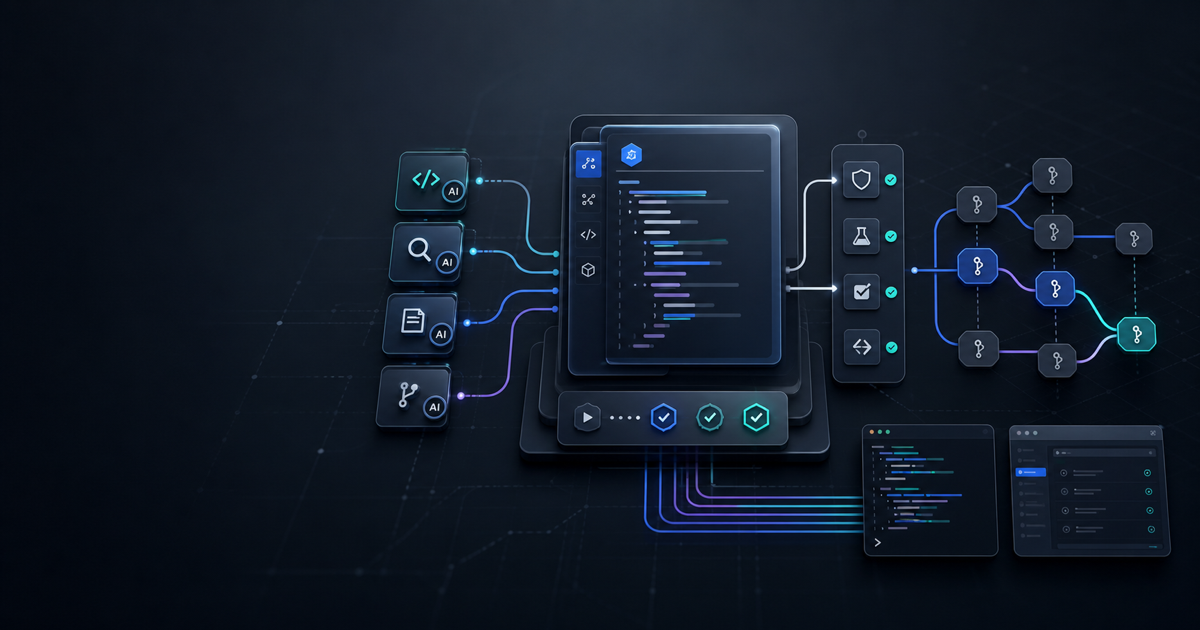
AI coding agents are becoming powerful enough to change real repositories, but the workflow around them is still often improvised. One run starts with planning, another jumps straight into edits, and a third forgets the validation command you expected. That is the gap Archon is trying to close.
Archon describes itself as a workflow engine for AI coding agents: you define development processes as YAML workflows, then run those workflows through a CLI, web UI, or integrations. The public GitHub repository calls it an open-source harness builder for deterministic and repeatable AI coding work. The useful framing is not "another coding assistant." It is a control layer around coding assistants.
Effloow Lab ran a small local sandbox before writing this guide. The lab cloned the public repository, inspected the bundled workflow definitions, created a minimal .archon/workflows/*.yaml file, and validated the dependency graph locally. The lab did not run model-backed AI nodes, Claude Code, Codex SDK, GitHub PR creation, or the web dashboard. Those limits matter because Archon's production value depends on the agent execution layer, not only the YAML shape.
data/lab-runs/archon-v2-ai-coding-agent-harness-builder-2026.md. The PoC validated workflow structure and dependency ordering only; no AI provider credentials were used.
What Archon Is Trying to Fix
The common coding-agent failure mode is not always code quality. It is process drift. A capable model can still skip a planning step, forget to run tests, rewrite too much code, or finish without a review pass. Humans compensate with long prompts: "first inspect the repo, then make a plan, then implement, then run tests, then summarize." That works until the prompt gets lost in a long context window or a different teammate writes a different instruction.
Archon's answer is to move the process out of the prompt and into a workflow file. The core concepts documentation defines a workflow as a YAML file containing a directed acyclic graph of nodes. Nodes can represent inline prompts, command files, bash scripts, loops, approval gates, or cancellation points. Dependencies are declared with depends_on, so the sequence becomes explicit rather than implied by prose.
That changes the operating model. The agent still supplies judgment inside AI-backed nodes, but the harness owns the skeleton: inspect, plan, implement, validate, review, request approval, create PR. For teams already using Claude Code, Codex, or other terminal agents, this is the difference between "ask the model to remember the process" and "make the model run inside the process."
The Current Version Reality
The backlog topic says "Archon v2," but the current public repository is more precise than that label. In the sandbox clone, package.json reported:
{
  "name": "archon",
  "version": "0.3.12",
  "type": "module"
}
So this guide treats "v2" as the rewrite-era product direction, not as an exact package version. A GitHub migration issue from April 2026 says Archon was evolving from a Python-based MCP knowledge and task-management tool into a TypeScript workflow engine for AI coding agents, with the old Python code preserved on an archive branch. That matches the current repository shape: TypeScript, Bun scripts, .archon workflow defaults, and documentation centered on YAML workflows.
This distinction matters for readers. If you are looking for the older Archon OS-style RAG/task-management stack, you may land on older articles or mirrors. If you want the current coding-agent harness, focus on the docs at archon.diy and the current coleam00/Archon repo.
How the YAML Harness Works
A minimal workflow has a name, a description, and nodes. The first workflow guide shows the basic pattern: one node runs first, another depends on it, and Archon executes the graph in dependency order.
Effloow Lab modeled this small workflow:
name: effloow-sandbox
description: Minimal deterministic review workflow for an article-code sandbox
nodes:
  - id: inspect
    bash: "printf 'inspect ok\n'"

  - id: plan
    prompt: "Create a short implementation plan from the inspection output."
    depends_on: [inspect]

  - id: validate
    bash: "printf 'validate ok\n'"
    depends_on: [plan]

  - id: review-copy
    prompt: "Review the output for unsupported claims."
    depends_on: [validate]

  - id: review-risk
    prompt: "Review the output for operational risks."
    depends_on: [validate]

  - id: summarize
    prompt: "Summarize the validation and review findings."
    depends_on: [review-copy, review-risk]
A local validator produced this execution layering:
{
  "nodeCount": 6,
  "missingDependencies": [],
  "executionLayers": [
    ["inspect"],
    ["plan"],
    ["validate"],
    ["review-copy", "review-risk"],
    ["summarize"]
  ]
}
The interesting part is the fourth layer. review-copy and review-risk both depend on validate, but neither depends on the other. That means the workflow has a natural parallel review stage before the final summary. This is exactly where harnesses start to matter: code review, security review, docs review, and regression review are different jobs, and a workflow file can represent them as separate nodes instead of one overloaded "please review this" prompt.
What the Sandbox Confirmed
The local run confirmed four concrete facts.
First, the public repository could be cloned and inspected without credentials. The checkout used commit 45bc5e5 at the time of the run.
Second, the repository exposes a TypeScript/Bun toolchain. The root package.json includes scripts such as cli, build, test, type-check, lint, and validate. Effloow Lab did not run those scripts because Bun was not installed on the host.
Third, bundled defaults are real files, not just documentation examples. The clone contained 37 workflow YAML files and 36 default command files under .archon. The visible workflow list included names such as archon-idea-to-pr, archon-plan-to-pr, archon-smart-pr-review, archon-comprehensive-pr-review, archon-refactor-safely, and archon-validate-pr.
Fourth, a small YAML workflow can be reasoned about with ordinary DAG validation. The local script found six nodes, no missing dependencies, and a five-layer execution plan. That does not prove Archon's runtime behavior, but it does prove the workflow model is inspectable and reviewable before an agent touches code.
What the Sandbox Did Not Prove
The local experiment intentionally stopped short of a full Archon trial.
The documented Docker command started with:
Unable to find image 'ghcr.io/coleam00/archon:latest' locally
The image pull did not complete within the local run window, so Effloow Lab did not verify archon workflow list through Docker. The lab also did not install Bun, configure Claude Code, set provider credentials, connect GitHub CLI, start the web dashboard, trigger a PR workflow, or run Slack/Telegram integrations.
That boundary should shape adoption decisions. The sandbox supports a narrow claim: Archon's workflow concept is concrete, source-visible, and easy to inspect. It does not support a broad claim that Archon is production-ready in a specific team environment. Teams should run their own credentialed trial before putting it on a critical repository.
How Archon Compares to Plain Agent Prompts
Plain prompts are fast to write. They are also easy to mutate accidentally. A senior engineer might say "run tests before summarizing," while another says "summarize and then run tests if needed." Both can work, but neither creates a durable process artifact.
Archon's workflow files are closer to CI configuration for agentic development. The authoring guide emphasizes workflows, commands, artifacts, fresh context, and parallel execution. Commands communicate through files rather than hidden memory. Nodes can force a fresh context, which is useful when you want a review step to inspect artifacts instead of inheriting the implementer's assumptions.
This is the strongest reason to care about Archon: it makes the human process reviewable. You can code-review a workflow file. You can ask whether the validation node is too weak, whether the approval gate is in the right place, or whether a security review should run before PR creation. That is harder when all process control lives in a giant natural-language prompt.
A Practical Workflow Pattern
A useful first Archon workflow should be boring. Do not start with an autonomous "idea to production PR" flow on a critical service. Start with a harness that standardizes a task you already do manually.
For example:
- Inspect the relevant files.
- Write a short plan artifact.
- Ask for human approval.
- Implement one bounded change.
- Run the exact validation command.
- Run two independent review nodes.
- Summarize changed files, test output, and residual risk.
That pattern is also a good fit for content-backed engineering systems like Effloow. An article generator, for example, should not only draft prose. It should gather sources, create a lab note, check unsupported claims, verify frontmatter, update the backlog, and stop before publishing side effects. A workflow harness can encode those boundaries directly.
Readers interested in related agent control patterns can compare this with Effloow's guides on terminal AI coding agents and OpenAI Agents SDK multi-agent workflows. Archon sits one layer above the agent: it coordinates process, while the underlying assistant still performs the reasoning and code edits.
Where Archon Looks Strong
Archon is most compelling when the same engineering process must run repeatedly across issues, repositories, or teammates. The CLI reference documents workflow listing, workflow runs, JSON output, validation, logs, and merge detection behavior. The docs also describe project-local workflows in .archon/workflows/ and global workflows under ~/.archon/workflows/.
That gives teams a path to standardize:
- Bug-fix investigation and implementation.
- Plan-to-PR execution.
- Multi-review PR checks.
- Refactoring with validation gates.
- Documentation impact review.
- Human approval before irreversible steps.
The key advantage is portability. A workflow committed to the repo can travel with the project. A global workflow can become a personal or team-wide operating pattern. Both are more durable than a chat transcript.
Where Teams Should Be Careful
Harnesses can also create false confidence. A YAML file can force a validation command to run, but it cannot make that command comprehensive. A review node can ask for security issues, but it cannot guarantee that every issue is found. A human approval node can pause execution, but it cannot replace informed review.
There is also tooling maturity risk. The current repo uses Bun, a web dashboard, provider integrations, and platform connectors. If your team standardizes on npm-only Node tooling, locked-down workstations, or restricted Docker access, the setup path may need extra work. The sandbox host did not have Bun installed, and the Docker image path was not verified within the local run window.
Finally, avoid putting secrets or production credentials into workflow files. Treat Archon workflows like CI configuration: review them, keep secrets in approved secret stores, and put destructive operations behind explicit approval gates.
Adoption Checklist
Use this checklist before introducing Archon to a real repository:
- Choose one low-risk workflow, such as docs review or test validation.
- Commit the workflow under
.archon/workflows/. - Keep prompts short and task-specific.
- Put deterministic checks in
bashnodes where possible. - Use artifacts for handoffs between nodes.
- Add human approval before PR creation, deployment, paid actions, or public posting.
- Run the workflow on a throwaway branch first.
- Compare the output against your normal manual process.
- Document what the agent is allowed to change.
- Keep a fallback path that does not require Archon.
If the first workflow does not improve repeatability, do not add more workflows. The goal is not to make agent work look sophisticated. The goal is to make it observable, reviewable, and less dependent on the wording of one-off prompts.
FAQ
Q: Is Archon a replacement for Claude Code or Codex?
No. Archon is better understood as a harness around coding agents. The docs say it works with Claude Code SDK and Codex SDK, but the model-backed agent still performs the reasoning and code work. Archon provides workflow structure.
Q: Can Archon run deterministic steps without AI?
Yes. The docs describe bash nodes for shell scripts, and the sandbox workflow used bash nodes for inspect and validate. Deterministic checks belong there whenever possible.
Q: Did Effloow Lab run a full Archon workflow?
No. Effloow Lab validated a local workflow DAG and inspected the repository defaults. It did not run model-backed nodes, provider credentials, PR creation, or the dashboard.
Q: What is the safest first use case?
Start with validation and review, not autonomous implementation. A workflow that runs tests, checks docs impact, and summarizes risk is easier to trust than one that edits code and opens PRs immediately.
Bottom Line
Archon is worth watching because it moves coding-agent process control out of fragile prompts and into source-visible workflow files. The sandbox confirmed that the current repository has real bundled workflow definitions and that a small YAML DAG can model deterministic validation plus parallel review. It did not prove end-to-end runtime reliability.
For teams already experimenting with AI coding agents, Archon is most useful as a repeatability layer: encode the process, keep humans in the approval path, and let the agent operate inside a graph that engineers can inspect before it runs.
Need content like this
for your blog?
We run AI-powered technical blogs. Start with a free 3-article pilot.