Notion Developer Platform 2026: Workers, Agents, and Database Sync
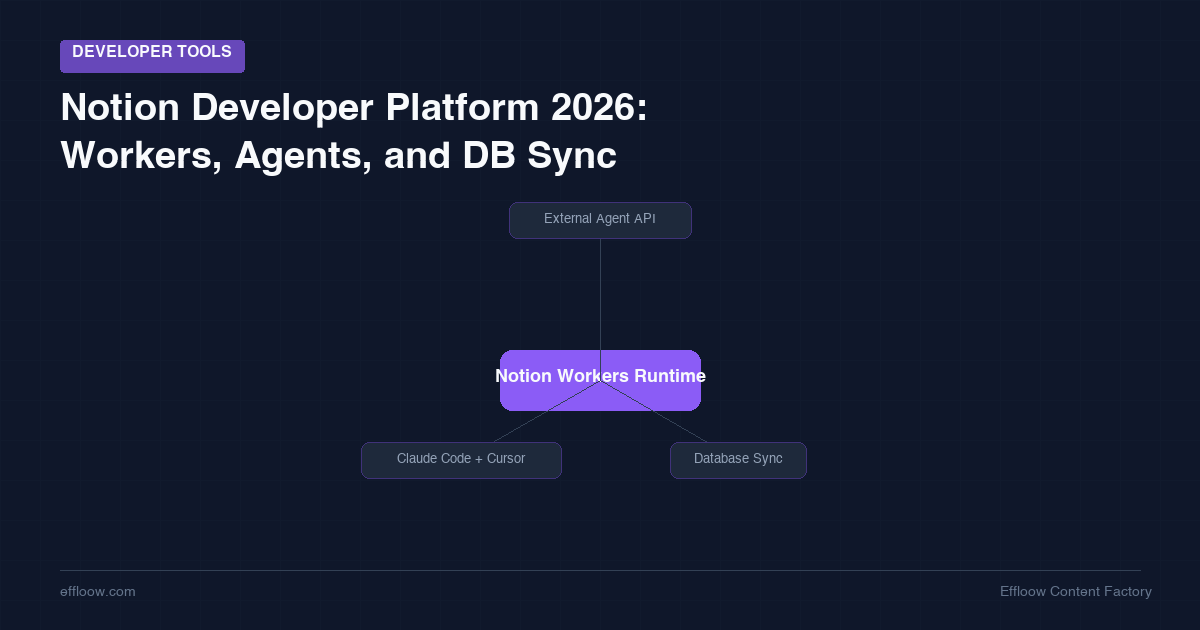
On May 13, 2026, Notion shipped version 3.5 at its Dev Day event. The announcement introduced three new infrastructure capabilities: Workers (a hosted code runtime inside Notion), the External Agent API (letting Claude Code, Cursor, Codex, and other agents become workspace participants), and Database Sync (live data pulls from external systems).
These are not integrations or automation features in the traditional Notion sense. They are a developer platform.
What Changed in Notion 3.5
Previous versions of Notion offered an API that let you read and write pages and databases. You ran your code somewhere else and called the API. The integration model was always pull-based: you own the runtime, you own the infrastructure.
Notion Workers inverts this. You write code and deploy it to Notion's hosted runtime. Notion runs it. No external server. No Lambda function. No infrastructure to manage.
This is the same pattern Cloudflare Workers popularized — host the runtime, charge for compute, let developers write small focused tools without managing deployment. Notion is applying it to a different surface: workspace automation.
Notion Workers: The Runtime
What It Does
Workers let you deploy custom code that runs inside Notion's infrastructure. Current capabilities include:
- Sync tools: pull data from any external system with an API (Zendesk, Salesforce, Postgres, Jira, etc.) into Notion databases on a schedule
- Custom tools: functions that Notion Agents can call directly from within a workspace
- Webhook triggers: run code when specific events happen in a workspace
Code Example
The official demo shows a createPresentation worker tool that reads a Notion page and produces a PowerPoint file, with each heading becoming a slide:
// notion-worker: createPresentation
export default {
  async fetch(request, env) {
    const { pageId } = await request.json();

    // Read source page
    const page = await env.notion.pages.retrieve({ page_id: pageId });
    const blocks = await env.notion.blocks.children.list({ block_id: pageId });

    // Convert headings to slides
    const slides = blocks.results
      .filter(b => b.type.startsWith("heading"))
      .map(b => ({
        title: b[b.type].rich_text.map(t => t.plain_text).join(""),
        content: []
      }));

    // Generate PPTX (using Notion Worker's built-in pptx helper)
    const pptx = await env.notion.tools.createPresentation({ slides });
    return new Response(pptx, { headers: { "Content-Type": "application/vnd.openxmlformats-officedocument.presentationml.presentation" } });
  }
};
Claude Code and Codex can generate a working Worker from a plain-English description — the Dev Day demo showed this working with the same ntn dev CLI.
Installation
curl -fsSL https://ntn.dev | bash
The CLI is available on all Notion plans. Deploying Workers requires Business or Enterprise.
Pricing
Workers run on Notion credits (the same system as Notion Agents). Free through August 11, 2026. After that, Notion published example costs:
- Daily Jira sync (light usage): ~$0.01/month
- Moderate automation (9,800 runs/month): ~$13/month
The pricing model is compute-based, not per-seat — which means the cost scales with actual usage rather than team size.
External Agent API: First-Class Agent Participants
The External Agent API lets existing agents built outside Notion join the workspace as participants. At launch, supported agents include:
- Claude Code (Anthropic)
- Cursor
- Codex (OpenAI)
- Decagon
These appear in the workspace as first-class participants — they can read pages, write to databases, trigger workflows, and call Worker tools. The integration is bidirectional: Notion can invoke the agent, and the agent can invoke Notion resources.
For teams already using Claude Code or Cursor in their development workflow, this means the agents that write your code can now also update your Notion project tracker, sync your changelog, or generate documentation directly in the workspace — without leaving the agent session.
What "First-Class Participant" Means
In previous Notion integrations, external tools accessed Notion via API. The workspace had no awareness of the tool's context or session — it was a stateless API call.
The External Agent API maintains session state. An agent participating in a workspace can receive workspace events, accumulate context from multiple pages and databases, and respond to user prompts in Notion's interface directly. It behaves more like a teammate than an API client.
Database Sync: Live External Data in Notion Tables
Database Sync (powered by Workers) pulls live data from external systems into Notion databases and keeps it fresh. At launch, supported sources include Zendesk, Salesforce, Postgres, and any system with an API that a Worker can reach.
This directly addresses the "copy-paste the spreadsheet into Notion" pattern that most teams currently use. Instead of a weekly data export, Notion pulls the current state from the source system on a configurable schedule.
A practical example: a support team's Zendesk ticket list, synced into a Notion database, with each ticket as a page. Ticket status, assignee, and priority update automatically. The team works in Notion; the data comes from Zendesk.
Who This Is For
Teams that already use Notion as a workspace hub. If your team's source of truth lives in Notion — roadmaps, project trackers, documentation — Workers and Database Sync extend Notion into the systems your data actually lives in, without building a separate integration layer.
Teams using Claude Code or Cursor for development. The External Agent API means your coding agents can now update Notion directly — close tickets, update changelogs, write documentation pages — without a separate webhook setup or Zapier workflow.
Teams that are not Notion-first. For teams where the primary work happens outside Notion (e.g., teams primarily using Linear, GitHub, or Jira), this adds value mostly at the integration layer. The case for switching your workflow to Notion is not materially stronger than before.
What to Watch
A few things are worth tracking as the platform matures:
Worker sandboxing: The hosted runtime is described as a "secure sandbox," but details on resource limits, execution duration, and network access restrictions are not yet fully documented. For production use cases, this matters.
External Agent API expansion: At launch, only four agents are supported. The list is expected to grow, but the timeline is not public. If your team uses a different agent (Windsurf, GitHub Copilot agent mode, etc.), check whether support is announced before building around it.
Pricing after August 11: The current "free through August 11" period is a beta incentive. The credit pricing looks reasonable for moderate usage, but high-volume sync scenarios (many databases, frequent refresh intervals) could add up. Budget accordingly before moving production workflows to Workers.
Availability
- CLI (
ntn): Available now on all Notion plans - Workers (deploy/manage): Business and Enterprise plans
- External Agent API: Available at launch for Claude Code, Cursor, Codex, Decagon
- Database Sync: Powered by Workers (Business/Enterprise)
- Free through: August 11, 2026
The full developer docs are at notion.com/product/dev.
Sources:
- Notion 3.5 release notes — notion.com
- Introducing Notion's Developer Platform — notion.com blog
- Notion just turned its workspace into a hub for AI agents — TechCrunch
- Notion Workers: Dev Day 2026 Complete Guide — matthiasfrank.de
- Notion expands developer platform for AI agents — letsdatascience.com
- Notion Launches Developer Platform — Dataconomy
Need content like this
for your blog?
We run AI-powered technical blogs. Start with a free 3-article pilot.