Best AI DevOps Tools 2026: From CI/CD to Deployment Automation
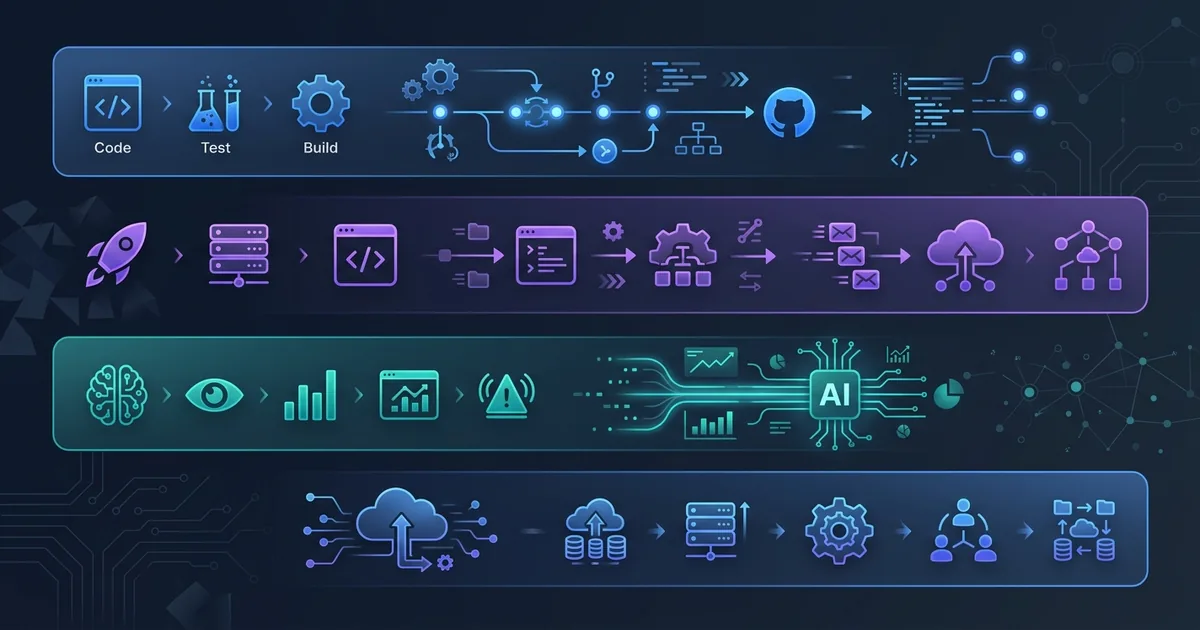
DevOps teams in 2026 face a paradox: software ships faster than ever, but the infrastructure supporting it has become harder to manage. Microservices multiply. Deployment targets span multiple clouds. Incident alerts pile up at 3 AM. Traditional CI/CD pipelines still work, but they require constant manual tuning — and that tuning increasingly looks like the bottleneck.
AI-powered DevOps tools attack this problem directly. Instead of replacing your pipeline, the best ones embed intelligence into existing workflows: auto-diagnosing failed builds, generating infrastructure-as-code from plain English, triaging incidents before your on-call engineer finishes reading the alert, and predicting deployment risks before you push to production.
This guide compares the leading AI DevOps tools available in 2026, focusing on what actually matters for engineering teams: where the AI adds real value, what it costs, and how it fits into your existing stack. No affiliate links — just a practical comparison based on officially documented features.
For related tooling comparisons, see our guides to the best AI code review tools in 2026 and the best AI coding agents in 2026.
What Changed in AI DevOps for 2026
Before diving into individual tools, it helps to understand three shifts that define the current landscape:
From Copilots to Autonomous Agents
In 2024, AI in DevOps mostly meant chatbots that could answer questions about your pipeline configuration. In 2026, the tools have moved toward autonomous agents — AI systems that can investigate incidents end-to-end, validate their own findings, and take remediation actions with appropriate guardrails. Datadog's Bits AI SRE agent and GitLab's Duo Agent Platform are prime examples of this shift.
Natural Language Infrastructure Management
Generating Terraform from a prompt was a party trick in 2024. In 2026, tools like Spacelift Intent handle the full loop: you describe what you want in plain English, the AI generates the infrastructure code, plans the change, applies it within policy guardrails, and monitors for drift. The key difference is that these systems understand your existing infrastructure state, not just the syntax of IaC languages.
AI-Native Observability
Observability platforms no longer just collect data — they reason about it. When an alert fires, AI agents correlate metrics, logs, and traces automatically, generate root cause hypotheses, and validate them against your runbooks. The on-call engineer gets a conclusion, not a dashboard to stare at.
The Contenders
| Tool | Primary Strength | AI Agent | Free Tier | Published Price (verified) |
|---|---|---|---|---|
| Harness AIDA | CI/CD pipeline intelligence | Yes | Yes (AIDA + 2,000 cloud credits/mo) | Paid plans: contact sales |
| Amazon Q Developer | AWS-native DevOps assistant | Yes | Yes (perpetual) | $19/user/mo (Pro) |
| Spacelift Intent | IaC orchestration with AI | Yes | Yes (2 users, no time limit) | Annual contract; quoted by resource count |
| Datadog Bits AI | Incident response & observability | Yes | Trial only | AI Credits (separate from core usage) |
| GitLab Duo | Full DevSecOps AI layer | Yes | Limited | $19/user/mo (Duo Pro) |
| GitHub Actions + Copilot | CI/CD workflow generation | Partial | Yes (Actions free for public repos) | $19/user/mo (Copilot Business) |
Harness AIDA: AI-Native CI/CD Platform
Harness was one of the first DevOps platforms to embed AI deeply into its product rather than bolting it on as a chatbot. AIDA (AI Development Assistant) is integrated across every Harness module — CI, CD, Feature Flags, Cloud Cost Management — which means the AI has context about your entire delivery pipeline, not just the step that failed.
What AIDA Actually Does
Pipeline failure analysis. When a build or deployment fails, AIDA analyzes the logs and suggests specific fixes. This goes beyond pattern matching — the AI understands the pipeline configuration, the code changes in the PR, and the execution context to provide targeted remediation advice.
Natural language pipeline generation. You can describe a pipeline in plain English, and AIDA generates the YAML configuration. More usefully, you can ask it to modify existing pipelines — "add a canary deployment stage with 10% traffic split" — and it generates the correct configuration within your existing pipeline structure.
Deployment risk assessment. Harness evaluates deployment risk in real time, recommending canary rollouts or automatic rollback before a problematic release reaches production. This combines change analysis with historical deployment data to flag risky changes.
Policy generation. AIDA generates OPA Rego policies from natural language descriptions, which is genuinely useful for teams that need compliance guardrails but find Rego's syntax intimidating.
Test intelligence. AIDA analyzes code changes in a PR to predict which tests are relevant and identifies flaky tests that have been quietly degrading your pipeline reliability.
Pricing
Harness offers a free tier that includes AIDA and 2,000 CI cloud credits per month (Harness CI subscription docs). Beyond the free tier, Harness moved to a consolidated "Developer 360" model with Free, Essentials, and Enterprise plans, and it does not publish a flat per-developer rate — paid plans are quoted through sales (Harness pricing). Treat any specific seat price you see quoted second-hand as unverified until Harness confirms it for your seat count.
Best For
Teams already using (or evaluating) Harness as their CI/CD platform. AIDA's strength is deep integration across the Harness ecosystem — if you use a different CI/CD platform, you will not get the same level of contextual AI assistance.
Amazon Q Developer: AWS-Native DevOps Intelligence
Amazon Q Developer (the evolution of CodeWhisperer) is AWS's answer to AI-assisted development and operations. While it started as a code completion tool, it has expanded significantly into DevOps territory — particularly for teams running workloads on AWS.
What Q Developer Actually Does
Autonomous development agents. Q Developer can carry out multi-step tasks: implementing features, refactoring code, upgrading dependencies. For DevOps specifically, it generates IaC templates (CloudFormation, CDK) and DevOps scripts from natural language descriptions.
Code transformation at scale. The transformation capability handles large-scale migrations — upgrading Java 8 to 17 or porting .NET Framework apps to .NET 8. It rewrites code, runs tests, and produces a working result. This is particularly relevant for DevOps teams managing legacy codebases that block infrastructure modernization.
Security scanning. Built-in scanning covers OWASP Top 10 vulnerabilities with suggested code fixes — effectively shifting security left into the development workflow rather than catching issues in the deployment pipeline.
AWS console integration. In the AWS Console, you can ask Q to list Lambda functions, generate CLI commands, explain CloudWatch metrics, or troubleshoot deployment issues. It will not execute commands without confirmation, but it eliminates the constant context-switching between documentation and terminal.
Cost insights. Q Developer now includes AWS pricing capabilities — you can ask questions about service costs and get instant estimates, which is useful when designing infrastructure or evaluating architecture changes.
Pricing
The free tier is perpetual and covers individual use with basic code suggestions and security scanning. The Pro tier costs $19 per user per month and includes higher usage limits, organizational features, and administrative controls (Amazon Q Developer pricing). One lifecycle caveat worth checking before you standardize on it: AWS has published an end-of-support timeline for the Q Developer IDE plugins, so confirm the current status on the official product page for your intended use.
Best For
Teams heavily invested in AWS. Q Developer's DevOps value comes primarily from its deep AWS integration — understanding your console, your services, and your infrastructure. If you run a multi-cloud setup, the AWS-specific features become less compelling.
Spacelift Intelligence: AI for Infrastructure Teams
Spacelift occupies a specific niche — infrastructure-as-code orchestration — and its AI features are tightly focused on that domain. The Spacelift Intelligence suite, announced on March 18, 2026, adds AI capabilities to infrastructure management rather than trying to be a general-purpose DevOps AI.
What Spacelift Intelligence Actually Does
Spacelift Intent. This is the headline feature: natural language infrastructure provisioning. You describe what you want — "create a staging environment matching production but with smaller instance sizes" — and Intent carries out the change within your existing policy guardrails. One detail teams often get wrong: by default Intent provisions directly through provider APIs rather than emitting Terraform, with exporting to IaC offered as an optional path (Spacelift Intent docs). The key differentiator is that Intent understands your current infrastructure state, your stacks, and your policies, so it does not act in a vacuum.
Infra Assistant. A conversational AI embedded directly in the Spacelift dashboard that understands your stacks, state files, runs, and configuration. You can ask questions like "which stacks drifted this week" or "why did this run fail" and get contextual answers. It also handles policy creation, drift management, and troubleshooting through conversation.
AI-generated diagnostics. When a run fails, Spacelift Intelligence analyzes the error in context — considering your state, your provider configuration, and your policy rules — to provide targeted diagnostic information. This reduces the time spent reading Terraform error messages, which can be notoriously unhelpful.
Pricing
Spacelift's free "Cloud" tier covers a small team (2 users, no time limit) so you can evaluate the workflow before committing (Spacelift pricing). Paid plans are sold on annual contracts and quoted largely by the number of managed resources rather than a simple per-seat rate — the official Starter+ tier is listed as an annual subscription, and third-party marketplaces report higher tiers running into the low thousands of dollars per month. Because the published figures and reseller estimates do not always agree, get a current quote scoped to your resource count before budgeting.
Best For
Platform engineering teams managing complex infrastructure across multiple providers. Spacelift Intelligence shines when you have a significant IaC footprint and need AI that understands your specific infrastructure context, not just Terraform syntax in general.
Datadog Bits AI: Agentic Observability
Datadog has taken the most aggressive approach to autonomous AI agents in the DevOps space. Bits AI is not a chatbot — it is a suite of three specialized agents (SRE, Dev, Security Analyst) that operate autonomously within your observability data.
What Bits AI Actually Does
Bits AI SRE. This is the standout capability. When an alert fires, the SRE agent autonomously investigates: it analyzes runbooks, correlates telemetry across metrics, logs, and traces, generates root cause hypotheses, validates its own findings, and delivers a conclusion to your collaboration tools (Datadog documents integrations including Slack, Jira, ServiceNow, and GitHub). Datadog markets the agent as completing investigations in minutes and cites customer MTTR reductions (Bits AI SRE); read those as vendor figures, since the baselines behind the percentages are not published.
Bits AI Dev Agent. On the development side, Bits AI can investigate issues flagged in monitoring, suggest code fixes based on the telemetry context, and connect observability insights to the codebase. This bridges the gap between "something is slow in production" and "here is the specific code path causing the latency."
Bits AI Security Analyst. Reviews security signals with full operational context — understanding not just that a vulnerability exists, but whether it is actually exploitable given your infrastructure configuration and traffic patterns.
Natural language querying. You can ask questions about your observability data in plain English — "show me the p99 latency for the checkout service over the last 24 hours" — and get results without writing query syntax.
Pricing
Datadog uses consumption-based pricing across its core platform (per host, per GB of logs, per analyzed span). Bits AI agents, however, are metered separately on an AI Credits model — Datadog lists a credit bundle (on the order of $500/month for 500 credits) with on-demand credits priced per unit above that (Datadog pricing). In practice you need an existing Datadog subscription plus AI Credits to run the agents; there is no standalone free tier for the AI features.
Best For
Teams already using Datadog for observability who want to reduce mean time to resolution (MTTR) for incidents. Bits AI's strength is its access to your full telemetry dataset — metrics, logs, traces, and security signals — which gives it the context needed for accurate root cause analysis. If you use a different observability platform, Bits AI is not available to you. Teams instrumenting LLM-based services that want a self-hostable path instead can start with our self-hosted LLM observability guide.
GitLab Duo: AI Across the DevSecOps Lifecycle
GitLab Duo takes the platform approach: rather than excelling at one specific DevOps function, it embeds AI across the entire DevSecOps lifecycle — from planning to monitoring. The Duo Agent Platform became generally available in January 2026, marking GitLab's shift from individual AI features to a cohesive agent-based system.
What GitLab Duo Actually Does
Agentic chat. Multi-step reasoning using full GitLab context — issues, merge requests, pipelines, and security findings. You can ask Duo to generate code, refactor existing code, write tests, create documentation, or summarize project status, and it draws on the full project context to provide relevant responses.
AI-powered code review. Duo reviews merge requests for bugs, security issues, and code quality, providing inline suggestions. Agentic code review is metered at $0.25 per review; it first shipped in the GitLab 18.8.x series, and GitLab 18.10 opened it to Free-tier teams through the GitLab Credits model.
Pipeline failure root cause analysis. When CI jobs fail, Duo analyzes the failure context and suggests fixes, similar to Harness AIDA but within the GitLab ecosystem.
Vulnerability explanation and resolution. Duo explains security vulnerabilities found by GitLab's scanning tools and suggests specific code fixes, reducing the context-switching between security dashboards and code editors.
MCP client integration. The Duo Agent Platform connects to external systems via Model Context Protocol servers (GitLab's docs cite examples such as Jira, Slack, and Confluence), enabling cross-tool workflows without leaving GitLab. The Duo Agent Platform reached general availability on January 15, 2026.
Pricing
GitLab Duo Pro is available as a $19 per user per month add-on, and Duo Enterprise costs $39 per user per month, adding root cause analysis and vulnerability resolution (GitLab pricing). GitLab also runs an AI credits model: as of 2026, Premium includes $12 in credits per user per month and Ultimate $24, with extra credits listed at $1 each. The included-credit allowance is described as a promotion, so confirm the current allotment before you plan around it.
Best For
Teams using GitLab as their primary DevSecOps platform. Duo's value proposition is breadth — AI assistance at every stage of the pipeline — rather than depth in any single area. If your team already uses GitLab for source control, CI/CD, and security scanning, Duo adds AI capabilities without introducing another tool.
GitHub Actions + Copilot: The Ecosystem Play
GitHub does not have a single "AI DevOps product" in the way Harness or Datadog do. Instead, AI capabilities come from the combination of GitHub Actions (CI/CD) and GitHub Copilot (AI assistant), with Copilot increasingly understanding Actions workflow context.
What the Combination Actually Does
Workflow generation. Copilot can generate GitHub Actions workflow YAML from natural language descriptions. You can describe what your CI pipeline should do, and Copilot produces a working workflow file. One part worth checking by hand is the schedule: trigger, since a generated cron expression looks plausible whether or not it fires when you meant it to. Our cron parser prints the next ten run times for an expression, which is usually faster than waiting a day to find out.
Failed run debugging. When Actions runs fail, Copilot can analyze the failure logs and suggest fixes, including modifications to the workflow configuration or the application code.
Code review with CI context. Copilot's code review capabilities consider CI results when reviewing pull requests, connecting test failures and build issues to the code changes that caused them.
Pricing
GitHub Actions is free for standard public repositories; private repositories on the Free plan include 2,000 minutes per month (Actions billing docs). GitHub Copilot pricing starts at $19 per user per month for Copilot Business, and the Enterprise tier is $39 per user per month (Copilot features).
Best For
Teams using GitHub as their primary development platform who want incremental AI assistance without switching to a dedicated AI DevOps platform. The GitHub combination is less powerful than purpose-built tools like Harness or Datadog for specific use cases, but it requires zero additional tooling if you are already in the GitHub ecosystem.
How to Choose: Decision Framework
The right tool depends on where your DevOps pain is concentrated:
Choose Harness AIDA if...
You need AI deeply integrated into CI/CD pipeline management. Harness excels at pipeline failure analysis, deployment risk assessment, and test intelligence. The free tier makes it accessible for evaluation.
Choose Amazon Q Developer if...
Your infrastructure runs primarily on AWS. Q Developer's value comes from deep AWS integration — console assistance, CloudFormation generation, service-specific troubleshooting. Multi-cloud teams will find the AWS focus limiting.
Choose Spacelift Intelligence if...
Infrastructure-as-code management is your primary bottleneck. Spacelift Intent's natural language provisioning and the Infra Assistant's contextual understanding of your infrastructure state are unmatched for IaC-heavy teams.
Choose Datadog Bits AI if...
Incident response and observability are your biggest time sinks. Bits AI SRE's autonomous investigation capabilities directly reduce MTTR. You need an existing Datadog subscription to use it.
Choose GitLab Duo if...
You want AI assistance across the entire DevSecOps lifecycle without adding new tools. Duo's breadth across planning, coding, CI/CD, security, and monitoring makes it the natural choice for GitLab-native teams.
Choose GitHub Actions + Copilot if...
You are already in the GitHub ecosystem and want to add AI incrementally. This combination is the lowest-friction option, though less powerful than purpose-built alternatives for specific DevOps functions.
Cost Comparison for a 20-Person Team
To make the comparison concrete, here is what each tool costs for a team of 20 developers (where pricing is publicly available):
| Tool | Monthly Cost (est.) | Notes |
|---|---|---|
| Amazon Q Developer (Pro) | $380 | $19/user/mo × 20 (verified list price) |
| GitLab Duo Pro | $380 | $19/user/mo × 20 (add-on to GitLab subscription) |
| GitLab Duo Enterprise | $780 | $39/user/mo × 20 (add-on) |
| GitHub Copilot Business | $380 | $19/user/mo × 20 (Actions usage billed separately) |
| Harness AIDA | Quote required | Free tier covers evaluation; paid plans priced by sales |
| Spacelift Intent | Quote required | Annual contract, priced by managed-resource count |
| Datadog Bits AI | Usage + AI Credits | Core usage (hosts/logs/spans) plus a separate AI Credits bundle |
Only the top four rows have list prices you can confirm on a public pricing page today. The bottom three are deliberately left as "quote required" because Harness, Spacelift, and Datadog do not publish a flat per-seat number you can multiply by 20 — anyone who hands you a precise figure for those is estimating. Note also that these are tool-specific costs: most teams combine several (for example, Datadog for observability plus GitLab Duo for CI/CD and code review), so total DevOps tooling spend will exceed any single line item.
What Is Not Ready Yet
Honesty matters more than hype. Here is where AI DevOps tools still fall short in 2026:
Autonomous remediation remains limited. Most tools can diagnose problems and suggest fixes, but actually applying fixes in production without human approval is still uncommon — and for good reason. The "suggest, then confirm" pattern dominates.
Cross-platform intelligence is weak. Each tool's AI works best within its own ecosystem. If you use Harness for CI/CD, Datadog for monitoring, and Spacelift for IaC, no single AI has full context across all three. This is the next frontier.
Small team overhead. For teams under 10 developers, the cost and configuration overhead of these tools may not be justified. A well-maintained GitHub Actions workflow with Copilot assistance covers most small team needs.
When to Use AI DevOps Tools — and When to Skip
The comparison above answers "which tool," but the prior question is whether AI DevOps tooling earns its place on your team at all.
Use it when:
- A specific, repetitive failure mode eats real hours — flaky-test triage, reading unhelpful Terraform errors, or 3 AM incident investigation. Match the tool to that one pain point (Harness or GitLab for pipeline failures, Datadog for incident response, Spacelift for IaC) rather than buying breadth you won't use.
- You are already standardized on the host platform. Every tool here is strongest inside its own ecosystem, so the value is highest when it sits on top of infrastructure you already run.
- You can keep a human in the approval loop. These tools shine at "diagnose and suggest"; treat that as the design point, not a limitation.
Skip it (for now) when:
- Your team is under ~10 engineers and your pipeline is stable. The per-seat or usage cost rarely clears the bar versus a tidy GitHub Actions setup with Copilot.
- Your stack is genuinely multi-vendor with no dominant platform. No single AI here has cross-tool context, so you would be paying for partial coverage in several places.
- You need autonomous production remediation. Unattended fixes are still rare and, for most teams, undesirable. If that is the requirement, none of these fully meet it today.
What Effloow Added
Vendor pages each describe their own tool in isolation. We normalized six of them into one capability matrix and one cost table, and split the comparison into prices you can confirm on a public pricing page today (Amazon Q, GitLab Duo, GitHub Copilot) versus the three that are quote-only by design (Harness, Spacelift, Datadog). Every pricing and feature claim above links to the vendor's own pricing, docs, or announcement page, so you can re-check each number against the source before you buy.
Conclusion
AI DevOps tools in 2026 are genuinely useful — not just demos or marketing promises. Harness AIDA reduces the time engineers spend debugging failed pipelines. Datadog Bits AI SRE investigates incidents autonomously while your on-call engineer is still waking up. Spacelift Intent lets platform teams provision infrastructure from natural language without sacrificing governance.
The key decision is not "should we use AI in DevOps" — it is "where does AI add the most value for our specific bottlenecks." Start with your biggest pain point, pick the tool that addresses it most directly, and evaluate from there.
For more AI tool comparisons, explore our guides to the best AI code review tools in 2026, the best AI coding agents in 2026, and GitHub Copilot agent mode in JetBrains.
Get the next one
in your inbox.
One short weekly dispatch with new guides, tools, and what we tested. No spam, unsubscribe anytime.
Get weekly AI tool reviews & automation tips
Join our newsletter. No spam, unsubscribe anytime.
More in Articles
Google's Antigravity agent builds full-stack apps from a prompt, provisioning Firestore and Auth. The published free-tier quotas and limits, sourced.
A reproducible Python lab shows why averaging worker p95 fails, what merged histograms preserve, and where bucket interpolation can mislead API dashboards.
We put Google Antigravity 2.0's Agent Manager and browser-driving agents through scripted repo tasks, including a browser E2E test: what worked, what broke.
Supabase kills the logs.all endpoint on 2026-09-23 and the replacement speaks ClickHouse SQL only. The inventory scan and query rewrites to ship first.