MCP Server Supply-Chain Vetting: A Quarantine Pipeline for Tools
The Real Business Bottleneck
Founders usually fight three bottlenecks: cost, reliability, and latency. This topic hits reliability in a way most teams don't model yet: what happens to your security when an untrusted program runs inside your agent stack.
The channel you install from already has documented compromises — 30 CVEs, ~7,000 exposed servers, and a real npm imposter case (Docker, Aug 2025) — so unvetted installs are the expensive path, not the fast one.
Here's the uncomfortable pattern. Your team ships an agent. Product wants integrations — GitHub, Postgres, Slack, whatever. Someone finds an MCP server; a tool server built on the Model Context Protocol, the standard for wiring external tools into agents; on a registry, npx installs it, wires it into the config, and it works. Ship it. Total vetting time: zero minutes.
The problem is that MCP adoption has outpaced MCP hygiene, and attackers noticed. Three independent security sources documented the problem within roughly the last year:
- Kaspersky's Securelist reported that the Model Context Protocol is being abused in supply chain attacks via malicious MCP servers. Researchers documented malicious MCP servers being abused in supply chain attacks.
- Docker's "MCP Horror Stories: The Supply Chain Attack" (August 2025) documented a real case: a malicious npm package masquerading as an official MCP server. A developer searching for the legit server found the imposter first, installed it, and handed it access.
- Lorikeet Security catalogued 30 CVEs; publicly tracked security flaws; in the MCP ecosystem, tracked a North Korean npm hijack campaign, and reported approximately 7,000 exposed MCP servers reachable on the public internet.
Those three facts together describe a new acquisition risk. npm taught the ecosystem this lesson long before MCP existed; misspelled lookalike package names, install-time scripts like postinstall hooks, and hijacked maintainer accounts. MCP servers are distributed through the exact same channels, with an amplifying twist. An MCP server doesn't just get code execution; it gets trusted tool access to your agent's context, files, and credentials.
The board-level question is already arriving. If you're wiring dozens of third-party MCP servers into your agent stack and an investor's security reviewer asks "what's your vetting process for these?", "we looked at the star count" is not an answer. This article gives you one that is.
Why Naive In-Prompt Solutions Fail
The instinctive fix, telling the agent to be careful, doesn't work, because the threat model isn't inside the prompt. It's in the installation step, before your model ever loads. Consider the concrete failure modes.
Failure 1: The malware runs before inference. In the Docker-documented case, the malicious npm package used its install path to execute attacker code. By the time your agent takes its first turn, the imposter package has already entered the environment at install time. No system prompt can retroactively contain code that ran outside the model.
Failure 2: Prompt injection is a downstream payload, not the root cause. A malicious MCP server produces content inside the trust boundary, so injection capability flows from the server's position of trust. Filtering prompts against injection patterns is whack-a-mole when the compromised component is the one producing the content. You're asking the model to distrust its own tools, which your entire prompt architecture is designed to prevent it from doing.
Failure 3: Social proof is spoofable at scale. "It looked official" is the actual root cause in the Docker horror story. Name similarity, README polish, and version numbers are trivially forged. Star counts and download counts lag registry takedowns by hours or days, which is exactly the window attackers need.
Failure 4: Trust is binary in your config, fuzzy in reality. Most agent configs today have exactly two states for a tool server: enabled or not. There's no middle state of "installed but confined, unverified, read-only, no secrets." Naive approaches force a decision before evidence exists.
The fix has to live in the acquisition pipeline: code and infrastructure, not instructions.
The Vetting and Quarantine Pipeline, With Code
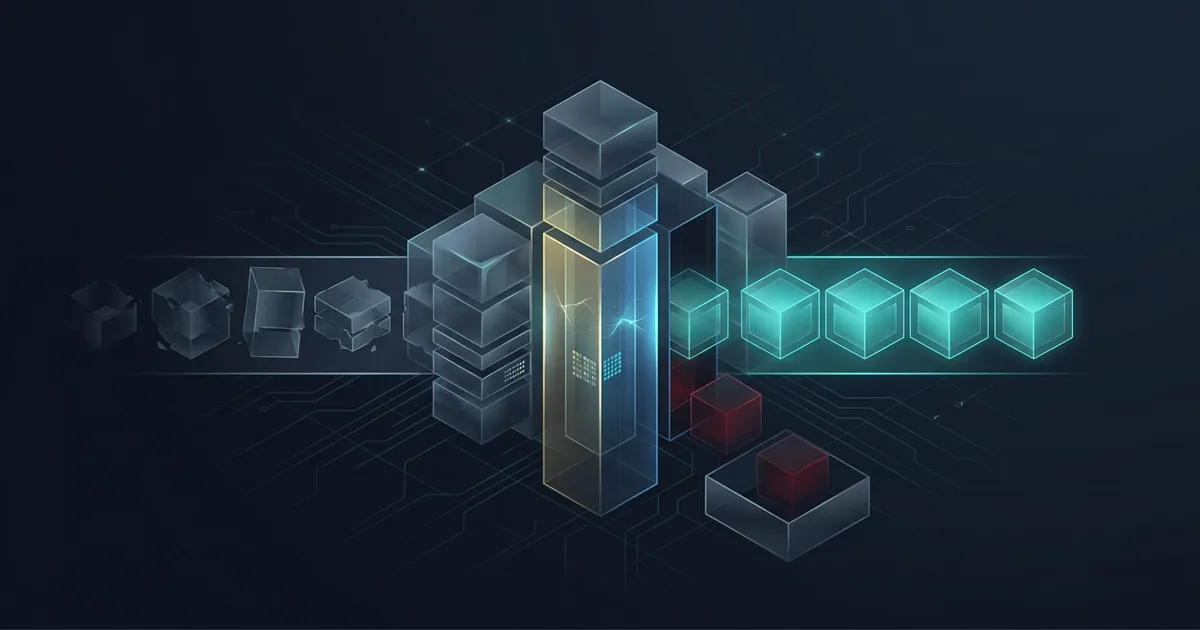
The architecture we recommend is a vetting and quarantine pipeline with four stages. Everything here runs fully local and secret-free. The candidate MCP server never receives a real API key, a real token, or network access to your production environment during evaluation. The whole point is to observe behavior when the server thinks it has access.
Stage 1; Static acquisition audit. Clone the candidate repo. Scan package.json / install scripts for postinstall, preinstall, and lifecycle hooks; flag any that fetch remote resources, spawn shells, or touch credential paths. Check whether the package publisher signed the package, so the registry can prove who really built it.
Stage 2; Provenance verification. Confirm publisher identity against the official vendor channel (the vendor's own docs, not the registry search result; that's the exact mistake in the Docker case). Diff the repo against the upstream source if it's open source; a lookalike with patched network code is a classic lookalike-package pattern.
Stage 3; Containerized quarantine run. Launch the server in a network-restricted container with no secrets mounted, and use canary (honeypot) secrets; fake API keys that look real. If the server tries to send data to an unexpected host while holding a fake key, that is an automatic fail.
Stage 4; Behavioral verdict. Record what tools the server declared vs. what it actually called, whether it attempted file reads outside its scope, and whether it emitted anything resembling prompt injection into tool outputs. Promote to allowlist only on a clean report.
Here's a runnable core of that pipeline; a secret-free quarantine harness:
"""
mcp_quarantine.py; minimal vetting harness for candidate MCP servers.
Runs a candidate server in an isolated container with NO real secrets,
canary credentials only, and logs any egress attempts as a verdict.
"""

import json
import subprocess
import sys
from pathlib import Path

# Canary secrets: fake values that look real. Any egress carrying these
# is definitive evidence of credential exfiltration attempts.
CANARY_ENV = {
    "GITHUB_TOKEN": "ghp_CANARY_not_a_real_token_000111222333",
    "OPENAI_API_KEY": "sk-canary-not-real-000111222333444",
    "AWS_ACCESS_KEY_ID": "AKIACANARY0000000000",
}

# Lifecycle hooks in package.json that deserve human review.
SUSPICIOUS_HOOKS = ("postinstall", "preinstall", "prepare")

def static_scan(repo_dir: Path) -> list[str]:
    """Stage 1: flag lifecycle hooks and network calls in install scripts."""
    findings = []
    for pkg in repo_dir.rglob("package.json"):
        manifest = json.loads(pkg.read_text())
        for hook in SUSPICIOUS_HOOKS:
            script = manifest.get("scripts", {}).get(hook)
            if script:
                findings.append(
                    f"{pkg}: '{hook}' hook present -> {script!r}"
                )
        for key in ("dependencies", "devDependencies"):
            for name in manifest.get(key, {}):
                # Cheap heuristic: imposter packages often borrow an
                # official-looking name with a subtle delta.
                if name.startswith("@modelcontextprotocol/") and \
                   name != "@modelcontextprotocol/sdk":
                    findings.append(f"{pkg}: non-official scoped dep {name}")
    return findings

def run_quarantined(image: str, args: list[str], timeout_s: int = 60) -> dict:
    """Stage 3: run the server with no network, no real secrets."""
    cmd = [
        "docker", "run", "--rm",
        "--network", "none",            # hard deny: no egress at all
        "--read-only",                  # no writes to the container fs
        "--cap-drop", "ALL",
        "--security-opt", "no-new-privileges",
        "--tmpfs", "/tmp",
        "-e", f"GITHUB_TOKEN={CANARY_ENV['GITHUB_TOKEN']}",
        "-e", f"OPENAI_API_KEY={CANARY_ENV['OPENAI_API_KEY']}",
        image, *args,
    ]
    try:
        proc = subprocess.run(
            cmd, capture_output=True, text=True, timeout=timeout_s
        )
        return {
            "exit_code": proc.returncode,
            "stdout": proc.stdout[-4000:],
            "stderr": proc.stderr[-4000:],
        }
    except subprocess.TimeoutExpired:
        return {"exit_code": "timeout", "stdout": "", "stderr": ""}

def main():
    repo_dir = Path(sys.argv[1])
    image = sys.argv[2]

    report = {"repo": str(repo_dir), "static_findings": static_scan(repo_dir)}

    # Stage 3: behavior under confinement. A two-network sandbox (a
    # logging proxy in front of a DROP-all firewall) is the next
    # iteration: it records *which* hosts the server tried to reach.
    report["quarantine_run"] = run_quarantined(image, ["--help"])

    verdict = "PASS" if not report["static_findings"] else "REVIEW"
    report["verdict"] = verdict
    print(json.dumps(report, indent=2))

    # Policy: any REVIEW blocks allowlisting until a human signs off.
    sys.exit(0 if verdict == "PASS" else 1)

if __name__ == "__main__":
    main()
The two-network variant is the production version: a DNS sinkhole that sends unknown domain lookups nowhere, plus a logging proxy in front of a firewall that blocks all outbound traffic unless explicitly allowed. It answers the most important vetting question with data instead of intuition: which outside hosts does this server try to contact, and with what data? A server that never tries to send data anywhere while holding a fake key is very different from one that starts calling out within seconds of startup.
The output is a per-server vetting report: static findings, outbound connection attempts, a comparison of the tools a server declares versus the tools it actually calls, and a signed human verdict. That report is the artifact you hand to a security reviewer.
What Vetting Costs and What It Saves Founders
Let's do the break-even arithmetic without inventing a single number the sources don't give us.
The cost side is knowable from the sources. Lorikeet Security documents 30 CVEs in the MCP ecosystem and roughly 7,000 exposed MCP servers. Securelist and Docker both document successful supply-chain compromises via malicious MCP servers. So the base rate of "bad stuff in the channel" is no longer hypothetical; it is documented, repeatedly, by three independent security organizations.
The breach-side cost is the one number the public sources don't publish: a per-incident dollar figure for an MCP supply-chain compromise specifically. We'll say so plainly rather than make one up. What we can say structurally: a supply-chain compromise is qualitatively worse than a prompt-injection incident because the payload runs at install time with your environment's credentials, as the Docker-documented case shows. That means every secret in your deployment is exposed, not just one conversation's context. Incident response, credential rotation across every provider, customer disclosure, and endless security questionnaires. Those costs are large, irregular, and largely unbudgeted at seed stage.
The pipeline-side cost is small and mostly one-time. Building the harness above is days of engineering, not weeks, because it's deliberately boring: a Dockerfile, a subprocess call, a JSON report. Running it per candidate server adds minutes to an install decision that currently takes zero minutes.
Weigh the trade. You spend a one-time build of a few engineer-days plus a few minutes of vetting per server. The alternative is a documented and recurring class of supply-chain attack in the exact channel you're adopting from. When the threat is documented by Securelist, Docker, and Lorikeet Security; with 30 CVEs and ~7,000 exposed servers on record; the rational default flips. The unvetted install is no longer the fast path; it's the expensive path where the bill arrives later.
There's also a sales-side ROI that founders underweight: enterprise buyers increasingly run vendor security reviews before adopting AI products. A documented vetting pipeline with per-server reports turns a hard question ("what's your third-party tool risk process?") into a strength. That's deal-velocity value you can bank before a single incident.
Related reading: MCP Tool Poisoning Defense: A Description and Provenance Auditor and Your Coding Agent's Allowlist Is Not a Sandbox.
Turning the Vetting Pipeline Into a Product You Can Sell
The interesting realization is that this pipeline is not just defense. It's a product surface. If you're an AI services company, every client engagement will eventually hit the same question: which third-party MCP servers do we allow, and how do we prove the decision was sound?
That's why we are building our version of this as a repeatable, demonstrable artifact. The vetting harness, the canary-secret sandbox, and the per-server report format are demoed in our Proof Studio as a repeatable vetting-checklist walkthrough on a sample candidate server; static findings, egress log, verdict. It's the same pipeline this article describes, not a slideware version of it.
And if your stack is already wired with third-party MCP servers installed the old way; zero minutes of vetting each; we can package exactly this audit as a service: inventory every MCP server in your agent configs, run each through the quarantine pipeline, and hand your security reviewers a signed allowlist with per-server evidence. Our services page describes the engagement structure, and the fastest way to scope one for your stack is to contact us.
The registry search box is not a vetting process. Three security vendors have now documented what fills that gap. Build the pipeline before the audit request arrives; because when it arrives, it arrives with a deadline.
Sources:
- Kaspersky Securelist; "Malicious MCP servers used in supply chain attacks" (securelist.com)
- Docker Blog; "MCP Horror Stories: The Supply Chain Attack" (August 2025)
- Lorikeet Security; "MCP Is the New Supply Chain: 30 CVEs, a North Korean npm Hijack, and 7,000 Exposed Servers" (lorikeetsecurity.com)
Sell an AI tool with a claim like this?
We run your tool's claim in a sandbox and hand you proof assets your buyers can check — recorded runs, failures included, and a sales-ready claim table.
More in Articles
Our Cline review covers model portability, inference-cost visibility, and operational ownership. A separate local Python MCP SDK test failed before tool use.
We deployed FastMCP behind Docker and nginx with OAuth token introspection, then tested Streamable HTTP sessions, proxy headers, and DNS rebinding defenses.
E2B SDK guide with independent Freestyle VM measurements: startup, 48/72-hour pause restoration, Docker, networking, and test limitations.
Voyage 4, Cohere Embed v4, and NVIDIA Nemotron 3 Embed differ in retrieval, deployment, and cost, and the benchmark evidence shows no universal winner.