AWS Kiro: Spec-Driven IDE for Agentic Development
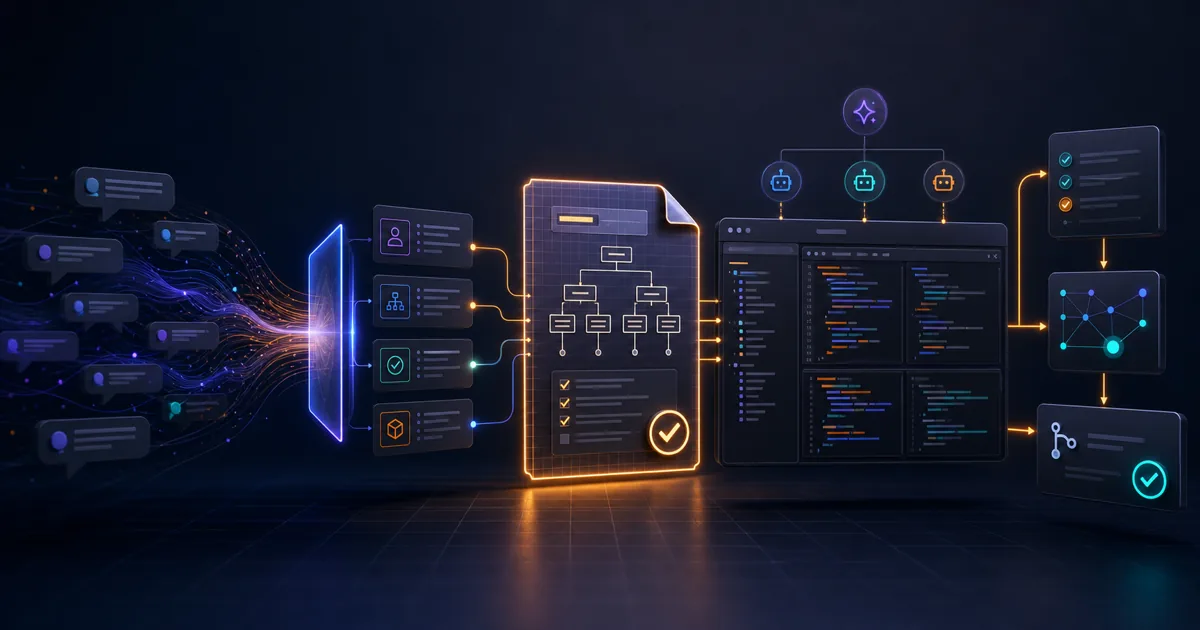
There is a quiet argument happening inside every engineering team that uses AI coding tools: should the AI write code directly from a chat prompt, or should it first commit to a plan you can actually verify?
Cursor and Windsurf answer "write from the prompt." AWS Kiro answers "write the spec first."
That is not a small difference. It changes what you version, what you review in a pull request, and who on the team can understand what the agent actually built. This guide covers what Kiro does, how the spec workflow is structured, how agent hooks automate the repetitive parts, and where it fits relative to the other agentic IDEs competing for your workflow in 2026.
What Kiro Is
Kiro is a desktop IDE built on Code OSS — the open-source base that VS Code also runs on — developed by Amazon Web Services. It went to preview in July 2025 and reached general availability in November 2025, at which point AWS put the preview adoption number at more than 250,000 developers. GA also brought a terminal CLI, checkpointing, property-based testing against specs, and team management.
The product is AWS's successor to Amazon Q Developer, and the retirement schedule is now published rather than implied. Three dates matter if your organization is on Q Developer today:
| Date | What changes |
|---|---|
| May 15, 2026 | New Q Developer Free Tier signups via Builder ID and new subscriptions via the AWS Console are blocked. Existing subscriptions can still add users. |
| May 29, 2026 | Opus 4.6 leaves Q Developer Pro. Newer coding models ship on Kiro only. |
| April 30, 2027 | Q Developer IDE plugins and paid subscriptions reach end of support. |
Source: Amazon Q Developer end-of-support announcement, AWS DevOps Blog.
The gap between the second and third row is the part worth planning around. Q Developer keeps working until April 2027, but it stops getting the good models a year earlier. Teams that treat April 2027 as the deadline will spend eleven months on a model tier that has already been frozen.
The core design principle: specs are the source of truth, and code is a build artifact derived from them. Rather than asking an agent to "add a rate limiter," you write a spec that describes what the rate limiter should do, under what conditions, and what the acceptance criteria are. The agent then generates code to satisfy the spec, not just a prompt.
The Spec Workflow
When you start a feature, Kiro creates three structured markdown files under .kiro/specs/{feature-name}/:
requirements.md captures user stories and acceptance criteria using EARS notation (Easy Approach to Requirements Syntax). EARS structures each requirement as a conditional assertion:
WHEN a user submits the registration form with an invalid email
THE SYSTEM SHALL return a 422 with field-level errors and SHALL NOT persist the record
The value of that shape is mechanical rather than stylistic. AWS's own writeup on requirements analysis describes the mapping directly: the WHERE/WHILE/WHEN/IF clause becomes an antecedent and the THE SYSTEM SHALL clause becomes a consequent, so each requirement reduces to an implication that can be checked. Prose requirements do not decompose that way, which is why they drift from the code without anyone noticing.
design.md documents the technical architecture for the feature — data models, sequence diagrams in text form, interface contracts, and any relevant infrastructure considerations. This file lives in the repo alongside the feature code, so anyone reviewing a pull request can see the design intent without reconstructing it from the implementation.
tasks.md contains a discrete task list that Kiro generates from the requirements and design. Tasks are tracked as in-progress or completed as the agent works through them. You can pause, redirect, or reassign tasks manually; Kiro treats them as a checkpoint-able queue, not a linear script.
The three-document structure is also the surface where human review happens. Before the agent touches code, you can edit requirements to narrow scope, add edge cases to the design, or reprioritize tasks. That is the mechanism Kiro offers for keeping the human in the loop on complex features without turning every step into a manual approval.
- Specs survive code refactors — the "why" stays versioned in the repo
- EARS format produces testable acceptance criteria, not vague prose
- Spec review is a natural code review gate that any team member can participate in
- Free tier (50 credits/month) requires no AWS account or credit card
- Powers bundle MCP servers + hooks into reusable, context-aware packages
- Spec-first workflow adds planning time — not suited for fast prototyping
- Every tier is metered; overage costs double the included credit rate
- Team plans require AWS IAM Identity Center SSO
- Smaller extension ecosystem than VS Code or Cursor
Agent Hooks: Automating the Repetitive Parts
The hook system is where Kiro pulls furthest ahead of a plain chat-in-the-sidebar IDE. Hooks are event-driven automations stored as JSON files in .kiro/hooks/ at the workspace level. When a trigger fires, the hook runs either a natural-language agent prompt or a shell command.
The documented trigger set is broader than most write-ups suggest, and four of the triggers can block the action that fired them — which is what makes them usable as gates rather than just notifications.
| Trigger | Fires when | Can block |
|---|---|---|
SessionStart |
A session begins | No |
UserPromptSubmit |
You submit a prompt | Yes |
PreToolUse |
Before the agent executes a tool | Yes |
PostToolUse |
After a tool executes | No |
PreTaskExec |
Before a spec task starts | Yes |
PostTaskExec |
After a spec task finishes | No |
PostFileCreate |
After the agent creates a file | No |
PostFileSave |
After the agent saves a file | No |
PostFileDelete |
After the agent deletes a file | No |
Stop |
The agent finishes its turn | No |
Source: Kiro agent hooks documentation.
Each hook definition carries a name, a trigger type, an optional matcher (a regex that filters which files or tools it applies to), the action, a timeout, and an enabled flag. A PostFileSave hook matched to your component directory keeps test files in sync without you asking. A PostTaskExec hook running lint and type checks stops a long spec run from quietly accumulating broken intermediate states.
The blocking triggers are the more interesting half. PreToolUse can refuse a tool call before it runs, which is the closest thing Kiro offers to a policy layer — a way to keep an agent away from production credentials or a directory it has no business touching. That pattern will be familiar from the permission gates in terminal coding agents like Claude Code and Gemini CLI; the event vocabulary differs, but the enforcement idea is the same.
One caveat the docs do not settle: whether hook files are meant to be committed. They live in the workspace directory rather than user preferences, which strongly implies team-level sharing, but AWS does not say so outright. Treat that as a convention your team decides, not a guarantee.
Kiro Powers and MCP Integration
Kiro supports both local and remote MCP servers. Its differentiated feature is "Powers," a packaging concept that answers a problem anyone running six or seven MCP servers has already hit: every tool from every server sits in the context window all the time, whether or not it is relevant.
A Power bundles three things into one installable unit:
POWER.md— a steering file telling the agent which MCP tools it has and when to use them- The MCP server configuration itself
- Optional steering rules and hooks for related automation
Activation is keyword-driven. Mention payments and the Stripe Power loads its tools and guidance; move on to something else and it drops back out while a different Power takes over. Launch partners named in the documentation include Datadog, Dynatrace, Figma, Neon, Netlify, Postman, Supabase, Stripe, the Strands SDK, and Aurora. Powers that reach third-party services now use a standard one-time authorization flow — you approve the connection once from Manage Powers, and the agent reuses it without re-prompting.
Compare that to how Cursor handles MCP: servers are supported directly, but without the packaging abstraction. Everything configured loads at once, and there is no built-in notion of context-aware activation. For a team with many MCP tools, Powers trade an extra configuration layer for a shorter tool list in front of the model. Whether that trade pays depends entirely on how many servers you actually run. With two, it is overhead.
Pricing and Getting Started
Kiro bills in credits. Every tier is metered — there is no unlimited plan — and the interesting number is not the sticker price but the effective rate per credit, which the pricing page does not compute for you.
| Plan | Price/mo | Included credits | Effective rate per included credit | Overage |
|---|---|---|---|---|
| Free | $0 | 50 | — | none |
| Pro | $20 | 1,000 | $0.020 | $0.04/credit |
| Pro+ | $40 | 2,000 | $0.020 | $0.04/credit |
| Pro Max | $100 | 5,000 | $0.020 | $0.04/credit |
| Power | $200 | 10,000 | $0.020 | $0.04/credit |
Prices and credit allocations from kiro.dev/pricing; the effective-rate column is arithmetic on those two published figures, not a measured cost.
Two things fall out of that arithmetic. First, every paid tier prices an included credit at exactly two cents, so moving up a tier buys volume, never a discount — there is no reason to over-buy a plan hoping for better unit economics. Second, overage runs at $0.04, precisely double the included rate. A credit you spend past your allowance costs twice what the same credit costs inside it. If you are consistently going 20% over on Pro, the $40 Pro+ tier is cheaper than paying the overage, and the break-even is easy to check: overage is worth paying only while your excess stays under half the next tier's credit gap.
Team plans mirror individual pricing at $20–$200 per month with the same allocations, and overages are disabled by default rather than silently charged. Team setup does require SAML/SCIM SSO through AWS IAM Identity Center, so the "no AWS account needed" line applies to individuals only.
Credits are no longer a flat one-per-request. AWS moved to fractional billing in 0.01 increments scaled to prompt complexity, so a small edit can cost well under a full credit while "build me an API that does X" can consume several. Spec refinement, task execution, and agent hook runs all draw down the same pool. The dashboard inside the IDE refreshes usage at least every five minutes.
To install: download from kiro.dev/downloads. Installers cover macOS, Windows, and Linux. Sign in with GitHub, Google, AWS Builder ID, or IAM Identity Center. No credit card for the free tier.
Your first project follows this path:
- Open a folder in Kiro
- Open the Kiro panel and type a feature description in natural language
- Kiro generates
.kiro/specs/your-feature/requirements.md— review and edit it - Approve the requirements → Kiro generates
design.mdandtasks.md - Approve the design → Kiro begins working through
tasks.mdsequentially - Hooks run automatically on file saves during implementation
The full quickstart is at kiro.dev/docs/getting-started/first-project/.
How Kiro Compares to Cursor and Windsurf
Most comparisons of these tools rest on benchmark scores nobody can reproduce or user counts nobody can audit. The table below sticks to attributes you can confirm from vendor documentation in a few minutes, because those are the ones that survive a procurement conversation.
| Kiro | Cursor | Windsurf | |
|---|---|---|---|
| Vendor | AWS | Anysphere | Cognition |
| Editor base | Code OSS | Code OSS fork | Code OSS fork |
| Durable plan artifact in repo | Yes — requirements.md, design.md, tasks.md |
No | No |
| Requirements notation | EARS (WHEN … THE SYSTEM SHALL …) |
None | None |
| Event hooks with blocking gates | Yes — 10 triggers, 4 can block | No equivalent | No equivalent |
| MCP support | Yes, plus Powers packaging with keyword activation | Yes, all servers load at once | Yes |
| Published entry price | $20/mo (1,000 credits) | $16/mo | See note below |
The Windsurf column has a gap that is itself the finding. As of July 2026, windsurf.com/pricing returns a 308 permanent redirect to devin.ai/pricing, and the destination page lists only Devin tiers — Free, Pro at $20, Max at $200, Teams, Enterprise — with no Windsurf-branded plan named anywhere on it. Cognition has folded Windsurf's commercial page into the Devin line. Any guide still quoting a standalone Windsurf monthly price is quoting a page that no longer resolves, which is worth knowing before you put that number in a budget request.
What the table shows is that Kiro's real differentiator is narrow and specific. It is not the model, and it is not the editor. It is that the plan becomes a file in your repository instead of a chat log in someone's sidebar. Cursor's strength — repo-wide semantic indexing, @-file references, fluent multi-file editing — is real and Kiro does not beat it. But "prompt to code" leaves the agent's intent implicit in the diff, recoverable only by reading the diff.
A useful heuristic: if your team already writes design documents before implementing, Kiro formalizes a habit you have and wires it into code generation. If your team goes from Jira ticket straight to code, Kiro adds ceremony you will resent by the third feature.
For wider context on the landscape, see the Cursor vs Windsurf vs Zed comparison, the best AI coding agents roundup for 2026, and the terminal-based coding agents compared.
Where Kiro gets in the way
Every constraint below is either documented by AWS or directly observable, and each one has a concrete consequence rather than a general caution.
| Constraint | What it costs you | Workaround |
|---|---|---|
| Specs precede code on every non-trivial feature | Exploratory work where you do not yet know the requirement becomes slower, not faster | Use vibe mode for exploration, promote to a spec once the shape is clear |
| Fractional credits are consumed by spec refinement, task execution, and hook runs | A chatty PostFileSave hook quietly bills against the same pool as your feature work |
Scope hook matchers narrowly; disable hooks during long refactors |
| Overage bills at $0.04 against a $0.02 included rate | Sustained overspend costs double | Compare your monthly excess against the next tier's credit gap before accepting overage |
| Team plans require AWS IAM Identity Center SSO | Non-AWS organizations face an identity project before a pilot | Run the pilot on individual plans, decide on teams afterward |
| Whether hooks are committed is not documented | Two engineers can silently run different automation on the same repo | Decide the convention yourself and write it into your contributing guide |
| Smaller extension ecosystem than VS Code | A niche language extension may simply not exist | Check your three must-have extensions before migrating |
None of these are disqualifying on their own. Together they describe a tool that rewards teams with a process and punishes teams without one.
When to use Kiro, and when to skip it
Work down this list. If you cannot answer yes to at least three of the first group, the spec overhead will not pay back.
Use Kiro when:
- Someone other than the author reads design documents before implementation — specs with no readers are pure cost
- Requirements traceability has an external consumer: an auditor, a regulator, a client contract, or a downstream team
- You are still on Q Developer, where the model tier froze in May 2026 and support ends April 2027
- The codebase outlives the people on it, so "why does this work this way" is a recurring standup question
- You run enough MCP servers that context bloat is a real complaint, making Powers worth its configuration layer
- You want blocking gates (
PreToolUse,PreTaskExec) around what an agent is allowed to touch
Skip Kiro when:
- You are prototyping, and the cost of a wrong guess is lower than the cost of specifying it
- You are a solo developer — the review surface specs create has no one to review it
- Your team ships from Jira ticket straight to a diff and is content with that
- Cursor or Windsurf is already working and no one is complaining about lost context
- Your extension dependencies are unusual enough that a smaller marketplace is a blocker
- Your organization has no AWS identity footprint and you would need SSO work before a team pilot
The honest middle case: run the free tier's 50 credits against one real feature you already understand well. If the generated requirements.md tells you something about your own feature that you had not written down, the workflow fits. If it reads back exactly what you typed, it does not.
The Real Question: Is Spec-Driven Development a Better Default?
The honest answer is that spec-driven development is better for some teams and worse for others — and Kiro does not resolve that ambiguity for you.
What Kiro does resolve is the artifact gap that exists in every other agentic IDE: the mismatch between what you asked for and what the code actually does, documented nowhere. The spec files live in the repository. When something breaks three months later, you can read what the system was supposed to do instead of reverse-engineering it from the output.
Whether that is worth the additional workflow overhead depends on how much of your team's time currently goes into maintaining context versus generating new code. For teams where "why does this work this way" is a common question in standups, the spec overhead pays back quickly. For solo builders iterating fast, the overhead stays overhead.
Kiro's MCP Powers concept is worth watching independently of the spec workflow. Bundling MCP servers with activation context and hooks is a packaging idea that other IDEs will likely adopt — it solves a real problem with how multiple MCP tools currently have to be configured and managed.
FAQ
Q: Does Kiro work without an AWS account?
For individual use, no. The free tier (50 credits per month) and the paid individual plans work with GitHub, Google, or AWS Builder ID sign-in. Team plans are different: they require SAML/SCIM SSO through AWS IAM Identity Center, so an organizational rollout does put you inside AWS identity infrastructure even if your workloads run elsewhere.
Q: Are Kiro specs committed to the repository?
They can be, and the design points that way. Both .kiro/specs/ and .kiro/hooks/ live at the workspace level rather than in user preferences, which only makes sense if they are team artifacts on the code review surface. AWS does not state a committing convention outright, though, so pick one and write it down before two engineers end up running different hooks against the same repository.
Q: How are Kiro credits consumed?
Not one-per-request any more. AWS moved to fractional billing in 0.01-credit increments scaled to prompt complexity, so a simple edit can cost a fraction of a credit while a broad instruction like "build me an API that does X" can consume several. Creating or refining a spec or steering document consumes a minimum of one credit. Task execution and agent hook runs draw from the same pool, which is the part teams miss — an aggressive hook is a recurring line item, not a free convenience.
Q: What is the difference between Kiro Powers and regular MCP servers?
A Power is an MCP server plus a POWER.md steering file plus optional steering rules and hooks, packaged together. The steering file tells Kiro when to activate the Power's tools, and activation keys off keywords in the conversation. Regular MCP servers load all their tools upfront; Powers load on demand and deactivate when the topic moves on. The practical difference is a shorter tool list in front of the model. That matters at seven servers and is irrelevant at two.
Q: Is Kiro open source?
The Kiro codebase repository is at github.com/kirodotdev/Kiro. The IDE is built on Code OSS (VS Code open-source base). The agent runtime and Bedrock integrations are proprietary AWS services.
What Effloow Added
AWS's marketing positions Kiro as the spec-driven future. The narrower question a buyer actually has is whether the spec overhead pays back on their team, or is just ceremony with a nicer name. Four things here go beyond the feature tour:
- An effective-rate calculation the pricing page does not show you. Dividing published price by published credits gives $0.02 per included credit on every paid tier, against $0.04 overage — so overage is exactly double, and tiering up buys volume rather than a discount.
- The full hook trigger table, including which triggers can block. Four of the ten can refuse the action that fired them, which turns hooks from convenience automation into an enforcement layer. Most write-ups list only file-save.
- A verified note that Windsurf's standalone pricing page is gone.
windsurf.com/pricingnow 308-redirects todevin.ai/pricing, and no Windsurf-branded plan appears there — so competing price comparisons quoting a Windsurf monthly figure are citing a dead page. - A constraint table with consequences and workarounds, including the one thing AWS leaves undocumented: whether hook files belong in version control.
The value here is the adoption decision with its real cost attached.
Sources
- Kiro pricing — plan tiers, credit allocations, overage rate
- Kiro agent hooks documentation — trigger types, blocking behavior, configuration fields
- Kiro specs documentation — the three spec files and their contents
- Kiro Powers documentation — POWER.md, keyword activation, launch partners
- Understanding Kiro's pricing: specs, vibes, and usage tracking — fractional credit billing
- Kiro is generally available — GA scope and adoption figure
- Amazon Q Developer end-of-support announcement — retirement timeline
- Cursor pricing and Devin pricing — competitor price points, checked July 2026
Kiro's bet is that the design document belongs inside the build process rather than beside it as an artifact that decays. The spec workflow adds overhead that pays back on team codebases where requirements traceability has a real consumer. For solo prototyping, or for a team already running Cursor without complaint, there is no compelling reason to switch today — but the Powers packaging and the blocking hook triggers are patterns the rest of the IDE market will likely absorb.
Get the next one
in your inbox.
One short weekly dispatch with new guides, tools, and what we tested. No spam, unsubscribe anytime.
Get weekly AI tool reviews & automation tips
Join our newsletter. No spam, unsubscribe anytime.
More in Articles
Complete guide to GitHub Copilot agent mode in JetBrains IDEs in 2026: inline agents, CLI agent, worktree isolation, MCP support, and Claude Opus 4.7.
We installed Google Antigravity 2.0 in our lab and put its Agent Manager and browser-driving agents through a scripted battery of real repo tasks, including a browser-driven E2E test. Here is what worked, what broke, and whether it justifies a seat.
Source-verified guide to Claude Code, Codex CLI, Gemini CLI, and Aider for terminal-based AI coding workflows in June 2026.
An in-depth review of Goose, Block's Apache 2.0 AI agent. Compare it to Claude Code, explore MCP extensions, Recipes, and local Ollama setup.