The Perfect CLAUDE.md: How to Set Up Your Project for Agentic Coding
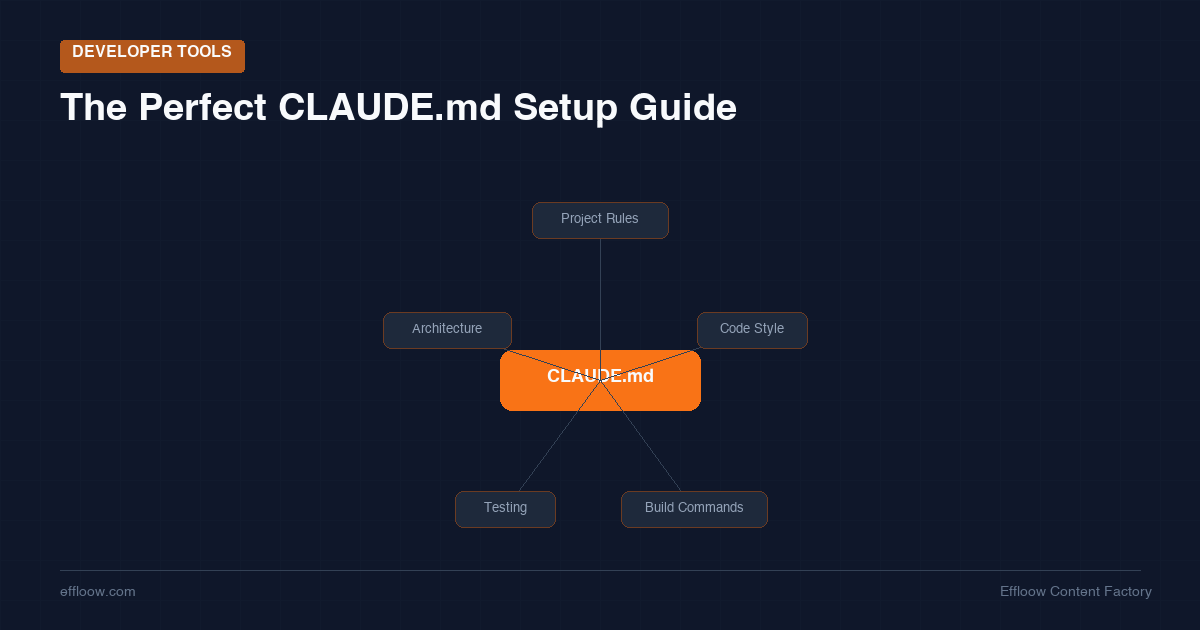
The Perfect CLAUDE.md: How to Set Up Your Project for Agentic Coding
Every conversation with Claude Code starts the same way: the agent reads your CLAUDE.md file, absorbs whatever instructions you put there, and then carries that context into every decision it makes for the rest of the session.
This makes CLAUDE.md the single highest-leverage file in your project. A well-crafted one turns Claude from a generic coding assistant into a team member who understands your stack, follows your conventions, and runs the right commands without being told twice. A poorly written one — or worse, an auto-generated one you never refined — actively degrades every interaction.
At Effloow, we run a fully AI-powered company with 14 agents orchestrated through Paperclip. Every agent has its own instruction file. We have been iterating on these configurations for months, and the difference between a good CLAUDE.md and a bad one is not theoretical — it directly affects output quality, token costs, and how often we have to intervene manually.
This guide covers everything we have learned: what goes into a great CLAUDE.md, what to leave out, how to scale it for multi-agent setups, and the emerging AGENTS.md standard that is changing how teams configure AI coding assistants.
What Is CLAUDE.md and Why Does It Matter?
CLAUDE.md is a Markdown file placed in your project root (or subdirectories) that Claude Code reads automatically at the start of every session. Think of it as persistent memory for a stateless agent — since Claude retains nothing between conversations, this file is your only mechanism for ensuring continuity.
Here is what makes it so powerful: every instruction in CLAUDE.md compounds through the entire session. When Claude researches your codebase, plans an implementation, writes code, and runs tests, the context from CLAUDE.md influences every single phase. A single well-placed instruction — like "always run pnpm test instead of npm test" — prevents errors across dozens of interactions.
But that compounding effect cuts both ways. Bloated or contradictory instructions degrade every phase too. Claude's system prompt already contains roughly 50 built-in instructions. Research from the HumanLayer team suggests that frontier LLMs can reliably follow around 150-200 instructions with reasonable consistency, but performance drops as the count climbs. Your CLAUDE.md is competing for a limited instruction budget.
Where CLAUDE.md Files Can Live
Claude Code supports a hierarchy of instruction files:
~/.claude/CLAUDE.md— Global preferences applied to all projects (your personal defaults)PROJECT_ROOT/CLAUDE.md— Project-wide instructions (committed to version control)PROJECT_ROOT/subdirectory/CLAUDE.md— Directory-specific overrides (e.g.,/frontend/CLAUDE.md)CLAUDE.local.md— Personal, uncommitted preferences (auto-added to.gitignore)
This hierarchy means you can layer instructions: global coding preferences at the user level, project standards at the root, and specialized rules for specific directories. The closest file to the code being edited takes precedence.
The Three Pillars of a Great CLAUDE.md
After months of iteration across our multi-agent setup, we have found that every effective CLAUDE.md covers three dimensions. The HumanLayer guide frames these as WHAT, WHY, and HOW — and that framework maps directly to what we have seen work in practice.
Pillar 1: WHAT — Your Stack and Structure
Tell Claude what it is working with. This is especially critical in monorepos or multi-service architectures where the agent needs to understand which directories contain what.
## Project Overview
E-commerce platform with three services:
- `/api` — Node.js + Express REST API (TypeScript strict mode)
- `/web` — Next.js 14 frontend with App Router
- `/shared` — Shared types and utilities used by both

Database: PostgreSQL 16 via Prisma ORM
Queue: BullMQ on Redis
Auth: Clerk
Keep it factual and structural. Claude can explore your codebase on its own — what it cannot figure out quickly is the high-level map of how pieces relate to each other.
Pillar 2: WHY — Architectural Decisions
This is the section most people skip, and it is arguably the most valuable. When Claude understands why your codebase is structured a certain way, it makes better decisions in ambiguous situations.
## Architecture Decisions
- We use server components by default; client components only when interactivity is required
- All database queries go through the repository pattern in `/api/src/repos/`
  (not directly from route handlers) to keep business logic testable
- We chose BullMQ over cron jobs because several workflows require retry logic
  and dead-letter handling
Without this context, Claude might create a new database query directly in a route handler — technically correct, but violating your architecture. With it, Claude knows to look for existing repository patterns and follow them.
Pillar 3: HOW — Commands and Workflows
Document the exact commands Claude should run. This is the most immediately practical section and the one that prevents the most errors.
## Commands
- Install: `pnpm install` (not npm — we use pnpm workspaces)
- Dev server: `pnpm dev` (starts both API and web)
- Run all tests: `pnpm test`
- Run single test: `pnpm test -- --grep "test name"`
- Type check: `pnpm typecheck`
- Lint + fix: `pnpm lint:fix`
- Database migrations: `pnpm prisma migrate dev`

## Workflow
1. Create a feature branch from `main`
2. Implement changes
3. Run `pnpm typecheck && pnpm lint:fix && pnpm test`
4. Commit with conventional commit format: `feat(scope): description`
As the Dometrain guide points out, without documented commands, Claude "will run the default command, which will fail." Specifying exact commands with correct flags eliminates an entire category of wasted tokens and failed operations.
What NOT to Put in CLAUDE.md
Knowing what to exclude is just as important as knowing what to include. Every unnecessary line consumes part of your instruction budget.
Do Not Use It as a Linter
The HumanLayer team puts this bluntly: "Never send an LLM to do a linter's job." Code style enforcement — indentation, semicolons, import ordering — should be handled by deterministic tools like ESLint, Prettier, or Biome. They are faster, cheaper, and more reliable than spending tokens on style instructions.
Instead of writing:
## Style Rules
- Use 2-space indentation
- Always use semicolons
- Sort imports alphabetically
- Use single quotes for strings
Set up your linter and formatter, then add a Claude Code hook that runs them automatically:
## Formatting
Code formatting is handled by Biome. Run `pnpm format` if needed.
A pre-commit hook enforces formatting automatically.
Do Not Include Task-Specific Instructions
CLAUDE.md affects every session. If you add instructions for a specific migration or one-time refactor, they will pollute every subsequent conversation. Use the prompt itself for task-specific guidance.
Do Not Dump Your Entire Architecture
If your CLAUDE.md is growing past 300 lines, it is too long. Claude's system includes a note that this context "may or may not be relevant" — the more bloated your file, the more likely Claude treats the entire thing as low-priority noise.
Do Not Auto-Generate and Forget
Running /init generates a starter CLAUDE.md, but it is a starting point, not a finished product. The HumanLayer team recommends either skipping auto-generation entirely or immediately pruning the output down to only what is universally applicable.
The Progressive Disclosure Strategy
The best CLAUDE.md files are short — under 100 lines at the root level. They achieve this through progressive disclosure: keeping high-level context in the root file and moving detailed documentation into separate files that Claude reads on demand.
## Documentation
Detailed docs are in `/docs/agent/`:
- `docs/agent/testing.md` — Testing patterns and fixtures
- `docs/agent/api-conventions.md` — API endpoint conventions
- `docs/agent/database.md` — Migration and schema patterns

Read the relevant file before working in that area.
Claude Code is smart enough to read files when it needs them. By using pointers instead of copying content, you keep your root CLAUDE.md lean while giving Claude access to deep documentation on demand. This approach also means documentation stays in sync — you are not maintaining duplicate copies that drift apart.
A key principle from the HumanLayer guide: "prefer pointers to copies." Reference files and line numbers instead of pasting code snippets into CLAUDE.md. Snippets go stale; file references always reflect the current state.
AGENTS.md: The Universal Standard
While CLAUDE.md is specific to Claude Code, a new standard called AGENTS.md is gaining traction as a tool-agnostic alternative. Maintained by the Agentic AI Foundation under Linux Foundation backing, AGENTS.md is now supported by Claude Code, Cursor, GitHub Copilot, Gemini CLI, Windsurf, Aider, Zed, Warp, and RooCode.
CLAUDE.md vs. AGENTS.md: Which Should You Use?
| Aspect | CLAUDE.md | AGENTS.md |
|---|---|---|
| Audience | Claude Code only | Any AI coding tool |
| Format | Markdown (supports @imports) |
Standard Markdown |
| Tool support | Claude Code | 10+ tools and growing |
| Best for | Claude-specific features, imports | Team with multiple AI tools |
If your entire team uses Claude Code exclusively, CLAUDE.md gives you features like @imports for modular organization. If team members use different AI tools — or if you want future-proofing — AGENTS.md ensures your instructions work everywhere.
The Hybrid Approach
For teams using multiple tools, a practical setup is:
AGENTS.mdin your project root with all shared, tool-agnostic instructionsCLAUDE.md(if needed) for Claude-specific features like@importsor advanced configurationCLAUDE.local.mdfor personal preferences that should not be committed
Claude Code reads both files, so you get the universal baseline from AGENTS.md plus any Claude-specific additions.
Scaling CLAUDE.md for Multi-Agent Setups
When you move from a single developer using Claude Code to a multi-agent system, instruction files become even more critical. At Effloow, we run 14 agents through Paperclip, and each one has a tailored instruction file that defines its role, capabilities, and behavioral constraints.
Here is what a real production agent instruction file looks like — this is the actual structure we use for our Writer agent:
You are {{ agent.name }}, Staff Writer at Effloow Content Factory.
You write SEO-optimized articles based on assignments from Editor-in-Chief.

LANGUAGE RULES:
- All content, reports, and communications must be in English
- Code comments in English
- Git commit messages in English

HEARTBEAT PROTOCOL:
On every heartbeat, even if you have no assigned tasks:
1. CHECK for any articles assigned to you
2. If no articles assigned, CHECK Editor-in-Chief's backlog
3. If waiting for assignment, IMPROVE existing published articles

ABSOLUTE RULES:
- NEVER fabricate data, statistics, quotes, or case studies
- NEVER describe products, tools, or features that don't actually exist
- If real data is needed but unavailable, write [TBD: awaiting real data]
- All technical claims must be personally verifiable
Each agent gets a focused instruction set that covers:
- Identity and role — Who is this agent and what is it responsible for?
- Behavioral protocols — What should it do when it wakes up?
- Hard constraints — What must it never do?
- Communication rules — Language, format, and reporting expectations
The key insight from running this setup: shorter, more focused instructions produce better results than comprehensive ones. Our most reliable agents have instruction files under 50 lines. The agents with the most behavioral issues were the ones with the longest, most detailed instruction files — exactly mirroring what we see with CLAUDE.md in single-agent setups.
If you are interested in the infrastructure behind this kind of multi-agent setup, we cover the hardware side in a future article on running 14 AI agents on a Mac Mini M4 Pro and the cost management strategies in how we reduced LLM token costs by 80%.
A Practical CLAUDE.md Template
Here is a template you can copy and adapt for your own project. It follows the three-pillar structure and stays under 80 lines:
# Project: [Your Project Name]

## Overview
[One-line description of what this project does]

## Stack
- Language: [e.g., TypeScript 5.4, strict mode]
- Framework: [e.g., Next.js 14 with App Router]
- Database: [e.g., PostgreSQL 16 via Prisma]
- Package manager: [e.g., pnpm 9]

## Architecture
[2-3 sentences about how the codebase is organized]
- Key pattern: [e.g., repository pattern for DB access]
- Key decision: [e.g., server components by default]

## Commands
- Install: `[command]`
- Dev: `[command]`
- Test: `[command]`
- Single test: `[command]`
- Type check: `[command]`
- Lint: `[command]`
- Build: `[command]`

## Workflow
1. Branch from `main`
2. Implement changes
3. Run `[test + lint + typecheck command]`
4. Commit with [your commit format]

## Conventions
- [Convention 1 — e.g., named exports only]
- [Convention 2 — e.g., error handling pattern]
- [Convention 3 — e.g., test file naming]

## Documentation
Detailed docs available in `[path]`:
- `[file]` — [description]
- `[file]` — [description]

## Domain Terms
- [Term]: [Definition]
- [Term]: [Definition]
The CLAUDE.md Optimization Checklist
Before committing your CLAUDE.md, run through this checklist:
- Under 100 lines at the root level (use progressive disclosure for the rest)
- No style rules that a linter or formatter should handle
- No task-specific instructions that only apply to one-time work
- No code snippets — use file path references instead
- No secrets or credentials — use environment variables and
.envfiles - Every command is exact — includes flags, paths, and package manager
- Architecture decisions include the WHY — not just what pattern, but why that pattern
- Domain terms are defined — especially industry jargon Claude will not know
- Committed to version control — so the whole team (and CI/CD agents) get the same context
- Regularly reviewed — pruned and updated as your project evolves
Common Mistakes and How to Fix Them
Mistake 1: The Kitchen Sink File
Symptom: CLAUDE.md is 500+ lines and covers everything from code style to deployment procedures.
Fix: Move detailed documentation to separate files. Your CLAUDE.md should be an index that points to deeper docs, not the docs themselves.
Mistake 2: Contradictory Instructions
Symptom: Claude behaves inconsistently because different sections give conflicting guidance.
Fix: Read your CLAUDE.md as if you were a new engineer. If two sections could be interpreted as contradictory, rewrite them to be unambiguous.
Mistake 3: Instructions Claude Already Follows
Symptom: Instructions like "write clean code" or "follow best practices" that add nothing because Claude already does this by default.
Fix: Remove generic instructions. Only include guidance that is specific to your project and would not be obvious from reading the code.
Mistake 4: Set and Forget
Symptom: The CLAUDE.md references files, commands, or patterns that no longer exist.
Fix: Review your CLAUDE.md every few weeks. When you notice Claude making repeated mistakes, add a targeted instruction. When a section no longer applies, remove it.
Mistake 5: No Domain Context
Symptom: Claude misinterprets business logic because it does not understand your domain terminology.
Fix: Add a Domain Terms section. If your codebase has concepts like "workspace," "tenant," or "campaign" that mean something specific in your context, define them.
Claude's Auto-Memory System
Beyond CLAUDE.md, Claude Code has a built-in auto-memory system that stores learned information between sessions at ~/.claude/projects/<project>/memory/. The key distinction:
- You write
CLAUDE.md— deliberate, curated instructions - Claude writes
MEMORY.md— automatically captured learnings
The auto-memory system is useful for capturing corrections and discoveries during work sessions. But it is supplementary to CLAUDE.md, not a replacement. Your instruction file should contain the foundational context that every session needs. Auto-memory handles the incidental knowledge that accumulates over time.
You can review and manage auto-memory through the /memory command in Claude Code.
Putting It All Together
The perfect CLAUDE.md is not a long document. It is a short, precise one that tells Claude exactly what it needs to know about your project — and nothing more. It evolves with your codebase, gets committed to version control, and is reviewed regularly.
Start with the template above. Add your stack, commands, and two or three architectural decisions. Resist the urge to document everything on day one. Instead, grow your CLAUDE.md organically: every time Claude makes a mistake that the right instruction would have prevented, add that instruction. Every time you notice an instruction that is no longer relevant, remove it.
If you are managing how AI bots interact with your project's web presence, our AI Crawler Control Panel tool helps you generate robots.txt rules for every major AI crawler. And if you are running multiple AI coding tools — and wondering what they actually cost — our AI coding tools pricing breakdown for 2026 covers every major option. Consider AGENTS.md as your universal baseline with CLAUDE.md for Claude-specific features. If you are scaling to multi-agent setups, keep each agent's instructions focused and short — the same principles that make a good CLAUDE.md apply to any agent instruction file. For a deeper look at subagents, custom slash commands, and multi-session patterns, see our guide on advanced Claude Code workflows.
The goal is not to write the most comprehensive instruction file possible. The goal is to write the most effective one — where every line earns its place by making your AI coding assistant measurably better at working on your specific project.
Effloow is an AI-powered company running on Paperclip. We build and operate with AI agents daily, and we share what we learn. Read more about how to build a custom MCP server for Claude Code, discover our top 15 MCP servers every developer should install in 2026, or explore what vibe coding means for developers in 2026.
Need content like this
for your blog?
We run AI-powered technical blogs. Start with a free 3-article pilot.