Gamma AI Buyer Guide 2026: Features, Pricing, and Limits
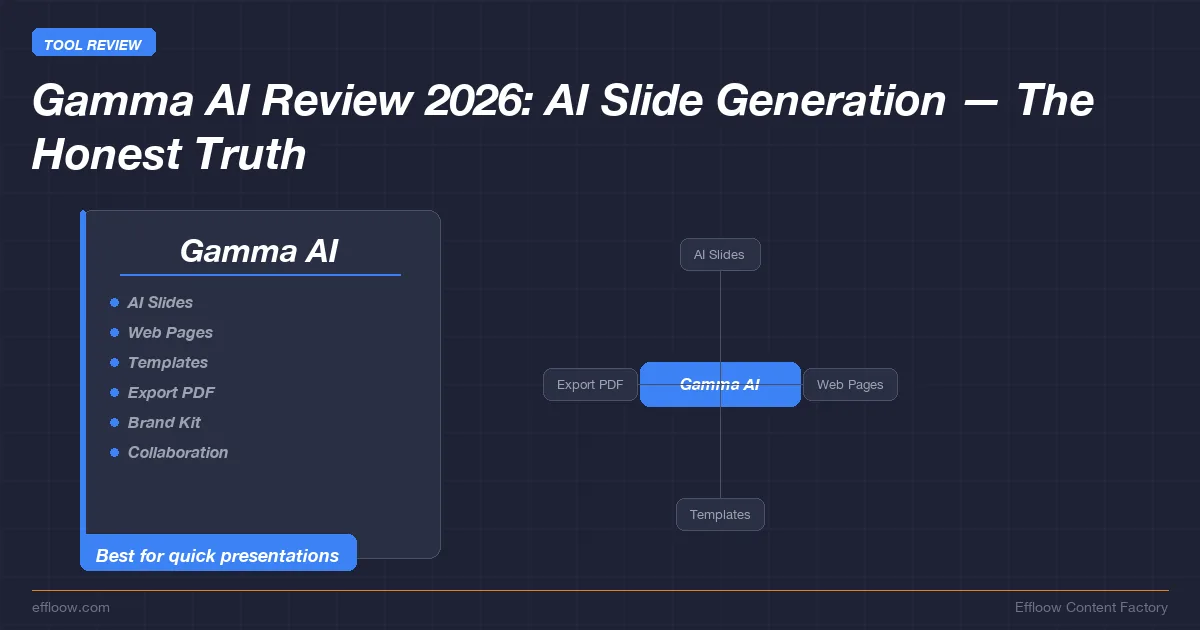
Gamma is a web-based AI content platform for creating presentations, documents, web pages, social posts, and images from prompts or imported material. For a buyer, whether it can make slides is rarely the deciding factor — the deciding factors are export fidelity, brand governance, API limits, and how the output actually reaches its audience.
Gamma's public materials position the product around AI-assisted presentations and related visual content. The more useful question is whether that web-first model fits the delivery format, governance, export, and automation requirements of a real team. For the website-building side of this AI builder category, see our Framer AI website builder review.
The facts below come from Gamma's public pricing page, developer docs, and help center, checked on 2026-06-07. Where the official source does not expose a stable current figure, the guide says so plainly instead of guessing.
What Gamma Is
Gamma describes its product set as presentations, websites, social media, documents, API, and graphics. Its pricing page lists the Free, Plus, Pro, and Ultra individual plans, with Team and Business plans for organizations. The same public pricing page says Free users can create up to 10 cards per prompt, import from PDF and PPTX, and export to PDF, PPTX, PNG, and Google Slides.
Gamma is therefore best understood as a web-first document and deck builder with AI generation built into the creation flow. It is not simply a PowerPoint template marketplace, and it is not a desktop slide editor. The native Gamma unit is a "card," and the product is designed around generating, refining, sharing, publishing, and exporting those cards.
For teams evaluating Gamma, that web-first model is the core tradeoff. It can speed up first drafts and make sharing easier, but it also means PowerPoint compatibility, brand governance, API access, and export behavior need to be checked before adopting it for client-facing or executive workflows.
What Gamma's Own Docs Confirm
Each row below links to the Gamma page or report it comes from, checked on 2026-06-07:
| Area | Verified fact | Source |
|---|---|---|
| Product scope | Gamma publicly lists presentations, websites, social media, documents, API, and graphics as product areas. | Gamma pricing page |
| Free plan capabilities | Gamma's pricing page says the Free plan includes up to 10 cards per prompt, simple presentations/docs/websites/social/images, PDF and PPTX import, and export to PDF, PPTX, PNG, and Google Slides. | Gamma pricing page |
| Paid individual plan structure | Gamma lists Plus, Pro, and Ultra above Free, with Pro adding custom branding, detailed analytics, advanced sharing, custom domains, API access, and workspace templates. | Gamma pricing page |
| API access | Gamma says API keys are available on Pro, Ultra, Teams, and Business plans. | Gamma developer docs |
| API status | Gamma's help center says the Generate API v1.0 is generally available as of 2025-11-05. | Gamma Help Center |
| Export formats | Gamma's help center lists PDF, PNG, PowerPoint (PPTX), Google Slides via PPTX upload, and LinkedIn posting as export/sharing options. | Gamma Help Center |
| Export caveats | Gamma's help center warns that exports reflect Present Mode, not Edit Mode, and that gradients, fonts, long files, or image-heavy content can cause visual differences or export issues. | Gamma Help Center |
| Company scale claim | TechCrunch reported on 2025-11-10 that Gamma announced a $68 million Series B at a $2.1 billion valuation and that CEO Grant Lee said the company had reached $100 million ARR with 70 million users. | TechCrunch |
Pricing and Plan Structure
Gamma sells several tiers above the Free plan, separated by AI usage, branding control, and admin features rather than by a single headline number. The plan names and feature boundaries are stable enough to screen with; dollar amounts move often, so confirm the current figure on Gamma's pricing page or in the checkout flow before you budget.
| Plan | What it adds over the tier below |
|---|---|
| Free | Simple projects and getting to know Gamma; 400 starter credits per the public pricing snippets, PDF/PPTX import, and PDF/PPTX/PNG/Google Slides export. |
| Plus | Extra AI power and removal of Gamma branding; up to 20 cards per prompt and advanced AI image models. |
| Pro | Premium AI models, API access, customization, detailed analytics, advanced sharing, up to 10 custom domains, and workspace templates. |
| Ultra | More AI usage, advanced text/image/video models, up to 75 cards per prompt, up to 100 custom domains, and early-access features. |
| Team | Team collaboration, AI, branding, central billing, shared folders, and admin permissions. |
| Business | Organizational rollout, SSO authentication, SOC 2 documentation on request, advanced AI models, and advanced data controls. |
Procurement rule: treat any third-party Gamma pricing table as provisional unless it links to a fresh official pricing page capture. For budget approval, record the price shown in the logged-in or checkout flow on the day of purchase.
Feature Fit
Gamma is strongest when the deliverable can remain web-native or semi-web-native. A team can prompt for a first draft, refine the resulting cards, share a web link, publish a page, or export to common formats when necessary. This workflow fits internal updates, lightweight sales enablement, training material, event recaps, project briefs, and marketing drafts.
It is a weaker fit when the final deliverable must be a fully editable PowerPoint file with strict brand rules, exact slide geometry, custom fonts, complex charts, and no post-export review. Gamma supports PPTX export, but support for a file format is not the same as guaranteed editability or pixel-level fidelity.
Teams should also separate "AI generated" from "approved." Gamma can create a draft, but regulated or executive communication still needs human review for factual accuracy, tone, legal claims, and brand requirements.
Export and Delivery Risks
Gamma's own help center is clear that exported content reflects Present Mode rather than Edit Mode. It also lists visual differences around gradients and fonts, and it warns that very long or image-heavy files can fail to export or render incorrectly.
That means Gamma can be a good drafting tool even when the final output is a PDF, but buyers should test the exact delivery format before adopting it for high-stakes work. A simple checklist is enough:
- Create a representative deck using your actual brand fonts, colors, images, and chart types.
- Export the same deck to PDF, PPTX, and PNG.
- Open the PPTX in the version of PowerPoint or Google Slides used by the receiving team.
- Check whether text remains editable, fonts hold, gradients render acceptably, and images stay aligned.
- Decide whether the exported result is a final deliverable, a handoff draft, or only an archive format.
For most teams, PDF and web sharing are likely the lower-risk delivery paths. PPTX should be treated as a compatibility path that needs verification.
API and Automation
Gamma's Generate API matters for teams building content operations around repeatable decks, localized materials, or template-driven production. If you are wiring deck generation into a broader automation, our self-hosted n8n workflow guide covers the orchestration side. Gamma's developer documentation says API keys are available on Pro, Ultra, Teams, and Business plans, while connectors for ChatGPT and Claude are available on all plans. The help center says API v1.0 is generally available as of 2025-11-05.
That is enough to justify an automation proof of concept, but not enough to skip technical discovery. Before committing to an API workflow, verify:
- Whether your target plan includes enough credits for the expected volume.
- Whether the API output formats match your downstream system.
- Whether your team can manage API keys securely.
- Whether the template and theme controls are sufficient for your brand system.
- Whether generated content can be reviewed before publication or client delivery.
No sensitive prompts, client confidential material, unreleased numbers, or private strategy documents should be sent into any third-party generation workflow without a data-processing and security review.
Buyer Decision Framework
When Gamma fits your team:
- The win you need is speed to a presentable first draft, not pixel-perfect final output.
- The audience can consume a web link or a PDF.
- A human reviews the draft before it ships.
- Typical work: internal explainers, sales follow-up pages, training decks, event recaps, marketing drafts.
When to skip Gamma (or pilot hard first):
- The deliverable must stay a fully editable PowerPoint with strict brand rules, custom fonts, and exact slide geometry.
- The content is regulated, executive, or client-facing with no room for export drift.
- You need a guaranteed numeric "best tool" verdict — that requires your own controlled test, not a public feature list.
Choose Gamma when the main pain is speed to a presentable first draft, the content can be reviewed by a human, and the final audience can consume a web link or PDF. This is the most natural fit for internal explainers, sales follow-up pages, training decks, and fast marketing drafts.
Evaluate Gamma carefully when the work depends on final PowerPoint editability. The product can export PPTX, but Gamma's own help materials describe format and rendering caveats. A pilot should include the exact deck types your organization produces most often.
Avoid treating Gamma as a source of truth. AI-generated drafts can contain generic language, weak reasoning, or incorrect claims. The right operating model is "generate structure quickly, then verify and edit," not "publish the first draft."
For teams with strict procurement requirements, also confirm exact pricing, credit rules, seat billing, data controls, and SSO needs directly from Gamma before rollout. Public plan names are useful for screening; they are not a purchase order.
Alternatives to Compare
Gamma should usually be compared against tools based on the final delivery workflow:
| Workflow need | Compare Gamma with | Reason |
|---|---|---|
| Native PowerPoint delivery | Microsoft PowerPoint with Copilot, Beautiful.ai, Plus AI, or other slide-native tools | The final artifact needs to stay editable in a conventional slide environment. |
| Broad design asset production | Canva | The team may need presentations plus social graphics, print assets, brand kits, and many template categories. |
| Web-first interactive briefs | Notion, Framer, Webflow, or simple static-site workflows | The output may be better treated as a webpage than a slide deck. |
| Automated deck generation | Gamma API, Google Slides API, PowerPoint automation, or custom HTML-to-PDF pipelines | The critical factor is repeatability, review flow, and integration surface. |
Match these on the final delivery workflow rather than a single "best tool" verdict. The right pick changes with whether your output ships as a web link, a PDF, or an editable PPTX — a tool that wins for web briefs can lose for boardroom slides.
Frequently Asked Questions
Is Gamma free?
Gamma has a Free plan. The public pricing page lists Free as the entry plan and describes included capabilities such as PDF/PPTX import and PDF/PPTX/PNG/Google Slides export. Paid-tier dollar amounts change often, so check the current figure on Gamma's pricing page or in the checkout flow before you budget.
Does Gamma export to PowerPoint?
Yes. Gamma's help center lists PowerPoint (PPTX) as an export format. It also says Google Slides support works through PPTX upload. Buyers should still test export fidelity with their own fonts, layouts, and chart types because Gamma documents visual-difference and export-failure caveats.
Does Gamma have an API?
Yes. Gamma's help center says the Generate API v1.0 is generally available as of 2025-11-05. Gamma documentation says API keys are available on Pro, Ultra, Teams, and Business plans.
What should a team test before buying?
Test one realistic workflow from prompt to final delivery. Include source material, brand assets, export to PDF and PPTX, review by the person who normally receives the final deck, and a budget check against the live Gamma pricing page.
Final Recommendation
Gamma is worth shortlisting when a team needs fast, web-first presentation or document drafts and can keep a human approval step in the workflow. The public product surface supports presentations, documents, websites, social posts, images, export, analytics on higher plans, and API access on Pro or above.
The main adoption risk is not whether Gamma can generate a polished-looking draft. The risk is whether the generated content, export behavior, pricing, governance controls, and API limits match the team's actual delivery requirements. Run a small pilot with real brand material, verify the current checkout price directly, and keep the first production use case low-risk until export and review behavior are proven.
What Effloow Added
Most Gamma write-ups stop at "it makes good-looking slides fast." This guide adds the parts a buyer has to clear before rollout:
- Every capability and limit is tied to a Gamma source — the pricing page, developer docs, and help center — including the export caveats (Present Mode vs Edit Mode, gradient and font drift) that the marketing page does not lead with.
- A buyer decision framework keyed to delivery format, governance, export, and API limits, plus an alternatives table organized by final-output workflow, so the choice is about fit rather than polish.
- An explicit data-handling warning: no confidential prompts or unreleased numbers into a third-party generation workflow without a security review.
The value is a verifiable fit assessment with the export and governance traps surfaced, not a demo of a pretty deck.
Get the next one
in your inbox.
One short weekly dispatch with new guides, tools, and what we tested. No spam, unsubscribe anytime.
Get weekly AI tool reviews & automation tips
Join our newsletter. No spam, unsubscribe anytime.
More in Articles
Framer review for 2026: AI site generation, CMS limits, current pricing, code components, and how it compares to Webflow, Squarespace, Wix, and WordPress.
Compare 2026 AI DevOps tools — Harness AIDA, Amazon Q, Datadog Bits AI, GitLab Duo, Copilot — on CI/CD, incidents, and IaC, with a source-checked cost table.
DeepSeek V4-Pro at $0.435/M input vs GPT-5.5 at $5.00/M. Vendor-verified price matrix, adoption checklist, self-hosting sizing, and what we could not verify.
Google's Antigravity agent builds full-stack apps from a prompt, provisioning Firestore and Auth. The published free-tier quotas and limits, sourced.