OpenAI's 24h Prompt Cache: We Measured the Real Discount
Most products that lean on an AI model send the same long instruction block on every request. A support assistant carries a 2,000-word policy. A document classifier repeats the same rules, then a coding helper bolts a fat system prompt onto each call. You pay for those tokens again and again, and the bulk of them never change between requests.
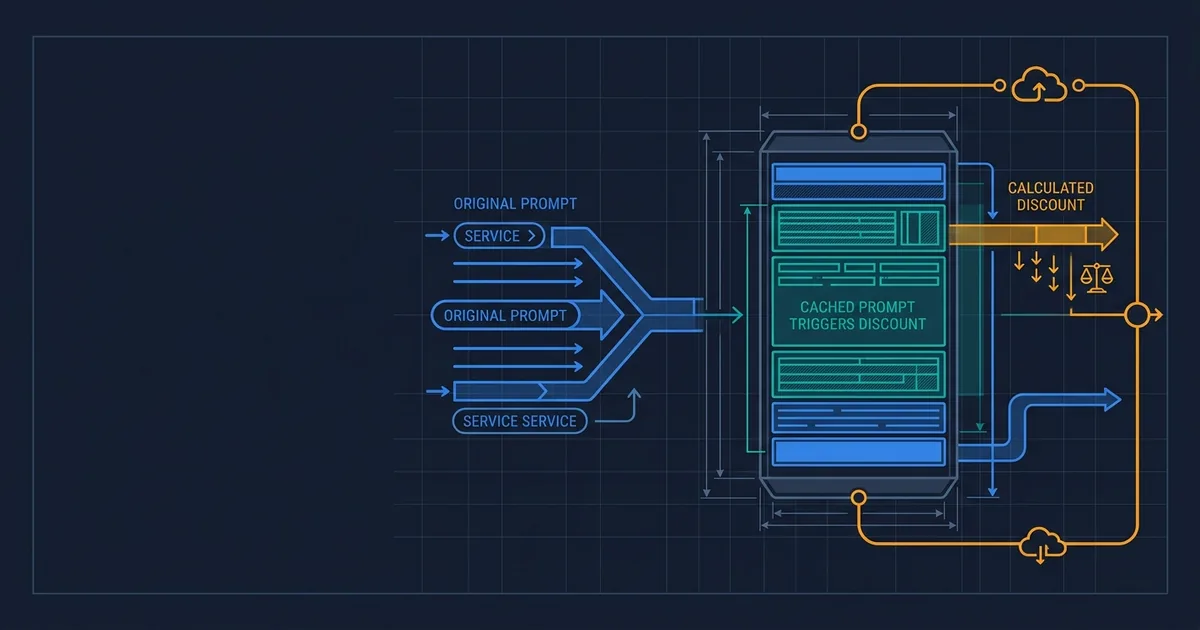
OpenAI's answer to that waste is prompt caching: the model remembers the unchanging start of your prompt and bills it at a fraction of the price. In late May 2026 OpenAI quietly made the cache stick around far longer. The new default is up to 24 hours on its newest model. The headline number everyone repeats is a 90% discount on the cached part.
We wanted to know what that discount actually looks like when you call the API for real, not on a slide. So Effloow Lab ran an OpenAI API check: we sent the same prompt to GPT-5.5 dozens of times in a row and read the cache counter on every response. The short version: the savings are real and large, but they did not show up on every call, and on a smaller prompt they did not show up at all.
What changed in plain words
A prompt cache is the model holding onto the beginning of your prompt so it can skip re-reading it. The "beginning" has to match exactly, character for character, from the very start.
Two things matter about the recent change:
- How long the cache lasts. On May 29, 2026, OpenAI changed the default so that caches persist for up to 24 hours instead of the old few-minute window. For organizations on GPT-5.5 and the wider GPT-5 series without Zero Data Retention turned on, 24-hour retention is now the default. For GPT-5.5 and newer models, 24 hours is the only option, with no short-lived mode anymore (per the change report and OpenAI's caching guide).
- What it costs. The cached portion of your input is billed at one-tenth of the normal input price. On GPT-5.5 that means cached input runs at $0.50 per million tokens instead of $5.00 (the 90% discount everyone cites). Output is unaffected at $30.00 per million (OpenAI pricing page).
OpenAI also notes a privacy detail worth repeating to a nervous stakeholder: only the model's internal math (the key/value tensors) is stored, never the original prompt text on disk.
So the promise is simple. Send a big, stable chunk of text repeatedly, and after the first call most of it should cost a tenth as much for the next 24 hours. The question is whether the API actually delivers that on the calls you make.
What we built and ran
We wrote a small, safe test. The prompt was a made-up customer-support policy for a fictional note-taking app, with no real customer data and nothing confidential. We made the policy text long on purpose, because caching only kicks in once the prompt passes a minimum size (1,024 tokens, roughly 750 words).
Then we sent the exact same prompt to GPT-5.5 (gpt-5.5-2026-04-23) many times in a row through OpenAI's Responses API. Every response reports a number called cached_tokens. It reports how many tokens of your prompt were served from cache on that call. Zero means a full-price call. A number above zero means the discount kicked in.
We ran four series: a small prompt (about 1,300 tokens) with and without OpenAI's optional cache-routing hint, then a larger prompt (about 3,700 tokens) twice. The full run, with request IDs and raw token counts, is in our public lab note.
What actually happened
Here is the result, in plain numbers.
| Test | Prompt size | Calls made | Calls that hit cache | Tokens cached on a hit |
|---|---|---|---|---|
| Small prompt | ~1,300 tokens | 15 | 0 | none |
| Large prompt | ~3,700 tokens | 14 | 9 | 3,328 (~89% of input) |
Two findings stood out.
On the small prompt, the discount never appeared. We sent the same roughly 1,300-token prompt 15 times back-to-back. Every single call reported cached_tokens = 0. Adding OpenAI's optional cache-routing hint (a prompt_cache_key) changed nothing. The prompt was above the 1,024-token minimum, yet no cache hit ever registered in our low-volume test.
On the large prompt, the discount was big, but not on every call. With a roughly 3,700-token prompt, the cache started working. On a hit, 3,328 of 3,741 input tokens came from cache, about 89% of the input. That is the 90% claim showing up in real life. But out of 14 large-prompt calls, 5 still came back with zero cached tokens. Two were the expected cold first call of each series. The other three were misses in the middle of a warm streak. Cache routing is best-effort. A single call can land on a server that does not have your prefix, and you pay full price for that one.
What does a hit save in money? We did not pull a billing-dashboard invoice; instead we applied GPT-5.5's published per-token rates to the token counts we measured. On those rates, the input cost of one large call drops from about $0.0187 to about $0.0037, roughly an 80% cut on that call's input bill. The cut lands below the headline 90% because the last few hundred tokens, the part that changes, are never cached. Multiply that across a million calls a day and it is real money. Just not money you can count on for every single request.
What this means for your business
Translate the lab result into a decision.
- The savings are real at scale, not at a trickle. If your service sends a big, stable prompt thousands of times an hour, caching will cut your input bill substantially. We saw about 80% off on a cached call's input. If you send the same prompt a few times a day, expect to see little or nothing, exactly like our small-prompt run that hit zero times across 15 calls.
- Size is a gate, not a guarantee. Your repeated content has to clear the 1,024-token minimum before caching even tries. Below that, you pay full freight no matter what.
- Budget for misses. Because some calls miss even when the cache is warm, you cannot promise finance a flat 90% reduction. Model it as an average across many calls, with a cushion. In our warm large-prompt series, setting aside the cold first call of each run, roughly 1 in 4 calls still paid full price (3 of 12).
- The 24-hour window mostly helps bursty, recurring traffic. A prompt used heavily at 9am and again at 2pm now has a better chance of still being cached the second time. That is the practical upside of the retention change.
Can this survive your workflow?
Think about where your service repeats the same text:
- A support inbox that prepends the same policy and tone rules to every incoming ticket. High volume, stable prefix. A strong fit, as long as the policy block is large enough.
- Order or invoice processing that runs each record through the same long instruction set. Good fit if throughput is steady through the day.
- A CRM or billing assistant that re-sends the same schema and rules on every write. Fits if the rules sit at the very start of the prompt and never shift.
- An internal automation that fires a handful of times per day. Likely a poor fit, because too little traffic keeps a cache warm, the same situation that gave us zero hits on the small prompt.
If you are weighing whether caching will actually pay off in your product, that is the kind of question Effloow's Proof Studio exists to answer with a measured run rather than a vendor estimate.
When to use it, when to skip it
Use prompt caching when:
- You send a large, unchanging block of text (system prompt, policy, schema, examples) on most requests.
- That block sits at the very beginning of the prompt and the variable part comes last.
- Your traffic is steady or bursty enough to keep the same prefix warm.
Skip or discount it when:
- Your repeated content is small (under about 750–1,000 words), so it will not clear the minimum.
- Your prompts are mostly unique per call, with little shared prefix.
- Your call volume is low and sporadic, where caches go cold between requests.
- You need a guaranteed per-call discount for a contract or SLA, since caching is best-effort, not a promise.
Honest limitations of this test
We want you to trust the rest of the article, so here is what our run does and does not show.
- This was a low-volume lab on a single account, not a production traffic test. A busy service hitting the same prefix constantly will likely see higher and steadier hit rates than we did.
- We did not test the 24-hour persistence directly. Confirming a prefix is still cached a full day later needs a run spaced 24 hours apart. We measured the mechanics and within-session behavior, and relied on OpenAI's documentation for the retention window itself.
- Cache behavior can vary by model, region, traffic, and time. Our numbers are a snapshot from one model (
gpt-5.5-2026-04-23) on 2026-06-29, not a universal benchmark. - The dollar figures are a list-price calculation, not a captured invoice. We multiplied measured token counts by OpenAI's published rates. We did not screenshot a billing dashboard, so treat the cost numbers as modeled, not billed.
- One call returned a transient server error and succeeded on retry. That is normal API operation, not a caching fault.
What Effloow added
Most write-ups on this topic restate OpenAI's "up to 90% cheaper" line and stop. We did the part that is missing: we called the API and read the cache counter on every response, then built a failure-and-limitation table showing exactly when the discount appears and when it does not. Here is the non-obvious finding a vendor slide will not tell you: a 1,300-token prompt produced zero cache hits across 15 calls, while a 3,700-token prompt hit about 89%, with occasional misses even when warm. The raw evidence is in the public lab note.
That short-prompt result is the trap our prompt cache savings calculator checks for first: enter a shared prefix under the provider's minimum and it tells you caching will not engage at all, before you model any savings on top of it.
For more on controlling AI spend at the gateway level (budgets, rate limits, provider fallbacks), see our LiteLLM AI gateway guide, and for a related "measure it instead of trusting the brochure" write-up, see our OpenAI Agents SDK tool-failure recovery proof.
Prefix size is only half the story. What sits inside the prefix matters just as much: a later run found that changing an agent's tool list by a single entry, or even reordering it, zeroed the cache entirely. See adding one tool to your agent wiped the whole prompt cache.
Update (2026-07-20): this run measured GPT-5.5, where the 24-hour retention setting applies. We since ran the same style of check on the newer model family and found the default reuse window shortened and cache writes billed separately — see GPT-5.6 prompt caching: the 24-hour cache is gone before applying these numbers to GPT-5.6.
FAQ
Q: Do I need to change my code to get prompt caching?
No. Caching is automatic on the eligible models. The one thing you control is prompt structure: put the stable, repeated content at the very start and the changing content at the end, so the unchanging prefix is as long as possible.
Q: How do I know if a call hit the cache?
Read the cached_tokens field inside usage.input_tokens_details on each API response. Greater than zero means part of your prompt was served from cache and billed at the lower rate. Zero means a full-price call.
Q: Is the 90% discount guaranteed?
No. The discount applies only to the cached portion of the input, and only when a call actually hits the cache. In our test, warm calls still missed sometimes, and small prompts never cached at all. Treat 90% as a best case on the cached tokens, not a flat bill reduction.
Q: What about privacy with a 24-hour cache?
OpenAI states that only the model's internal key/value tensors are stored, not the original prompt text on disk. Organizations with Zero Data Retention keep the older short-lived behavior on legacy models, but GPT-5.5 and newer use 24-hour retention with no override.
For your engineers
- Model:
gpt-5.5-2026-04-23, set viaEFFLOOW_OPENAI_LAB_MODEL. - Endpoint:
POST https://api.openai.com/v1/responses. - Signal read:
usage.input_tokens_details.cached_tokensper response. - Cache rules confirmed against docs: automatic; 1,024-token minimum; longest cached prefix grows in 128-token increments; exact prefix match required; place static content first.
- Optional routing hint:
prompt_cache_keyis accepted by the Responses API and improves cache locality for high-volume callers, but in our low-volume run it did not produce hits on the small prompt. - GPT-5.5 rates used for the cost math: input $5.00/M, cached input $0.50/M, output $30.00/M; long-context (>272K input) is $10.00/M input and $45.00/M output.
- Reproduce: the small-prompt series used
scripts/openai-lab-run.py --slug openai-prompt-cache-retention-24h-cost-proof-2026 --prompt-file <policy.txt> --append-note; the cache-key bursts usedscripts/openai-cache-probe.py. Token-by-token results and request IDs are saved underdata/lab-runs/openai-prompt-cache-retention-24h-cost-proof-2026.*and summarized in the public lab note. - Cost note: the input-cost reduction on a hit is ~80%, not the headline 90%, because the variable tail of the prompt (here ~413 of 3,741 tokens) is never cached.
Want a measured answer to "will caching actually cut our bill?" for your own prompts and traffic, rather than a vendor estimate? That is exactly the kind of claim Effloow's Proof Studio tests and documents.
Sources
- OpenAI: Prompt caching guide
- OpenAI: Prompt Caching in the API (announcement)
- OpenAI: Prompt Caching 201 (cookbook)
- OpenAI: API pricing
- TheRouter.ai: OpenAI Prompt Cache Retention Defaults to 24h
Sell an AI tool with a claim like this?
We run your tool's claim in a sandbox and hand you proof assets your buyers can check — recorded runs, failures included, and a sales-ready claim table.
More in Articles
GPT-5.6 added explicit prompt cache controls and quietly took the 24-hour cache away. We ran the API and measured what that swap costs.
Effloow Lab ran 17 OpenAI API calls. Appending, deleting, reordering or rewording a single tool zeroed the prompt cache every time. One setting avoided it.
GPT-5.5 and GPT-5.4 now run on Amazon Bedrock's OpenAI-compatible endpoint. We mapped every config change and unsupported feature before you migrate.
Why AI products bleed money on frontier models, and the three-layer architecture (pruning, caching, hybrid routing) that fixes cost without killing quality.
Tools you can use
Model your LLM traffic shape against cache TTL to find your real hit rate, monthly savings, and the break-even hit rate below which prompt caching costs more.
Estimate token counts and API costs for your prompts across Claude, GPT-4o, and Gemini models. Real-time, client-side, no data sent to servers.
Compare AI models side-by-side: pricing, context windows, multimodal support, and speed. Interactive matrix for Claude, GPT, Gemini, Llama, and more.