OpenAI Realtime Audio API: Voice Agents Guide 2026
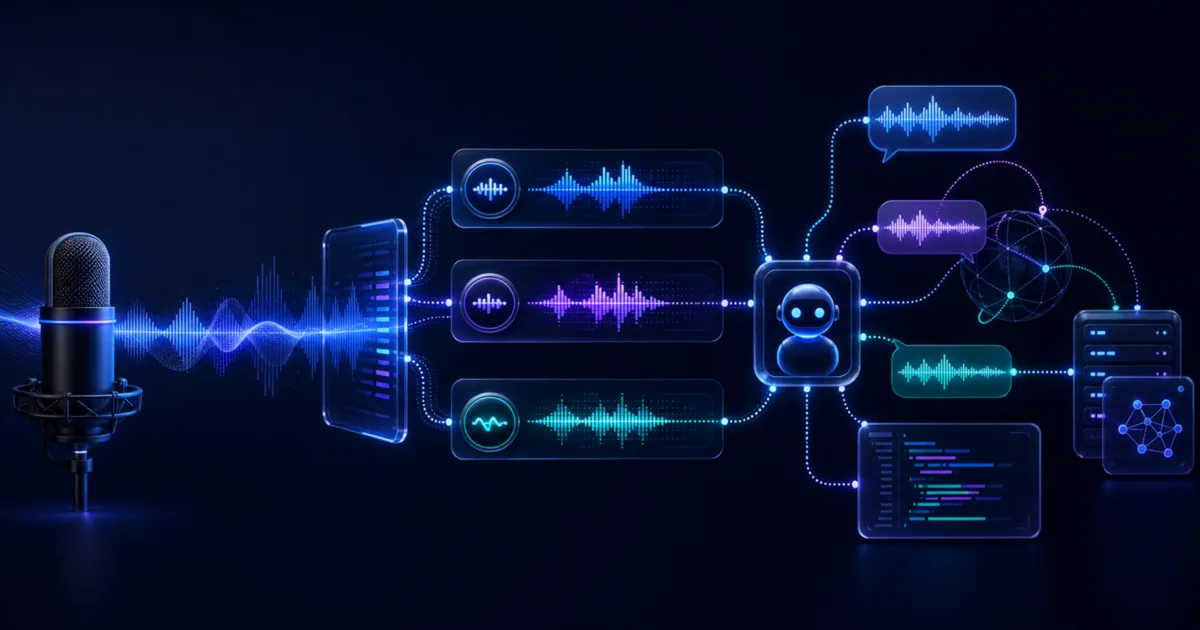
On May 7, 2026, OpenAI quietly made voice agents production-viable. Three new realtime audio models landed in the API at the same time: GPT-Realtime-2 (voice with GPT-5-class reasoning), GPT-Realtime-Translate (live speech-to-speech translation across 70+ languages), and GPT-Realtime-Whisper (streaming speech-to-text billed by the minute). Each model has its own pricing, endpoint, and use-case fit.
If you have been waiting for a stable, production-ready voice API before building, the wait is over. This guide walks through what each model does, how to connect to the API, what it costs, and the production patterns that separate a working demo from a robust voice agent. To wire voice into a larger agent system, our OpenAI Agents SDK multi-agent tutorial covers the orchestration layer.
Effloow Lab inspected the Realtime API protocol and validated client-side event structures locally before writing this. Full live testing requires an OpenAI API key, so where it matters we mark what we verified against the docs and what we did not run end to end. The protocol validation note is public if you want to see the exact checks.
Why This Release Matters
Previous versions of the Realtime API required working around a 32K-token context ceiling, managing your own speech-to-text pipeline, and accepting that the model would sometimes lose the thread of a long conversation. GPT-Realtime-2 removes these constraints:
- Context window expanded to 128K tokens — four times the previous limit, enough for multi-turn conversations spanning tens of minutes
- GPT-5-class reasoning integrated directly — the model can call tools, reason through steps, and respond, all without leaving the audio stream
- Three specialized models instead of one general voice model, each optimized for a specific cost-performance point
The split into three models is also a pricing move. If you only need transcription, GPT-Realtime-Whisper at $0.017/minute is dramatically cheaper than running voice inference at $32/1M tokens. Choose the right model and you can cut costs by 80–90% relative to using GPT-Realtime-2 for everything.
| Model | Job it does | Metered price | Cached input | Context / scope |
|---|---|---|---|---|
| gpt-realtime-2 | Voice reasoning agent (tool calls, multi-turn) | $32/1M input · $64/1M output tokens | $0.40/1M input tokens | 128K tokens |
| gpt-realtime-translate | Live speech-to-speech translation | $0.034/min | — | 70+ input → 13 output languages |
| gpt-realtime-whisper | Streaming transcription | $0.017/min | — | STT-only |
Every figure above is drawn from OpenAI's own launch post and API pricing page (May 7, 2026) — the full source-check note is public. Two new voices, Cedar and Marin, shipped exclusively with this release alongside the existing set (alloy, echo, shimmer, and others), and gpt-realtime-2 scores 96.6% on OpenAI's Big Bench Audio reasoning benchmark — 15.2% above the prior gpt-realtime-1.5.
GPT-Realtime-2: Voice Reasoning for Production Agents
GPT-Realtime-2 is the flagship of the trio. It brings GPT-5-level intelligence into the audio stream: the model can reason through multi-step requests, call functions, handle tool results, and continue speaking — all without pausing the conversation for a round trip to a separate text model.
How audio tokens are billed
OpenAI encodes audio duration into tokens rather than sampling audio at a fixed rate. The billing math is:
- User speech (input): 1 token per 100 ms of audio → 600 tokens per minute
- Model response (output): 1 token per 50 ms of audio → 1,200 tokens per minute
For a typical bidirectional voice call where the user talks roughly as much as the model:
Input cost:  600 tokens × ($32 / 1,000,000) = $0.0192 / min
Output cost: 1,200 tokens × ($64 / 1,000,000) = $0.0768 / min
Total uncached: ~$0.096 / min (~$5.76 / hour)
That ~$0.096/min is the uncached ceiling. Prompt caching changes the input side sharply: cached input is billed at $0.40/1M tokens instead of $32/1M — an 80x reduction on whatever share of your input is a stable, reused system prompt. Output audio is never cached, so it stays the dominant cost. The practical takeaway is that your real per-minute rate depends far more on how much the model talks than on how long your instructions are.
Connecting via WebSocket
The Realtime API uses a persistent WebSocket connection. Every interaction is modeled as an exchange of typed JSON events — the client sends events, the server sends events back. Effloow Lab validated that the client-side event structures serialize and round-trip correctly in Python:
import asyncio
import json
import websockets

OPENAI_API_KEY = "sk-..."  # your key

async def voice_agent_session():
    uri = "wss://api.openai.com/v1/realtime?model=gpt-realtime-2"
    headers = {
        "Authorization": f"Bearer {OPENAI_API_KEY}",
        "OpenAI-Beta": "realtime=v1"
    }

    async with websockets.connect(uri, additional_headers=headers) as ws:
        # 1. Configure the session
        await ws.send(json.dumps({
            "type": "session.update",
            "session": {
                "modalities": ["audio", "text"],
                "voice": "alloy",
                "turn_detection": {
                    "type": "server_vad",
                    "threshold": 0.5,
                    "silence_duration_ms": 500
                },
                "tools": [
                    {
                        "type": "function",
                        "name": "lookup_order",
                        "description": "Look up a customer order by ID",
                        "parameters": {
                            "type": "object",
                            "properties": {
                                "order_id": {"type": "string"}
                            },
                            "required": ["order_id"]
                        }
                    }
                ],
                "tool_choice": "auto"
            }
        }))

        # 2. Stream audio (PCM16, 24kHz, base64-encoded chunks)
        # await ws.send(json.dumps({
        #     "type": "input_audio_buffer.append",
        #     "audio": base64_chunk
        # }))

        # 3. Listen for server events
        async for raw_msg in ws:
            event = json.loads(raw_msg)
            event_type = event.get("type", "")

            if event_type == "response.audio.delta":
                # stream audio bytes to speaker
                pass
            elif event_type == "response.function_call_arguments.done":
                # handle tool call, then send result back
                await ws.send(json.dumps({
                    "type": "conversation.item.create",
                    "item": {
                        "type": "function_call_output",
                        "call_id": event["call_id"],
                        "output": json.dumps({"order_status": "shipped"})
                    }
                }))
                await ws.send(json.dumps({"type": "response.create"}))

asyncio.run(voice_agent_session())
The OpenAI Agents Python SDK (openai-agents) wraps this pattern into a higher-level RealtimeAgent class if you prefer avoiding raw WebSocket management. The underlying transport is the same.
Tool calls mid-conversation
GPT-Realtime-2 can call functions while speaking. The agent does not stop talking and wait — it continues the audio stream with a phrase like "Let me look that up" while dispatching the tool call in parallel. When the result arrives, it folds it into the ongoing response. This pattern is what makes GPT-Realtime-2 meaningfully different from a text model with TTS bolted on. Those tool calls hit live systems that time out and error, though, so the retry and fallback patterns in our OpenAI Agents SDK tool-failure recovery proof apply directly to a voice agent — a stalled tool call is far more jarring in a spoken conversation than in a chat window.
Interruption handling
Voice activity detection (VAD) is built in when you set turn_detection.type = "server_vad". When the user starts speaking mid-response, the API sends a response.cancelled event, truncates the current audio output, and starts a new inference cycle. The 128K context window means the model retains everything said before the interruption without a context reset.
Three things to get right in production:
- VAD threshold (
threshold: 0.5in the example above) — lower values detect softer speech but increase false triggers in noisy environments. Tune per your deployment channel (phone line vs browser microphone vs call center headset). - Silence duration (
silence_duration_ms) — how long a pause triggers end-of-turn. 500ms works for conversational speech; customer support scripts may need 700–1000ms. - Barge-in state management on your server — when
response.cancelledfires, flush any queued tool results from the cancelled turn or you'll deliver stale data to the next response cycle.
GPT-Realtime-Translate: Live Speech-to-Speech Translation
GPT-Realtime-Translate is a single-purpose model trained on thousands of hours of professional interpreter audio. It takes live speech in any of 70+ input languages, detects the source language automatically, and returns translated speech plus text transcripts in one of 13 output languages.
Target output languages as of May 2026: Spanish, Portuguese, French, Japanese, Russian, Chinese, German, Korean, Hindi, Indonesian, Vietnamese, Italian, and English.
The dedicated endpoint is /v1/realtime/translations:
uri = "wss://api.openai.com/v1/realtime/translations"

session_config = {
    "type": "session.update",
    "session": {
        "output_language": "ja",   # target language code
        # source language is auto-detected
        "voice": "alloy"
    }
}
You stream 24 kHz PCM16 audio into input_audio_buffer.append exactly as you would with GPT-Realtime-2. The model processes input audio while simultaneously streaming translated audio back, which keeps perceived latency low over continuous speech.
Unlike a general-purpose voice model, GPT-Realtime-Translate will not answer questions or carry on conversation. It is translation-only by design. If a user asks "what time is it?" in French and your output language is English, the model translates the question into English — it does not answer it. Build a routing layer in front if your product needs both translation and reasoning.
At $0.034/minute, a one-hour multilingual support call costs $2.04 in translation credits. A 30-person conference session with real-time translation for 60 minutes costs around $60 — cheaper than a human interpreter for a short session, and it runs at scale.
GPT-Realtime-Whisper: Streaming Speech-to-Text
GPT-Realtime-Whisper is the transcription-only model in the trio. It starts producing text output as the speaker talks rather than waiting for an utterance to finish. This keeps the UI feeling responsive — a transcription bar can update word-by-word instead of appearing in blocks.
Pricing at $0.017/minute makes it among the cheapest options for streaming STT in the OpenAI ecosystem. An eight-hour workday of continuous transcription costs about $8.16.
# Whisper Realtime session uses the standard /v1/realtime endpoint
# with model=gpt-realtime-whisper
uri = "wss://api.openai.com/v1/realtime?model=gpt-realtime-whisper"

# Server returns transcript deltas as speech is detected:
# { "type": "conversation.item.input_audio_transcription.delta", "delta": "Hello, " }
# { "type": "conversation.item.input_audio_transcription.delta", "delta": "can you hear me?" }
# { "type": "conversation.item.input_audio_transcription.completed", "transcript": "Hello, can you hear me?" }
GPT-Realtime-Whisper is the right choice when you need transcription but not inference — meeting recorders, live captioning systems, accessibility tools, voice-search preprocessing, and call analytics pipelines where a separate LLM processes the transcript downstream.
Practical Application: Choosing the Right Model
The three models are not interchangeable. Use this decision tree:
Does your user need a spoken response from the AI?
- Yes, and it involves reasoning, tool calls, or multi-turn logic → gpt-realtime-2
- Yes, but it is a direct translation of what another person said → gpt-realtime-translate
- No, you only need the text of what the user said → gpt-realtime-whisper
A customer support agent that looks up orders and reads statuses aloud: gpt-realtime-2. A multilingual conference call platform where each attendee hears their own language: gpt-realtime-translate. A meeting transcription SaaS that feeds into a separate summarizer: gpt-realtime-whisper.
For hybrid products, you can run models side-by-side. A global customer support pipeline might use gpt-realtime-translate for non-English callers to produce an English transcript, then pass that transcript to a text-only GPT-5 for classification and routing, and only invoke gpt-realtime-2 when the agent needs to speak back. This layering can reduce per-call cost significantly compared to routing all audio through gpt-realtime-2. Managing three model endpoints plus a text model is easier behind a proxy that centralizes keys, routing, and spend tracking — our LiteLLM gateway guide covers that pattern. For broader cost-control tactics that apply here too, see our production LLM cost guide.
When to Use the Realtime API — and When to Skip It
The three-model suite is the right tool for a specific shape of problem. It is the wrong tool for several adjacent ones, and picking it by default wastes money and adds latency you don't need.
Reach for the Realtime API when:
- Latency is part of the product. A caller waiting for a spoken reply notices a 2-second gap. The streaming WebSocket protocol and server-side VAD exist to close that gap. If sub-second turn-taking is a feature, this is the API.
- The AI has to speak and reason in the same breath — look up an order, then read the status aloud without a visible pause. That mid-stream tool calling is what gpt-realtime-2 buys you.
- You need live translation that keeps pace with a speaker. gpt-realtime-translate at $0.034/min undercuts human interpreters for short and mid-length sessions and scales past what a human booking can.
- You want one protocol for transcription, translation, and voice reasoning instead of stitching three vendors together.
Skip it — or use something cheaper — when:
- You only need a transcript and latency doesn't matter. For recorded files processed after the fact, standard batch transcription is cheaper than a live streaming session. Reserve gpt-realtime-whisper for the cases where the transcript has to appear as the person speaks.
- Your interaction is turn-based and text-first. A chat assistant with an optional "read this aloud" button is better served by a text model plus a separate text-to-speech call. You skip audio-input token costs entirely and keep full control over each turn.
- Cost per minute is your binding constraint at high volume. A one-hour balanced gpt-realtime-2 conversation can exceed $10 in audio tokens. If you are running thousands of concurrent long calls, model the bill against a self-hosted stack before committing — our self-hosting vs cloud APIs cost breakdown walks through where the crossover sits.
- You need guaranteed session recovery. As of May 2026 there is no reconnect or resume: a dropped WebSocket loses server-side state. If your channel is unreliable and mid-call recovery is non-negotiable, that gap is a real reason to wait or to design heavily around it.
The quick test: if the value of your feature is the conversation happening in real time, this API earns its price. If the value is the text or the answer and the "voice" part is cosmetic, a cheaper composition of STT plus a text model plus TTS usually wins.
Update: check your model IDs against the 2027 retirement list
On 2026-07-20, after this guide was published, OpenAI put nine audio, realtime, and transcription model IDs on a shutdown date of 2027-01-20. The three models covered above are not on that list. The retiring IDs are the older generation, including bare gpt-realtime and gpt-realtime-mini, which sit one character away from names used here.
That closeness matters if you are auditing a codebase, because a prefix search cannot tell them apart. We probed the live API and found that eight of the ten IDs starting with gpt-realtime carry no shutdown date at all. The full family table, the nine retiring IDs, and a one-line command that lists every dated model your account can see are in gpt-realtime retires Jan 2027.
Common Mistakes in Production Voice Agents
Ignoring prompt caching on system instructions. The session configuration message is sent at the start of every WebSocket connection. For long system prompts, this is the largest per-session input cost. OpenAI caches inputs at $0.40/1M tokens vs $32/1M for uncached. Keep your system prompt stable and reuse session configurations where possible.
Treating response.cancelled as an error. Interruptions are a normal part of conversation. Your application should handle the cancel event cleanly — flush pending state, log the cancelled turn, and let the model proceed with the new input. Applications that surface interruption events as errors create broken UX and noisy logs.
Forgetting that context grows. The 128K context window means gpt-realtime-2 can hold a very long conversation without a reset. But it also means costs accumulate. A one-hour conversation with balanced speaking time can push well past $10 in audio tokens alone. For high-volume deployments, consider session time limits or periodic context compaction using a text-model summarization step.
Using gpt-realtime-2 for transcription-only use cases. If you only need the text of what the user said, run gpt-realtime-whisper at $0.017/min instead of gpt-realtime-2 at $0.096+/min. The cost difference is roughly 5–6x.
Hard-coding the VAD threshold. Different audio channels have different noise floors. A browser tab with a decent microphone is not the same as a phone call over PSTN. Ship a configuration option, even if only for internal deployment channels.
FAQ
Q: Does gpt-realtime-2 use GPT-5 under the hood?
OpenAI describes gpt-realtime-2 as bringing "GPT-5-class reasoning" to live voice, and their Big Bench Audio benchmark shows +15.2% audio intelligence over GPT-Realtime-1.5. OpenAI has not confirmed whether the underlying weights are shared with GPT-5 or whether this is a separate model trained to the same capability level.
Q: Can I use the Realtime API from a browser (client-side)?
Yes. OpenAI supports ephemeral session tokens for client-side WebSocket connections. Generate a short-lived token from your backend (POST /v1/realtime/sessions), pass it to the browser, and open the WebSocket from JavaScript. Do not embed your main API key in client-side code.
Q: How does server VAD compare to manual turn detection?
Server VAD (turn_detection.type = "server_vad") lets OpenAI's infrastructure handle speech segmentation — it detects when the user stops speaking and triggers inference automatically. Manual turn detection (turn_detection: null) gives your application full control: you decide when to commit an audio buffer and request a response. Manual mode is more predictable in noisy environments but requires more engineering. Start with server VAD and switch to manual if you hit false-trigger issues.
Q: Is gpt-realtime-translate available on Azure OpenAI?
Microsoft's Azure AI Foundry announced support for the new realtime audio models including gpt-realtime-whisper and gpt-realtime-translate shortly after the OpenAI release. Check the Azure OpenAI pricing page for regional availability and pricing, which may differ from direct OpenAI API pricing.
Q: What audio format does the Realtime API accept?
The API accepts PCM16 audio at 24 kHz, base64-encoded and sent as input_audio_buffer.append events. Most browser MediaRecorder APIs require a format conversion step. The OpenAI cookbook includes a realtime_translation_guide example with a JavaScript AudioWorklet for in-browser PCM16 capture.
Q: What happens if the WebSocket connection drops mid-conversation?
The session state is held server-side for the duration of the connection. If the connection drops, the session is lost — there is no resume or reconnect mechanism as of May 2026. Build reconnect logic in your client and design conversations to be resumable from the last committed turn. Store transcript deltas locally and replay context if a reconnect is needed.
What Effloow Added
OpenAI's launch lists three models and their prices. A team building a voice agent needs to know which model to call when, and how to keep the bill down. We turned the launch into a routing decision:
- A model-by-job decision tree — reasoning (GPT-Realtime-2) vs translation (Translate) vs transcription (Whisper) — with the official pricing ($32/$64 per 1M tokens; $0.034 and $0.017 per minute) checked against OpenAI's own pages.
- A cost-layering pattern: route transcription and translation to the cheap per-minute models and reserve GPT-Realtime-2 for the moments that actually need reasoning, which is where the 80-90% savings come from.
- The production traps (Common Mistakes) that only surface once a voice agent is live, plus what Effloow Lab verified about the protocol versus what we did not test end to end.
The value is the which-model-when routing and the cost discipline, not a relay of the three price tags.
Key Takeaways
The May 2026 Realtime Audio API update is the first time all three voice agent primitives — reasoning, translation, and transcription — are available in a single unified API with clear per-minute or per-token pricing.
For most developers building voice agents, the practical starting point is gpt-realtime-2 for prototyping and gpt-realtime-whisper for any transcription path that feeds a separate model. GPT-Realtime-Translate is genuinely useful and underpriced compared to traditional translation infrastructure — a multilingual product that previously required third-party translation services can now route entirely through one API.
The 128K context window and built-in VAD make gpt-realtime-2 a legitimate foundation for production voice agents rather than a demo novelty. The remaining work is on your side: audio channel handling, graceful interruption management, prompt caching discipline, and cost modeling before you scale.
OpenAI's three-model voice API split is the right architecture: specialized models at specialized prices, all behind one WebSocket protocol. GPT-Realtime-2 is finally production-ready with 128K context and native tool calling. GPT-Realtime-Whisper at $0.017/min is the new default for any transcription-only pipeline. Build the routing layer between them and you can cover most voice AI use cases without leaving the OpenAI ecosystem.
Sell an AI tool with a claim like this?
We run your tool's claim in a sandbox and hand you proof assets your buyers can check — recorded runs, failures included, and a sales-ready claim table.
More in Articles
OpenAI retires nine voice model IDs on 2027-01-20. We probed the live API: no warning headers, but a shutdown_date field flags 52 of 126 models.
DeepSeek V4-Pro at $0.435/M input vs GPT-5.5 at $5.00/M. Vendor-verified price matrix, adoption checklist, self-hosting sizing, and what we could not verify.
Effloow Lab ran 17 OpenAI API calls. Appending, deleting, reordering or rewording a single tool zeroed the prompt cache every time. One setting avoided it.
We asked the live OpenAI API which model answers when you write gpt-5. It is the exact snapshot being deleted on December 11, 2026.
Tools you can use
Build tool-calling schemas visually. Define a function and typed parameters, get ready-to-paste tool blocks for OpenAI Chat Completions, OpenAI Responses, and Anthropic Messages. 100% client-side.
Compare AI models side-by-side: pricing, context windows, multimodal support, and speed. Interactive matrix for Claude, GPT, Gemini, Llama, and more.