OpenAI Agents SDK Sandboxes: Provider Readiness Checklist
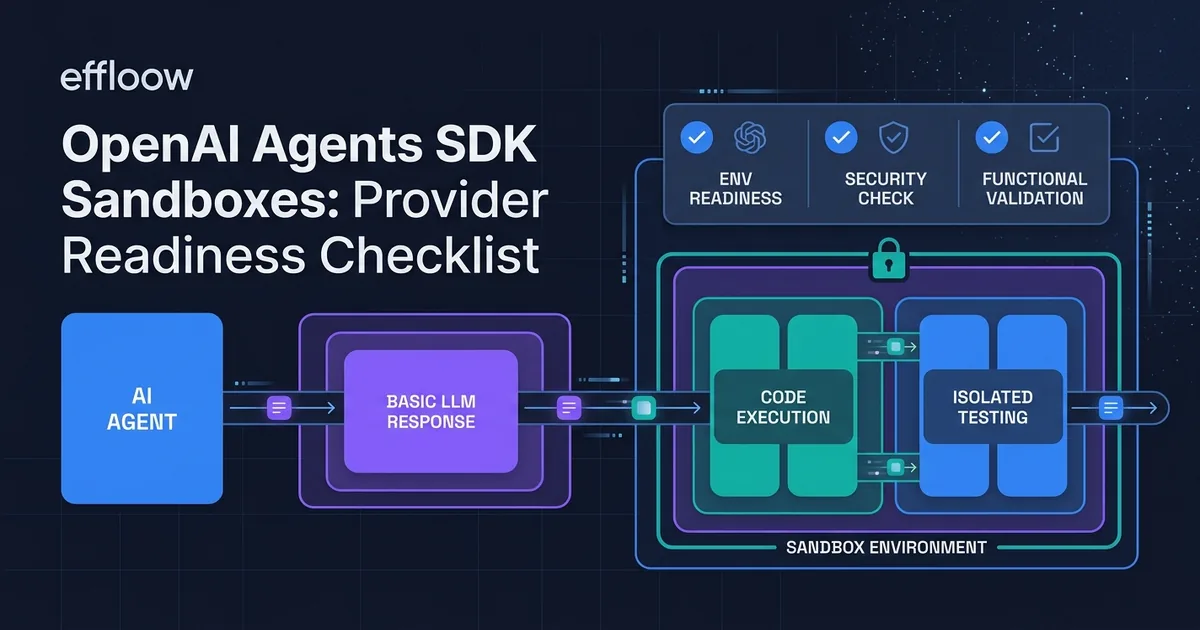
Imagine you want an AI assistant that doesn't just suggest a fix for a broken report or a failing script, but actually applies it, runs the checks, and only hands back work that passed. That is the difference between an agent that gives advice and an agent that finishes the job. Most teams discover the gap the hard way: the model sounds completely confident, the fix looks right, and nobody can tell whether it actually works until a human runs it.
We wanted to show that gap in the plainest way possible. So we gave a current OpenAI model a tiny broken program and asked it to do two things: fix the code, and run the tests to prove the fix worked. What came back is the reason OpenAI shipped "sandboxes" for its Agents SDK, and it's the thing you have to budget for if you want an agent that does real work inside your business.
The small test we ran
We used OpenAI's plain text API (the Responses API, which just sends a question and gets an answer back, nothing more). We handed the model a two-file project. One file had a broken add function that subtracted instead of added. The other file had two tests that would fail because of that bug.
Then we asked for three things in one message:
- Fix the code.
- Actually run the test command (
pytest) and paste the real terminal output. - Tell us plainly whether it could run the tests itself, or whether it was only guessing at the result.
This is a deliberately safe, throwaway task with no private data. The point wasn't to test whether the model is smart. It was to see the boundary between "thinking about work" and "doing work."
What actually happened
The model fixed the code correctly. It changed the subtraction back to addition, which is exactly right.
Then it stopped and told the truth. In its own words: it "cannot actually execute pytest in this request" because it has no live terminal, so it "cannot provide exact, real observed terminal output." It offered a guess at what passing tests would look like, clearly labeled as a guess, and finished by stating plainly that it "was not able to execute the tests" and could "only predict that they would pass."
That whole exchange cost 567 tokens (the model's unit of billing): about 209 in and 358 out. In everyday terms, this is a fraction of a cent of model usage. Cheap, fast, and honest. But notice what you did not get for your money: any proof that the fix works. You got a well-reasoned suggestion and an explicit admission that nobody ran anything.
That is the entire business case for a sandbox in one screenshot. The model can plan and write, but on its own it cannot open a file, run a command, install a library, or check that the result is real. A sandbox is the missing hands.
What a sandbox actually is, in plain terms
OpenAI's own documentation describes a sandbox agent as "an isolated, Unix-like execution environment with a filesystem, shell, installed packages, mounted data, exposed ports, snapshots, and controlled access to external systems" (Sandbox Agents guide). Strip the jargon and it's a locked-down scratch computer the agent can use: it can read and write files, run commands, install what it needs, and keep its work between steps, all walled off from your real systems.
The design splits the job into two halves, and the split matters for anyone worried about safety:
- The harness is the brain and the rulebook. It runs the loop, calls the model, decides which tools to use, asks for human approval when needed, and keeps a record. Your sensitive control logic lives here.
- The compute is the pair of hands. It's the throwaway machine where files get edited and commands get run. If it catches fire, you throw it away.
Because those two halves are separate, the risky part (running model-written code) happens somewhere disposable, while the decisions and approvals stay on your side of the wall. If you've read our write-up on what happens when an agent's tools fail mid-task, this is the same instinct applied to execution: contain the blast radius before you let the agent act.
Can this survive your workflow?
Here's the part that matters if you're deciding whether to put an agent into your own service. Ask where the work would actually run:
- Order and invoice processing. The agent needs to open a spreadsheet, recalculate totals, and save a corrected file. That's file work. It needs a sandbox, and it needs the run recorded.
- Support tickets that trigger scripts. If resolving a ticket means running a diagnostic or a refund script, the agent is executing code against real consequences. Sandbox, plus a human-approval step before anything touches production.
- Internal automation and reports. Pulling data, transforming it, and generating a document is exactly the "read files, run commands, produce artifacts" pattern sandboxes exist for.
- Pure drafting and classification. Writing a reply, tagging a lead, summarizing a document. No sandbox needed. The plain API is cheaper and simpler, and adding execution infrastructure here is wasted money.
The rule of thumb: if the valuable outcome is a produced or changed file, or a command that ran, you're in sandbox territory. If the outcome is text, you probably aren't. Our small test lands squarely on the sandbox side, because "the tests passed" is a fact you can only get by running something.
Choosing where the sandbox runs
If you decide you need execution, the next question is whose computer. OpenAI's Agents SDK supports nine execution backends out of the box, plus a bring-your-own option (Sandbox concepts). Here's the source-derived shortlist and what each choice really means for a non-engineering decision-maker.
| Where it runs | What it is | Best when |
|---|---|---|
| Unix-local | The agent runs on your own machine or server | Prototyping and internal-only tasks with no untrusted input |
| Docker | A contained environment on infrastructure you control | You want isolation but keep everything in-house |
| E2B, Modal, Daytona, Runloop, Blaxel | Hosted sandbox specialists | You want someone else to run and secure the throwaway machines |
| Cloudflare, Vercel | Sandboxes inside a platform you may already use | Your app already lives there and you want one bill |
| Bring your own | Plug in your existing environment | You have hard security or compliance rules that hosted options can't meet |
There's no universal winner, and anyone who tells you otherwise is selling something. The honest decision is about who you trust to run untrusted code: yourself (Docker or your own environment), a hosted specialist (E2B and friends), or a platform you're already committed to (Cloudflare, Vercel). We've separately walked through E2B as a secure code-execution sandbox if you want a closer look at one hosted option.
One reliability feature is worth calling out because it protects real work: the SDK can save the sandbox's state and restore it in a fresh machine if the original one dies. When resuming, it looks for a live session first, then saved state, then an explicit snapshot, and only starts fresh as a last resort. In practice that means a dropped connection halfway through a long job doesn't automatically mean starting over.
Two numbers that affect your bill
Container time got cheaper for short jobs. As of June 2, 2026, OpenAI bills eligible container sessions by the minute with a five-minute minimum, instead of charging a full 20-minute session no matter how briefly you used it (API changelog). The per-minute rate didn't change. For a quick task like our broken-code fix, this is the difference between paying for five minutes and paying for twenty. If your agents do lots of short bursts, this quietly matters.
A faster connection mode exists, with a caveat. OpenAI added an optional "WebSocket" mode, a way of keeping the connection open so the agent doesn't re-send everything on every step. OpenAI reports "up to roughly 40% faster end-to-end execution" for long jobs with 20 or more tool calls (Speeding up agentic workflows with WebSockets). We did not reproduce that number, so treat the 40% as the vendor's figure, not ours. It also comes with limits: one connection lasts at most 60 minutes, handles one request at a time, and needs conversation history retained to work. It's a tuning option for heavy, chatty agents, not a default you flip on day one.
When to use a sandbox, and when to skip it
Use one when:
- The agent must edit files, run code, or produce an artifact you'll actually use.
- "It worked" is a claim you need proven, not predicted.
- The task runs long enough that losing progress would hurt.
Skip it when:
- The output is text: replies, summaries, classifications, drafts.
- You're prototyping a conversation and no real system is touched.
- Every dollar of setup and container time outweighs the value of the task.
Honest limitations of what we showed
This was one small, safe test, and it proves exactly one thing: a plain API call reasons but does not execute. It is not a benchmark, a security review, or proof that any particular sandbox provider is fast, reliable, or safe in production. We did not run code inside a hosted sandbox, so provider latency, uptime, and quota behavior remain unverified here. The container-billing and WebSocket details come from OpenAI's own documentation and changelog, not from our measurement. And the model's honesty in our test (refusing to fake a test result) is encouraging but not guaranteed on every prompt or every model. The safe assumption is still: if you need proof of execution, build the execution, don't trust the narration.
What Effloow added
The primary sources tell you sandboxes exist and list the providers. What they don't do is show you the gap in a way a non-engineer can feel. Our contribution is the recorded lab probe: a real API call, with the exact prompt, the model's exact words, real token usage, and a request ID, demonstrating that a capable model will fix code and then plainly admit it cannot run it. That single exchange is the clearest justification we could produce for spending money on execution infrastructure. The full run, including the prompt hash and usage, is published as our public lab note.
For your engineers
Reproduction and technical detail, kept separate from the business narrative above.
The lab probe. We called the OpenAI Responses API via scripts/openai-lab-run.py against gpt-5.5-2026-04-23 with max_output_tokens=900. Input: a two-file repo (calc.py with return a - b, plus two pytest cases) and a three-part instruction to fix, run pytest -q, and self-report execution ability. Result: status: completed, request ID c812d09f-3e68-4489-8d85-c7cdb2dfb1d0, usage {input_tokens: 209, output_tokens: 358 (reasoning_tokens: 166), total_tokens: 567}. The model returned return a + b and explicitly declined to fabricate pytest output. Full prompt, output, prompt SHA-256, and usage are in the public lab note linked above.
Minimal sandbox agent (Python SDK). OpenAI's Agents SDK exposes SandboxAgent, Manifest, Capabilities, Runner.run(), SandboxRunConfig, and RunConfig. A local run uses UnixLocalSandboxClient; Docker requires pip install "openai-agents[docker]".
from agents import Runner
from agents.sandbox import Manifest, SandboxAgent, SandboxRunConfig
from agents.sandbox.entries import LocalDir
from agents.sandbox.sandboxes.unix_local import UnixLocalSandboxClient

agent = SandboxAgent(
    name="Sandbox engineer",
    model="gpt-5.5",
    instructions="Read task.md before editing files.",
    default_manifest=Manifest(entries={"repo": LocalDir(src=HOST_REPO_DIR)}),
)

result = await Runner.run(
    agent,
    "Fix the issue in repo/task.md, then run the tests.",
    run_config=RunConfig(sandbox=SandboxRunConfig(client=UnixLocalSandboxClient())),
)
Architecture split. Harness (control plane): agent loop, model calls, tool routing, handoffs, approvals, tracing, recovery, run state. Compute (execution plane): files, commands, installs, mounted storage (S3, GCS, R2, Azure Blob), exposed ports, snapshots. Built-in backends: Blaxel, Cloudflare, Daytona, Docker, E2B, Modal, Runloop, Unix-local, Vercel, plus bring-your-own. Session resumption priority: live session → stored session state → explicit serialized state → fresh session.
WebSocket transport (optional). The Agents SDK adds opt-in WebSocket transport for Responses models via responses_websocket_session() / ResponsesWebSocketSession; HTTP remains the default. Endpoint wss://api.openai.com/v1/responses, previous_response_id chains continuations so only new input items are sent, a connection-scoped in-memory cache holds recent response state (evicted on failure). Limits: 60-minute max connection, sequential (no multiplexing), and store=false/ZDR returns previous_response_not_found on uncached IDs. OpenAI reports up to ~40% faster end-to-end for 20+ tool-call rollouts (vendor-reported, not reproduced here).
Billing note. Since 2026-06-02, eligible container sessions bill per minute with a five-minute minimum instead of the prior full 20-minute session charge; per-minute rate unchanged (OpenAI API changelog).
Primary sources. Sandbox Agents guide (definition, harness/compute boundary, mounted storage). Sandbox concepts (the nine built-in backends plus bring-your-own, session-resumption order). Speeding up agentic workflows with WebSockets (opt-in transport, the ~40% vendor figure, connection limits). OpenAI API changelog (per-minute container billing from 2026-06-02).
Want an agent that actually finishes the job?
Deciding between a plain API agent, a hosted sandbox, and your own infrastructure is a judgment call about risk, cost, and how much the work is worth. If you'd like that decision made with evidence instead of vendor slides, meaning a recorded run against your real workflow with the failure modes written down, that's what we do. See Proof Studio for how we turn a claim into a tested, documented artifact, or tell us about your workflow on the services page.
A plain model call plans and writes; it cannot prove its own work. If your agent needs to change files or run commands, budget for a sandbox and record the runs. If it only needs to produce text, skip the infrastructure and keep it simple.
Sell an AI tool with a claim like this?
We run your tool's claim in a sandbox and hand you proof assets your buyers can check — recorded runs, failures included, and a sales-ready claim table.
More in Articles
We ran an OpenAI API probe on three tool-misuse faults an order agent hits (schema drift, rate limits, fake-success replies) and recorded the recovery.
We gave an AI agent an order-processing job, broke its storage mid-task on purpose, and recorded what happened. 8 runs, all on the record.
Compare the top AI agent frameworks in 2026 — LangGraph, CrewAI, OpenAI Agents SDK, and more — with code examples and use-case recommendations.
LiteLLM's Rust gateway reduces forwarding latency and memory use in controlled benchmarks, but feature gaps and routing-quality risks limit the case for migration.