How to Self-Host Your Entire Dev Stack for Under $20/Month in 2026
How to Self-Host Your Entire Dev Stack for Under $20/Month in 2026
Every month, developers hand over $50, $100, or $200+ to a patchwork of SaaS tools. GitHub Teams for private repos. A CI/CD provider that charges per build minute. A database host that bills per connection. A monitoring service that costs more than the infrastructure it watches.
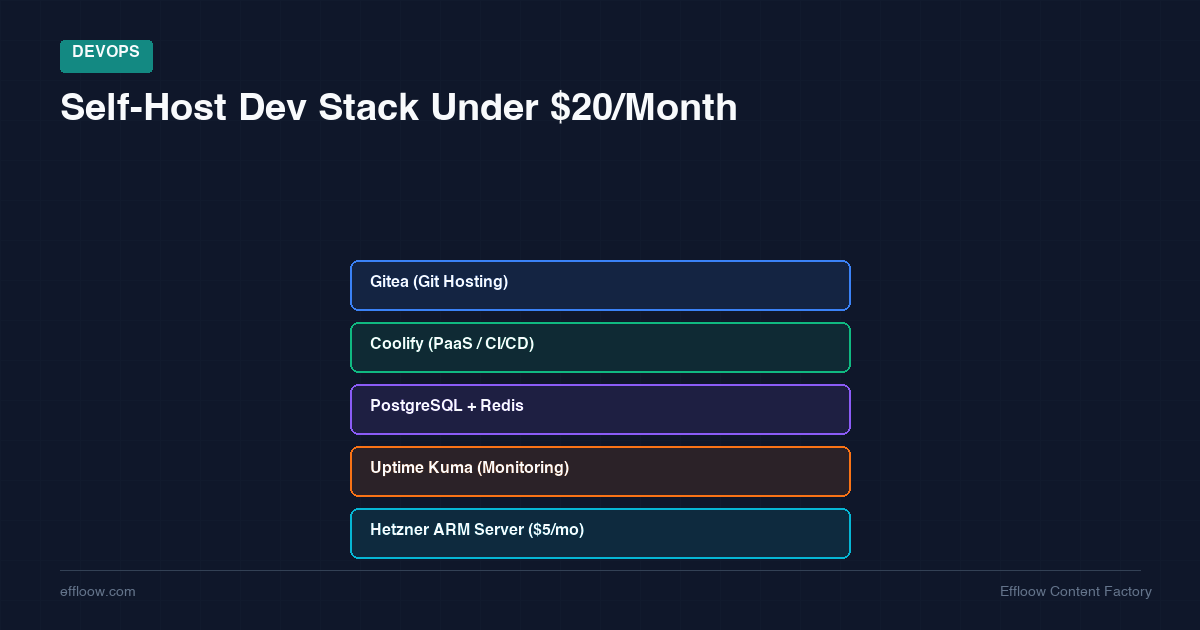
Here is an alternative: self-host the entire stack on a single ARM server for under $20 a month. Not a toy setup. A real, production-capable developer environment with Git hosting, continuous integration, a deployment platform, a database, and uptime monitoring.
This guide walks through exactly how to do it — with real tools, real pricing as of April 2026, and honest advice about what you should and should not self-host.
Why Self-Host in 2026?
Three reasons keep pushing developers toward self-hosting, and they have only gotten stronger.
Cost Control That Actually Compounds
SaaS pricing scales with your usage. Self-hosting pricing scales with your hardware. When you are a solo developer or a small team, a single €7.99/month server handles workloads that would cost $80+ across multiple SaaS subscriptions.
The math gets better over time. Your server costs stay flat while SaaS bills creep up with every new project, every extra user, every additional build minute.
Data Sovereignty Without the Enterprise Price Tag
GDPR compliance, client contracts that require EU data residency, or simply not wanting your proprietary code on someone else's servers — these used to require expensive infrastructure. A Hetzner server in Falkenstein or Helsinki gives you full EU data residency for the price of a lunch.
Learning That Pays Dividends
Understanding how your tools actually work — how Git hosting handles hooks, how CI runners execute pipelines, how reverse proxies route traffic — makes you a better engineer. Self-hosting forces that understanding in a way that clicking buttons in a SaaS dashboard never will.
The Hardware: Where to Run It
You have three realistic options for budget self-hosting in 2026, each with different trade-offs.
Option 1: Hetzner Cloud ARM Servers (Recommended)
Hetzner's CAX line of ARM-based cloud servers remains the best price-to-performance ratio in cloud computing. As of April 2026 (after their recent price adjustment), here is the lineup:
| Plan | vCPU | RAM | Storage | Monthly Price |
|---|---|---|---|---|
| CAX11 | 2 | 4 GB | 40 GB | €4.49 |
| CAX21 | 4 | 8 GB | 80 GB | €7.99 |
| CAX31 | 8 | 16 GB | 160 GB | €15.99 |
Our recommendation: The CAX21 at €7.99/month is the sweet spot. Four ARM vCPUs and 8 GB of RAM comfortably run Gitea, Coolify, a CI runner, PostgreSQL, and a monitoring stack simultaneously. The CAX11 works for truly minimal setups, but you will feel the 4 GB RAM limit once you start running CI builds alongside everything else.
Note: Hetzner raised prices by roughly 30–37% effective April 1, 2026, citing rising hardware and infrastructure costs. Even after the increase, these remain among the cheapest cloud servers available in Europe. The CAX series is available in German and Finnish regions only — not in the US or Singapore.
Option 2: Oracle Cloud Free Tier
Oracle's Always Free tier includes Ampere A1 ARM instances with genuinely useful specs:
- 4 ARM OCPUs, 24 GB RAM (configurable as 1–4 VMs)
- 200 GB block storage
- 10 TB/month outbound transfer
- Cost: $0/month, permanently
This sounds almost too good to be true, and there are real caveats. Provisioning ARM instances is notoriously difficult — capacity constraints mean you may need to script retry attempts across multiple regions. Oracle has also been known to reclaim idle free-tier instances. And the network performance is inconsistent compared to Hetzner.
That said, if you can get an instance provisioned, it is hard to argue with free. Some developers use Oracle as a secondary/staging environment while keeping Hetzner for production.
Option 3: Repurposed Hardware
An old Mac Mini, a used Dell Optiplex, or a Raspberry Pi 5 can all run this stack from your home network. The hardware cost is a one-time purchase, and the monthly cost is just electricity (typically $3–8/month depending on your location and hardware).
The trade-off is reliability. Home internet goes down. Power goes out. Dynamic IPs change. You will need a solution like Cloudflare Tunnel or Tailscale to expose services reliably. This works well for personal development but is not recommended for anything client-facing.
The Stack: Every Tool You Need
Here is the complete self-hosted developer stack, all open-source, all running on a single server.
Git Hosting: Gitea
What it replaces: GitHub, GitLab (self-hosted) Resource usage: ~100 MB RAM idle
Gitea is a lightweight, self-hosted Git service written in Go. It compiles to a single binary, starts in seconds, and uses a fraction of the resources that GitLab demands.
What you get:
- Repository management with pull requests and code review
- Issue tracking (basic but functional)
- Built-in container registry
- OAuth2 / LDAP authentication
- Webhook integrations for CI/CD triggers
- Actions runner compatibility (GitHub Actions syntax)
Gitea is not GitHub. The code review experience is simpler, the ecosystem of integrations is smaller, and you will not get Copilot or advanced security scanning. But for hosting private repositories with a clean web interface and functional collaboration tools, it does the job without demanding 4+ GB of RAM like GitLab.
CI/CD: Woodpecker CI
What it replaces: GitHub Actions, CircleCI, GitLab CI Resource usage: ~50 MB RAM (server) + build-time spikes
Woodpecker CI is a community fork of Drone CI that focuses on simplicity and container-native pipelines. Pipelines are defined in YAML, every step runs in a Docker container, and configuration is minimal.
A basic pipeline looks like this:
steps:
  - name: test
    image: node:20
    commands:
      - npm ci
      - npm test

  - name: build
    image: node:20
    commands:
      - npm run build
Woodpecker integrates directly with Gitea via webhooks. Push code, pipeline runs. No external service, no build minute limits, no waiting in queues. Your builds run as fast as your server allows.
For most small-to-medium projects, Woodpecker handles everything you need. Where it falls short compared to GitHub Actions is the ecosystem — you will not find thousands of pre-built actions. But for standard build-test-deploy pipelines, it is more than sufficient.
Deployment Platform: Coolify
What it replaces: Vercel, Heroku, Railway, Render Resource usage: ~300–500 MB RAM
Coolify is the centerpiece of this stack. It is an open-source, self-hosted PaaS that gives you a Heroku-like deployment experience on your own hardware. We covered it extensively in our Coolify vs Dokploy comparison, and for a self-hosted dev stack, it is the clear winner.
What Coolify handles:
- Application deployments from Git repositories (auto-deploy on push)
- Database provisioning (PostgreSQL, MySQL, Redis, MongoDB — one click)
- SSL certificates via Let's Encrypt (automatic)
- Reverse proxy configuration (Traefik under the hood)
- Docker Compose support for complex multi-container apps
- Backups to S3-compatible storage
Coolify effectively replaces the need to manually configure Nginx, Certbot, Docker, and deployment scripts. You point it at a repo, it builds and deploys. You click "New Database," it provisions PostgreSQL with credentials. This is the tool that makes self-hosting accessible to developers who do not want to become sysadmins.
The self-hosted version is completely free with all features included. Coolify Cloud (their managed offering) starts at $5/month per server if you prefer not to manage the Coolify instance itself.
Database: PostgreSQL
What it replaces: PlanetScale, Supabase (database layer), Neon, RDS Resource usage: ~100–200 MB RAM (depends on workload)
PostgreSQL needs no introduction. Deploy it through Coolify with one click, or run it as a standalone Docker container. On a CAX21 with 8 GB RAM, you have plenty of room for PostgreSQL to handle small-to-medium workloads comfortably.
Key considerations for self-hosted PostgreSQL:
- Backups are your responsibility. Set up
pg_dumpon a cron schedule and push to S3-compatible storage (Hetzner Object Storage at €0.006/GB or Backblaze B2). Coolify has built-in backup scheduling that simplifies this. - Connection pooling matters less on a single server, but install PgBouncer if your application opens many short-lived connections.
- Updates and security patches are on you. Subscribe to the PostgreSQL security mailing list.
Monitoring: Uptime Kuma
What it replaces: UptimeRobot, Pingdom, Better Uptime Resource usage: ~50–80 MB RAM
Uptime Kuma is a self-hosted monitoring tool with a clean interface and surprisingly rich feature set. It handles HTTP(s) monitoring, TCP port checks, DNS monitoring, and Docker container health checks.
Notification integrations include Slack, Discord, Telegram, email, and dozens more. The dashboard shows uptime history, response time graphs, and incident timelines. For a single-binary Node.js application, it punches well above its weight.
The Real Monthly Cost Breakdown
Here is what this entire stack actually costs on a Hetzner CAX21:
| Component | Tool | Monthly Cost |
|---|---|---|
| Server | Hetzner CAX21 | €7.99 |
| Git hosting | Gitea | €0 (open source) |
| CI/CD | Woodpecker CI | €0 (open source) |
| Deployment platform | Coolify | €0 (open source) |
| Database | PostgreSQL | €0 (open source) |
| Monitoring | Uptime Kuma | €0 (open source) |
| Backup storage | Hetzner Object Storage (10 GB) | ~€0.06 |
| Domain name | Your registrar | ~€1/month (amortized) |
| Total | ~€9.05/month |
That is approximately $9.80 USD/month at current exchange rates — well under the $20 target. You could step up to the CAX31 (€15.99) for a more comfortable setup with headroom for multiple projects and still stay under $20.
What the SaaS Equivalent Would Cost
For comparison, here is a rough estimate of equivalent SaaS pricing for a small team (2–3 developers):
| Service | SaaS Option | Monthly Cost |
|---|---|---|
| Git hosting | GitHub Team | $4/user × 3 = $12 |
| CI/CD | GitHub Actions | Free tier often exceeded = ~$15 |
| Deployment | Railway / Render | $5–20/app |
| Database | Neon / PlanetScale | $0–39 |
| Monitoring | Better Uptime | $24 |
| Typical total | $56–110/month |
The self-hosted stack saves $50–100/month. Over a year, that is $600–1,200 — enough to pay for the server for six to twelve years. You can push savings even further by self-hosting n8n for workflow automation on the same server, replacing Zapier-level automation costs with a single Docker container.
What NOT to Self-Host
Self-hosting everything is a trap. Some services are genuinely better left to specialists. Here is what we recommend you keep external.
Email (Transactional and Personal)
Self-hosting email in 2026 is an exercise in frustration. IP reputation management, SPF/DKIM/DMARC configuration, deliverability monitoring, spam filtering — the operational burden is enormous, and a single misconfiguration means your emails land in spam folders.
Use a transactional email service (Resend, Postmark, or Amazon SES) for application emails. Use a standard email provider for business email. The cost is negligible compared to the time you would spend maintaining a mail server.
DNS
Your domain's DNS should be hosted on infrastructure with global anycast networks and guaranteed uptime. Cloudflare (free tier), Hetzner DNS (free with any Hetzner product), or your registrar's DNS are all better options than running your own BIND or CoreDNS instance.
Authentication (For Customer-Facing Apps)
If you are building a product with user authentication, the security implications of running your own auth infrastructure are serious. Services like Clerk, Auth0, or even self-hosted solutions like Authentik or Keycloak (which do run well on this stack) require careful security maintenance.
For internal tools and developer authentication, self-hosted Authentik or Keycloak is fine. For customer-facing products with real liability, weigh the trade-offs carefully.
Large-Scale Object Storage
If your application stores significant amounts of user-uploaded files, images, or media, use an object storage service (Hetzner Object Storage, Backblaze B2, Cloudflare R2). The cost per gigabyte is lower than block storage, and you get built-in redundancy and CDN integration.
Our Setup at Effloow
We practice what we write about. Effloow runs on a self-hosted stack that closely mirrors what this article describes. As we documented in How We Built a Company Powered by 14 AI Agents, our entire content operation runs on infrastructure that would cost us several hundred dollars a month if we used SaaS equivalents for everything.
Our production setup uses Coolify as the deployment layer, PostgreSQL for persistent data, and a mix of self-hosted and external services based on the same principle outlined above: self-host what is straightforward to operate, pay for what is not.
The AI agents that produce this content, manage our editorial calendar, and handle SEO optimization all run through this infrastructure. We also use our AI Crawler Control Panel to manage how AI bots interact with our self-hosted sites. We also run Ollama with Open WebUI for self-hosted AI inference — local LLMs for drafting, code review, and private document analysis, all on the same infrastructure. If you are weighing whether to self-host models or stick with cloud APIs, our self-hosting LLMs vs cloud APIs comparison breaks down the cost, performance, and privacy trade-offs. The monthly infrastructure cost is a fraction of what comparable SaaS-based setups would charge.
Getting Started: The 30-Minute Setup
Here is the fastest path from zero to a working self-hosted dev stack:
Step 1: Provision Your Server (5 minutes)
Sign up for a Hetzner Cloud account and create a CAX21 instance. Choose Ubuntu 24.04 as the operating system, select the Falkenstein or Helsinki region, and add your SSH key.
Step 2: Install Coolify (5 minutes)
SSH into your server and run the Coolify installation script:
curl -fsSL https://cdn.coollabs.io/coolify/install.sh | bash
This installs Docker, Traefik, and the Coolify management interface. Once complete, access the dashboard at http://your-server-ip:8000 and complete the initial setup.
Step 3: Deploy Gitea (5 minutes)
From the Coolify dashboard, click "New Resource" → "One-Click Services" and select Gitea. Configure your domain (e.g., git.yourdomain.com), and Coolify handles the Docker deployment, reverse proxy, and SSL certificate automatically.
Step 4: Deploy Woodpecker CI (5 minutes)
Same process — deploy Woodpecker CI from Coolify's one-click menu. Configure it to authenticate against your Gitea instance using OAuth2. Once connected, any repository in Gitea with a .woodpecker.yml file will automatically trigger builds.
Step 5: Deploy PostgreSQL and Uptime Kuma (5 minutes)
Deploy PostgreSQL as a database resource in Coolify. Deploy Uptime Kuma as a one-click service. Add monitoring endpoints for all your services.
Step 6: Configure Backups (5 minutes)
In Coolify's settings, configure backup destinations pointing to Hetzner Object Storage or Backblaze B2. Set up automated daily backups for your PostgreSQL databases and Gitea data.
After 30 minutes, you have a complete developer stack running on hardware you control, at a cost that rounds to zero in most engineering budgets.
When to Upgrade
This single-server setup works well up to a point. Here are the signals that you need more:
- CI builds are slow and blocking deploys: Add a dedicated build runner on a second CAX11 (€4.49/month)
- Database performance is suffering: Move PostgreSQL to its own CAX11 or CAX21
- You need high availability: At this point, you are outgrowing the "under $20" setup and should consider multi-server architectures
- Team grows beyond 5–10 developers: The collaboration features of GitHub/GitLab become worth the premium
- You need GPU for AI inference or model training: Hetzner's dedicated GPU servers start at €184/month and can run 70B+ parameter models — see our Hetzner Cloud GPU server guide for the full upgrade path
The beauty of this approach is that scaling is incremental. Add a server when you need it, not before. There is no minimum tier, no annual contract, no sales call required.
Final Thoughts
Self-hosting your dev stack in 2026 is not about being contrarian or penny-pinching. It is about understanding what you are paying for, controlling your infrastructure, and keeping costs proportional to the value you are getting.
A CAX21 at €7.99/month running Coolify, Gitea, Woodpecker CI, PostgreSQL, and Uptime Kuma gives you 90% of what most small teams need from their development infrastructure. The other 10% — email delivery, DNS, auth for customer-facing apps — is better served by specialized providers.
Start with one server. Deploy one project. See how it feels. The worst case is you learn how your tools actually work. The best case is you save hundreds of dollars a month and never look back.
Want to see how our self-hosted PaaS layer compares? Read our detailed Coolify vs Dokploy comparison for benchmark data and real deployment results. And if you want to add workflow automation to your self-hosted stack, see our Zapier vs Make vs n8n comparison — n8n can be self-hosted on the same infrastructure.
Need content like this
for your blog?
We run AI-powered technical blogs. Start with a free 3-article pilot.