Hetzner Cloud for AI: GPU Server Setup and Cost Guide 2026
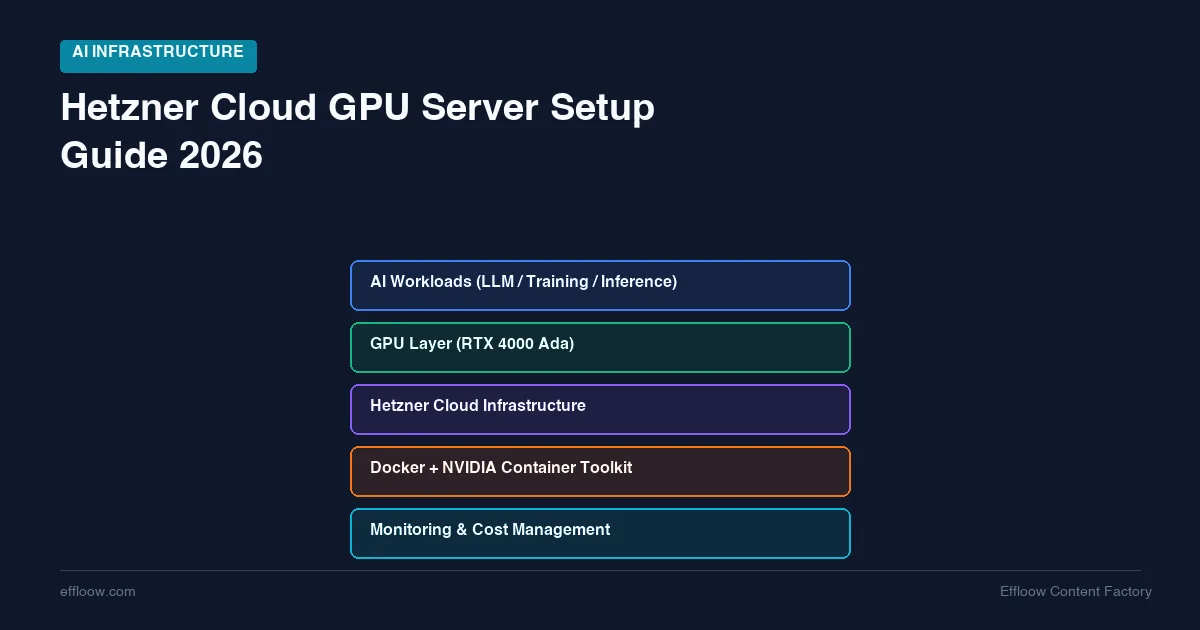
Running AI workloads on AWS or GCP is expensive. An entry-level single-GPU instance like AWS's g5.xlarge (one A10G) runs about $1.006 per hour on-demand in us-east-1 — roughly $734 a month if you leave it on (Vantage). For startups, indie developers, and small teams experimenting with AI, that math kills projects before they start.
Hetzner offers an alternative that most of the AI community outside Europe has not discovered yet. Budget cloud instances from €5.49/month for lightweight inference. A dedicated GPU server with the NVIDIA RTX 4000 SFF Ada for €184/month. European data centers with flat monthly pricing and no bandwidth surprises.
This guide covers the full Hetzner AI server lineup, from €5.49/month CPU instances running tiny models to dedicated GPU servers handling production workloads. It walks through actual setup, realistic performance expectations, and a sourced cost comparison against AWS and GCP.
Pricing note: Hetzner raised its cloud server prices on 15 June 2026 (price-adjustment notice), so older CX/CAX figures still circulating in tutorials are below what you will actually pay. Every cloud price here is the post-adjustment rate. GPU server prices (GEX44, GEX131) were not affected. Hetzner bills in EUR; USD conversions use about €1 = $1.15, and cloud pricing moves, so check the live figure before you commit.
Why Hetzner for AI Workloads
Hetzner is a German hosting company that has been around since 1997. They are not a startup. They run their own data centers in Falkenstein, Nuremberg, and Helsinki. Their pricing has always been aggressive compared to US-based cloud providers, and that gap has only widened as AWS and GCP have raised prices.
The Price Gap Is Real
The gap is not a rounding difference. On the list prices sourced in the comparison tables below, Hetzner lands 60-80% under the hyperscalers for equivalent always-on compute. A Hetzner cloud server with 2 vCPUs and 4 GB RAM (CX23) costs €5.49/month (≈$6.30). The closest AWS instance, a t3.medium, is about $30/month on demand (Vantage). DigitalOcean and Vultr sit in between for similar specs.
One caveat before you take that range at face value: it compares on-demand list prices. AWS and GCP both sell the same capacity considerably cheaper through spot instances, savings plans, and committed-use discounts, and Hetzner has nothing equivalent to offer against them.
For AI workloads specifically, the gap gets even wider at the GPU tier. Hetzner's GEX44 dedicated GPU server is €184/month (≈$211). AWS's entry single-GPU g5.xlarge (A10G) is about $1.006/hour — roughly $734/month for always-on use (Vantage). That is the GEX44 at roughly one-third the AWS cost.
What Hetzner Does Well
- Flat monthly pricing. No surprise bandwidth bills, no hidden egress charges. Traffic is unlimited on most plans. This is the underrated half of the comparison: a fixed box cannot run away with your money, so the ceiling is structural rather than something you have to configure. On a metered API you set that ceiling yourself, and it is worth knowing how it fails before you rely on it — OpenAI's hard spend limit rejects requests with a 429, the same code as ordinary rate limiting, which default retry logic treats as temporary and retries into.
- EU data centers. Falkenstein and Helsinki give you GDPR compliance by default.
- Straightforward networking. Private networks, floating IPs, and load balancers at prices that make sense.
- ARM instances. Ampere-based CAX servers offer strong performance-per-euro for inference workloads.
What Hetzner Does Not Do
- No managed AI/ML services. No SageMaker equivalent, no managed Jupyter, no model registries. You manage everything yourself.
- No spot/preemptible instances. You cannot get cheap burst GPU time. It is flat monthly pricing or nothing.
- Limited GPU availability. Dedicated GPU servers can have waitlists. AWS and GCP have broader GPU SKU availability.
- No US data centers. If you need sub-50ms latency for US users, Hetzner is not the right choice.
The Hetzner AI Server Lineup
Hetzner offers multiple tiers for AI workloads. Here is the full spectrum from budget to production. All prices below are the listed rates checked for this guide; verify the current figure on Hetzner's site before you commit, as cloud pricing changes.
Tier 1: Cost-Optimized Cloud (CX Series) — €5.49-€29.49/mo
These are shared vCPU instances. No GPU. CPU-only inference for small models. Prices below are the post-15-June-2026 rates from Hetzner's price-adjustment notice; the older €3.99 CX23 rate is gone.
| Model | vCPU | RAM | Storage | Price (post-15-Jun-2026) |
|---|---|---|---|---|
| CX23 | 2 | 4 GB | 40 GB SSD | €5.49/mo (~$6.30) |
| CX33 | 4 | 8 GB | 80 GB SSD | €8.49/mo (~$9.76) |
| CX43 | 8 | 16 GB | 160 GB SSD | €15.99/mo (~$18.39) |
| CX53 | 16 | 32 GB | 320 GB SSD | €29.49/mo (~$33.91) |
AI use case: Running Ollama with small models (3B-7B parameters) for personal chatbots, lightweight RAG, or API-based inference for low-traffic applications. We covered this exact setup in our Ollama + Open WebUI self-hosting guide.
Realistic expectations: RAM decides what loads at all. A 4 GB CX23 holds a 3B model at 4-bit (about 2 GB of weights) with room to spare; an 8 GB CX33 reaches the 7-8B class at roughly 4.7-4.9 GB. Speed is a separate question, and an honest one to leave open — these are shared-vCPU plans on hardware Hetzner does not publish memory bandwidth for, and CPU generation speed is bounded by that bandwidth rather than by core count. Expect single-digit tokens per second, plan around async workflows rather than interactive chat, and measure your own instance using the command in the performance section below instead of trusting anyone's quoted number, including ours.
Tier 2: ARM Cloud Instances (CAX Series) — Better Performance per Euro
Hetzner's Ampere-based ARM servers offer better compute efficiency than the x86 CX series at similar or lower price points.
| Model | vCPU (ARM) | RAM | Storage | Price (post-15-Jun-2026) |
|---|---|---|---|---|
| CAX11 | 2 | 4 GB | 40 GB SSD | €5.99/mo (~$6.89) |
| CAX21 | 4 | 8 GB | 80 GB SSD | €10.49/mo (~$12.06) |
| CAX31 | 8 | 16 GB | 160 GB SSD | €20.99/mo (~$24.14) |
| CAX41 | 16 | 32 GB | 320 GB SSD | €40.99/mo (~$47.14) |
AI use case: ARM chips handle inference workloads efficiently. Ollama has native ARM support, so these servers run small models with lower power draw and often better single-thread performance than the CX series at the same price. Good for always-on inference APIs.
Tier 3: GEX44 — Dedicated GPU Server (€184/mo)
This is where things get serious for AI workloads. Specs and pricing below are from Hetzner's GEX44 product page; unlike the cloud tiers, the GPU server price did not change in the June 2026 adjustment.
| Spec | Details |
|---|---|
| CPU | Intel Core i5-13500 (6P + 8E cores, HT) |
| GPU | NVIDIA RTX 4000 SFF Ada Generation, 20 GB GDDR6 ECC |
| RAM | 64 GB DDR4 |
| Storage | 2× 1.92 TB NVMe SSD Gen3 (RAID 1) |
| Network | 1 Gbit/s, unlimited traffic |
| Setup fee | €79 (one-time) |
| Monthly | €184/mo |
| Locations | Falkenstein (FSN1), Nuremberg (NBG1) |
AI use case: The RTX 4000 SFF Ada handles 7B-14B models comfortably, which covers most small-team production inference, light fine-tuning, and serving a handful of concurrent users. The 32B class is where it runs out of room, and the reason is worth being precise about rather than optimistic: Qwen 2.5 32B at Q4_K_M is a 20 GB download, and the card has 20 GB of VRAM. Weights alone consume the entire card before you allocate a single token of context, so it spills to system memory and slows to a crawl. Treat 14B as the ceiling for comfortable work and anything above it as a benchmark, not a workload.
Two specs from NVIDIA's RTX 4000 SFF Ada datasheet determine everything else in this section: 20 GB of GDDR6 with ECC, and 280 GB/s of memory bandwidth across a 160-bit interface. The first tells you what loads. The second, as the throughput section shows, tells you how fast it can possibly go.
That 20 GB still puts this server above consumer RTX 4060/4070 cards (8-12 GB) and into territory where useful models run without aggressive quantization. To check whether a specific model and precision fits, our free LLM VRAM calculator gives a quick estimate.
Tier 4: GEX131 — High-End GPU Server
For production AI workloads that need serious GPU compute.
| Spec | Details |
|---|---|
| CPU | Intel Xeon Gold 5412U |
| GPU | NVIDIA RTX PRO 6000 Blackwell Max-Q, 96 GB GDDR7 ECC |
| RAM | 256 GB DDR5 ECC (expandable to 768 GB) |
| Storage | 2× 960 GB NVMe SSD Datacenter Edition (RAID 1) |
| Network | 1 Gbit/s, unlimited traffic |
| Monthly | €889/mo ($989, Hetzner's listed USD price) |
| Locations | Helsinki (HEL1), Falkenstein (FSN1), Nuremberg (NBG1) |
Pricing and specs from the GEX131 product page. Hetzner also sells a GEX130 (RTX 6000 Ada, 48 GB) at €838/mo if 96 GB of VRAM is more than you need.
AI use case: With 96 GB of VRAM, this server can run 70B+ parameter models at full precision, handle multiple concurrent inference requests, or fine-tune large models. The 5th-generation Tensor Cores and Blackwell architecture make this competitive with cloud A100 instances at a fraction of the cost.
256 GB of system RAM with expansion to 768 GB also makes this viable for large-scale RAG deployments where you need to keep embedding databases in memory.
Budget Path: Running Small LLMs on CX/CAX Instances
You do not need a GPU to run AI inference. CPU-only inference with quantized models is slow but functional — and incredibly cheap.
What You Can Run
Sizes below are the published download sizes from Ollama's model library, which is where you can check any tag before you pull it.
On a CX23 (€5.49/month, 4 GB RAM):
- Llama 3.2 3B (Q4_K_M) — 2.0 GB. General chat and simple tasks.
- Phi-3.5 Mini 3.8B (Q4) — Microsoft's efficient small model. Good for code and reasoning.
- TinyLlama 1.1B — 1.3 GB at the 1B tier. Useful for classification and simple generation.
On a CX33 (€8.49/month, 8 GB RAM):
- Llama 3.1 8B (Q4_K_M) — 4.9 GB. Solid general model, and the reason to step up from the CX23. (Llama 3.2 stops at 3B on the text side, so 3.1 is where the 8B class lives.)
- Gemma 2 2B — Google's efficient model. Punches above its weight.
- Qwen 2.5 7B (Q4_K_M) — 4.7 GB. Excellent for multilingual use cases.
Setup
Install Docker and run Ollama:
# Install Docker
curl -fsSL https://get.docker.com | sh

# Run Ollama
docker run -d --name ollama -p 11434:11434 \
  -v ollama_data:/root/.ollama \
  ollama/ollama:latest

# Pull a model
docker exec -it ollama ollama pull llama3.2:3b
For a full web interface, add Open WebUI as described in our Ollama self-hosting guide. If you prefer Docker-native model management, Docker Model Runner integrates models directly into Docker Compose workflows. If you are running multiple services on the same server, a deployment platform like Coolify or Dokploy simplifies container management significantly.
Performance Reality Check
What fits is knowable in advance. What speed you get is not, and you should be suspicious of any guide that hands you a tokens-per-second table for these instances.
Here is why. Token generation is bound by memory bandwidth, because the machine has to read every active weight out of memory once per token produced. On a dedicated GPU you can look the bandwidth up and do the arithmetic, which is exactly what the GEX44 section below does. On Hetzner's CX and CAX plans you cannot: these are shared-vCPU instances, Hetzner does not publish the memory bandwidth available to your share, and your neighbours on the host affect what you actually get. A number quoted without that context is a guess wearing a decimal point.
So the fit table is the part worth trusting:
| Model (Q4_K_M) | Weights | Smallest instance that holds it |
|---|---|---|
| TinyLlama 1.1B | 1.3 GB | CX23 (4 GB) |
| Llama 3.2 3B | 2.0 GB | CX23 (4 GB) |
| Qwen 2.5 7B | 4.7 GB | CX33 (8 GB) |
| Llama 3.1 8B | 4.9 GB | CX33 (8 GB) |
Leave headroom above the weight size for the KV cache and the operating system. A model that fits with 200 MB to spare will swap or fail to load once you give it a long prompt.
For speed, measure the box you actually rented. Ollama reports it directly:
docker exec -it ollama ollama run llama3.2:3b --verbose "Write two sentences about databases."
The eval rate line in the output is your generation speed in tokens per second on that instance, with that model, under whatever conditions the host is in right now. Run it a few times. If the number lands where you need it, the €5.49 experiment answered your question for the cost of a coffee.
The realistic uses for single-digit generation speed: API backends with tolerant timeouts, batch processing, personal assistants where waiting a few seconds is fine, and development against a real endpoint before you commit to GPU hardware. The unrealistic ones: real-time chat with several users, latency-sensitive paths, and anything needing meaningful concurrency.
GPU Path: Setting Up the GEX44
The GEX44 at €184/month is the entry point for serious AI work on Hetzner. Here is how to set it up from scratch.
Step 1: Order and Initial Access
Order from the Hetzner Robot panel. Expect the €79 setup fee on your first invoice. Provisioning typically takes 1-3 business days for dedicated servers (unlike cloud instances which spin up in seconds).
Once provisioned, you will receive root SSH access:
ssh root@your-server-ip
Step 2: Install NVIDIA Drivers
The GEX44 comes with bare metal access. You need to install GPU drivers:
# Update system
apt update && apt upgrade -y

# Install NVIDIA driver dependencies
apt install -y build-essential linux-headers-$(uname -r)

# Install NVIDIA drivers (Ubuntu 22.04/24.04)
apt install -y nvidia-driver-550

# Reboot
reboot
After reboot, verify the GPU is recognized:
nvidia-smi
You should see the RTX 4000 SFF Ada with 20 GB VRAM listed.
Step 3: Install Docker with GPU Support
# Install Docker
curl -fsSL https://get.docker.com | sh

# Install NVIDIA Container Toolkit
curl -fsSL https://nvidia.github.io/libnvidia-container/gpgkey | \
  gpg --dearmor -o /usr/share/keyrings/nvidia-container-toolkit-keyring.gpg

curl -s -L https://nvidia.github.io/libnvidia-container/stable/deb/nvidia-container-toolkit.list | \
  sed 's#deb https://#deb [signed-by=/usr/share/keyrings/nvidia-container-toolkit-keyring.gpg] https://#g' | \
  tee /etc/apt/sources.list.d/nvidia-container-toolkit.list

apt update && apt install -y nvidia-container-toolkit
nvidia-ctk runtime configure --runtime=docker
systemctl restart docker
Verify Docker can see the GPU:
docker run --rm --gpus all nvidia/cuda:12.4.0-base-ubuntu22.04 nvidia-smi
Step 4: Deploy Ollama with GPU Acceleration
Create docker-compose.yml:
version: "3.8"

services:
  ollama:
    image: ollama/ollama:latest
    container_name: ollama
    restart: unless-stopped
    ports:
      - "11434:11434"
    volumes:
      - ollama_data:/root/.ollama
    environment:
      - OLLAMA_NUM_PARALLEL=4
      - OLLAMA_MAX_LOADED_MODELS=2
    deploy:
      resources:
        reservations:
          devices:
            - driver: nvidia
              count: all
              capabilities: [gpu]

  open-webui:
    image: ghcr.io/open-webui/open-webui:main
    container_name: open-webui
    restart: unless-stopped
    ports:
      - "3000:8080"
    volumes:
      - open_webui_data:/app/backend/data
    environment:
      - OLLAMA_BASE_URL=http://ollama:11434
      - WEBUI_AUTH=true
      - WEBUI_SECRET_KEY=change-this-to-a-random-string
    depends_on:
      - ollama

volumes:
  ollama_data:
  open_webui_data:
docker compose up -d
Step 5: Pull Models That Fit 20 GB VRAM
With 20 GB of VRAM, the 8B and 14B classes are the productive range:
# 14B general model — fits with room for context
docker exec -it ollama ollama pull phi4:14b

# 14B coding model
docker exec -it ollama ollama pull qwen2.5-coder:14b

# 8B general model — fastest of the three
docker exec -it ollama ollama pull llama3.1:8b
What the GEX44 Can Actually Run
You can work out the speed ceiling before you rent anything, and it is worth doing because it sets your expectations honestly.
Generating a token requires reading every active weight out of VRAM once. That makes generation bandwidth-bound rather than compute-bound, so the fastest a card can possibly go is its memory bandwidth divided by the size of the weights it has to read:
max tokens/sec ≈ memory bandwidth ÷ model weight size
For the GEX44 running Phi-4 14B at Q4_K_M, that is 280 GB/s ÷ 9.1 GB ≈ 31 tokens/second. Bandwidth comes from NVIDIA's datasheet; weight sizes are the published download sizes on Ollama's library, so both halves are checkable. Apply it across the range:
| Model (Q4_K_M) | Weights | Fits in 20 GB? | Ceiling at 280 GB/s |
|---|---|---|---|
| Llama 3.2 3B | 2.0 GB | Yes, easily | ~140 tok/s |
| Llama 3.1 8B | 4.9 GB | Yes | ~57 tok/s |
| Qwen 2.5 Coder 14B | 9.0 GB | Yes | ~31 tok/s |
| Phi-4 14B | 9.1 GB | Yes | ~31 tok/s |
| Qwen 2.5 32B | 20 GB | No — weights alone fill the card | ~14 tok/s if it fit |
| Llama 3.3 70B | 43 GB | No | — |
Read these as ceilings you cannot exceed, not as measurements. Real throughput lands below the arithmetic, because the card also reads the KV cache on every token, batching and sampling cost something, and no workload sustains peak bandwidth. The ranking between rows is reliable even where the absolute numbers drift. Verify the one that matters to you with ollama run <model> --verbose and read the eval rate line, the same way you would on a CPU instance.
The practical read: 14B is the sweet spot. It fits with room for context, and a ~31 tok/s ceiling still leaves an interactive-feeling floor after real-world losses. The 32B row is the useful warning — a model whose weights exactly match your VRAM does not fit, it spills.
Step 6: Set Up HTTPS
For remote access, add Caddy as a reverse proxy:
apt install -y caddy
Edit /etc/caddy/Caddyfile:
ai.yourdomain.com {
    reverse_proxy localhost:3000
}
systemctl reload caddy
Caddy handles SSL automatically. Access your AI at https://ai.yourdomain.com.
Cost Comparison: Hetzner vs AWS vs GCP
Here is a sourced comparison for equivalent GPU compute, based on always-on on-demand monthly pricing checked in mid-June 2026. Cloud GPU prices change often — treat these as the figure to re-verify, not a permanent quote.
Entry-Level GPU Tier
| Provider | Instance | GPU | VRAM | Monthly Cost | Source |
|---|---|---|---|---|---|
| Hetzner | GEX44 | RTX 4000 SFF Ada | 20 GB | €184/mo (~$211) | Hetzner |
| AWS | g5.xlarge | A10G | 24 GB | ~$734/mo ($1.006/hr) | Vantage |
| GCP | g2-standard-4 | L4 | 24 GB | ~$516/mo ($0.707/hr) | Economize |
On these on-demand list prices the GEX44 lands at roughly 2.4× cheaper than GCP and 3.5× cheaper than AWS for comparable single-GPU compute. Two caveats keep this honest: AWS and GCP both have cheaper A10/L4 capacity via spot, savings plans, or committed-use discounts that Hetzner has no equivalent for, and the GEX44's 20 GB of VRAM is below the 24 GB on the AWS/GCP boxes. The real trade-offs are no managed ML services, manual setup, and EU-only data centers.
Whether a dedicated GPU server actually beats paying a cloud API per token depends on your volume. Our free API vs self-hosting cost calculator finds the break-even point for your numbers.
Budget CPU Tier (No GPU)
| Provider | Instance | vCPU | RAM | Monthly Cost |
|---|---|---|---|---|
| Hetzner | CX23 | 2 | 4 GB | €5.49/mo (~$6.30) |
| AWS | t3.medium | 2 | 4 GB | ~$30/mo |
| GCP | e2-medium | 2 | 4 GB | ~$25/mo |
At the budget tier, Hetzner is roughly 4-5× cheaper. This is where it shines for development, testing, and low-traffic inference. Even after the June 2026 price increase, a CX23 costs less than a quarter of the AWS equivalent.
What the Cloud Providers Offer That Hetzner Does Not
- AWS SageMaker / GCP Vertex AI — Managed model training, deployment, and monitoring. If you need MLOps at scale, Hetzner's bare metal cannot compete.
- Spot/preemptible instances — AWS spot pricing can bring GPU costs down 60-70% for interruptible workloads. Hetzner has no equivalent.
- Global regions — AWS has 30+ regions worldwide. Hetzner has 3 European locations.
- Auto-scaling — Cloud providers scale GPU instances based on demand. Hetzner dedicated servers are fixed capacity.
Bottom line: Hetzner wins on predictable, always-on workloads where you know your compute needs. Hyperscalers win on variable demand, managed services, and global distribution. For a detailed breakdown of when self-hosted inference beats cloud APIs on cost, performance, and privacy, see our self-hosting LLMs vs cloud APIs comparison.
Deployment with Docker and Coolify
If you are running multiple AI services (Ollama, vector databases, monitoring) alongside other applications on the same Hetzner server, manual Docker Compose management gets tedious.
This is where a self-hosted PaaS like Coolify or Dokploy adds value. The short version:
- Coolify — More mature, better for multi-service deployments, built-in database management.
- Dokploy — Simpler, lighter footprint, good if Ollama is your primary workload.
Either one gives you a web dashboard for managing containers, automatic SSL, Git-based deployments, and basic monitoring — without touching the command line every time you need to update a container.
Matching Workload to Tier: A Decision Framework
The cost data above only helps if you can map it to your own workload. This framework reduces the choice to four questions, in order:
- Need frontier intelligence (complex reasoning, creative work)? → Use API services (Claude, GPT). No self-hosted box on this list runs a frontier model at competitive quality, so the per-token API price wins until your volume is very high.
- Need high-volume, predictable inference of mid-size models? → Self-host on a Hetzner GPU. Flat monthly pricing turns into a per-token cost that keeps falling the more you run, which is exactly where always-on dedicated hardware beats metered APIs.
- Need lightweight, always-on AI? → A CX/CAX instance with a small quantized model. Cheap, predictable, and enough for classification, simple RAG, and async jobs.
- Need managed MLOps at scale (training, model registries, autoscaling)? → Stay on AWS/GCP. Hetzner's bare metal has no equivalent, and rebuilding it yourself rarely pays off.
The break-even between the first two is the one worth modelling with real numbers rather than intuition — the API vs self-hosting cost calculator does that for your token volume.
Choosing the Right Tier
Here is a quick decision guide:
CX23 (€5.49/mo) — Start Here If...
- You are experimenting with self-hosted AI for the first time
- You need a personal chatbot or simple RAG pipeline
- Your queries are infrequent and latency is not critical
- Budget is the primary constraint
CX33/CAX21 (€8.49-€10.49/mo) — Upgrade When...
- You need 7-8B models with slightly better response times
- You are running the AI alongside other services (Git, CI, monitoring)
- Multiple people on your team need occasional access
GEX44 (€184/mo) — The AI Sweet Spot If...
- You need inference fast enough to feel interactive rather than batched
- You want to run 8B-14B models with real quality (32B does not fit at Q4)
- Multiple users need concurrent access
- You are building products or services that rely on AI inference
- Fine-tuning smaller models is part of your workflow
GEX131 — Production AI If...
- You need 70B+ models at full precision
- Multi-user production inference is a requirement
- You are fine-tuning large models regularly
- You need 96 GB VRAM for large embedding databases or multi-model serving
If fine-tuning is the workload pushing you up these tiers, size the job before you order the server. Our LoRA and QLoRA guide covers the memory math that decides the question, including why a 4-bit QLoRA run can fit work on the GEX44 that 16-bit LoRA cannot.
Getting Started: Your First Hour
If you are new to Hetzner, here is the fastest path to running AI:
# 1. Sign up at hetzner.com and create a cloud project

# 2. Create a CX23 instance (€5.49/mo) via the console
#    - Choose Ubuntu 24.04
#    - Add your SSH key
#    - Pick Falkenstein or Helsinki

# 3. SSH into your server
ssh root@your-server-ip

# 4. Install Docker
curl -fsSL https://get.docker.com | sh

# 5. Run Ollama
docker run -d --name ollama -p 11434:11434 \
  -v ollama_data:/root/.ollama ollama/ollama:latest

# 6. Pull a small model
docker exec -it ollama ollama pull llama3.2:3b

# 7. Test it
curl http://localhost:11434/api/generate \
  -d '{"model": "llama3.2:3b", "prompt": "Hello, how are you?"}'
Total time: under 10 minutes. Total cost: €5.49 for the first month.
When you outgrow the CX23, migrate your Ollama data volume to a bigger instance. When you need GPU speed, order a GEX44 and follow the GPU setup section above.
When to Use Hetzner — and When to Skip It
Use Hetzner when:
- Your inference load is predictable and always-on, so flat monthly pricing beats metered cloud GPU time.
- You can run on mid-size models (7B-14B) where the GEX44's 20 GB VRAM is enough.
- EU data residency is a feature, not a problem, for your users.
- You want a hard ceiling on the bill and are willing to do your own setup and patching.
- You are still validating whether self-hosted inference fits at all — a €5.49 CX23 is a cheap experiment.
Skip Hetzner when:
- You need managed MLOps (training pipelines, model registries, autoscaling) — AWS SageMaker and GCP Vertex AI have no Hetzner equivalent.
- Your demand is spiky and you'd rely on spot or preemptible GPU pricing to control cost.
- You serve latency-sensitive users in the US or Asia; Hetzner's three EU locations will hurt you.
- You need 70B+ models at full precision but cannot justify the €889/mo GEX131.
- You have no one to own Linux, drivers, and security updates on a bare-metal box.
If you are weighing self-hosting against staying on a metered API entirely, the broader trade-off is covered in our self-hosting LLMs vs cloud APIs comparison.
What Effloow Added
Hetzner's site lists servers and prices. It does not tell an AI team whether the cheap European box actually fits their workload, or where it falls down versus AWS. We added that judgment, sourced from Hetzner's own pricing pages and independent cloud-cost trackers:
- A tier-by-workload map (CX/CAX for small models, GEX44 for production GPU inference) paired with a Hetzner-vs-AWS-vs-GCP cost table where every figure links to its source, so the savings claims are checkable rather than asserted.
- A derived throughput ceiling instead of a quoted one. Most Hetzner AI guides hand you a tokens-per-second table with no origin. We replaced that with the arithmetic: NVIDIA's published 280 GB/s divided by Ollama's published weight sizes, worked through for each model, so you can redo the calculation for a model we did not list and get an answer you can trust as far as the inputs go.
- Two corrections the spec sheets make obvious once you check them against each other. Qwen 2.5 32B at Q4 is a 20 GB download on a 20 GB card, so it does not fit despite being widely recommended for this server; and the 8B model people mean when they say "Llama 3.2 8B" is Llama 3.1, because 3.2 stops at 3B for text.
- The honest limitations up front: no spot or preemptible GPUs, no managed ML services, EU-only data centers, and a 20 GB VRAM ceiling on the GEX44 that sits below the 24 GB on the AWS and GCP boxes. Those are the reasons to stay on a hyperscaler.
The value is the does-Hetzner-fit-your-AI-workload decision with sourced numbers behind it, not a copy of the server list.
Conclusion
Hetzner is not the right choice for every AI workload. If you need managed ML services, global data centers, or spot pricing for burst GPU compute, the hyperscalers are still the answer.
But for predictable, always-on AI infrastructure at a fraction of the cost — personal AI assistants, team inference servers, self-hosted chatbots, development and testing environments — Hetzner is hard to beat.
The lineup covers the full spectrum: €5.49/month for experimentation, €184/month for production GPU inference, and higher tiers for serious AI workloads. All with flat pricing, unlimited bandwidth, and EU data residency.
Start with a CX23 and a 3B model. See if self-hosted inference fits your workflow. If it does, the upgrade path is straightforward — bigger instances, better models, and eventually dedicated GPU hardware, all from the same provider. To decide which model to run on your Hetzner server, compare specs and capabilities with our AI Model Comparison Tool.
Get the next one
in your inbox.
One short weekly dispatch with new guides, tools, and what we tested. No spam, unsubscribe anytime.
Get weekly AI tool reviews & automation tips
Join our newsletter. No spam, unsubscribe anytime.
More in Articles
Self-host Ollama with Open WebUI in 2026. Source-backed setup paths, failure checks, use/skip guidance, and cost-planning links.
Source-verified comparison of Docker Model Runner and Ollama for local LLM deployment, covering setup, APIs, GPUs, Compose, and tool fit.
Run Gemma 4 locally with Ollama and Open WebUI: all five model sizes compared against Google's own model card, plus VRAM sizing and setup steps.
Self-host n8n with Docker Compose and build AI workflows. Source-verified guide covering setup, Ollama integration, agents, and deployment.
Tools you can use
Paste any docker run command and instantly get an equivalent docker-compose.yml service block. Supports ports, volumes, environment variables, restart policies, networks, GPUs, healthchecks, and more.
Free calculator: compare the monthly cost of an LLM API against self-hosting on your own GPU, and find the token volume where self-hosting starts to win.
Generate a CPU-only local Compose file with reviewed image references, explicit concurrency controls and a required secret placeholder.