Ollama + Open WebUI Self-Hosting Guide 2026
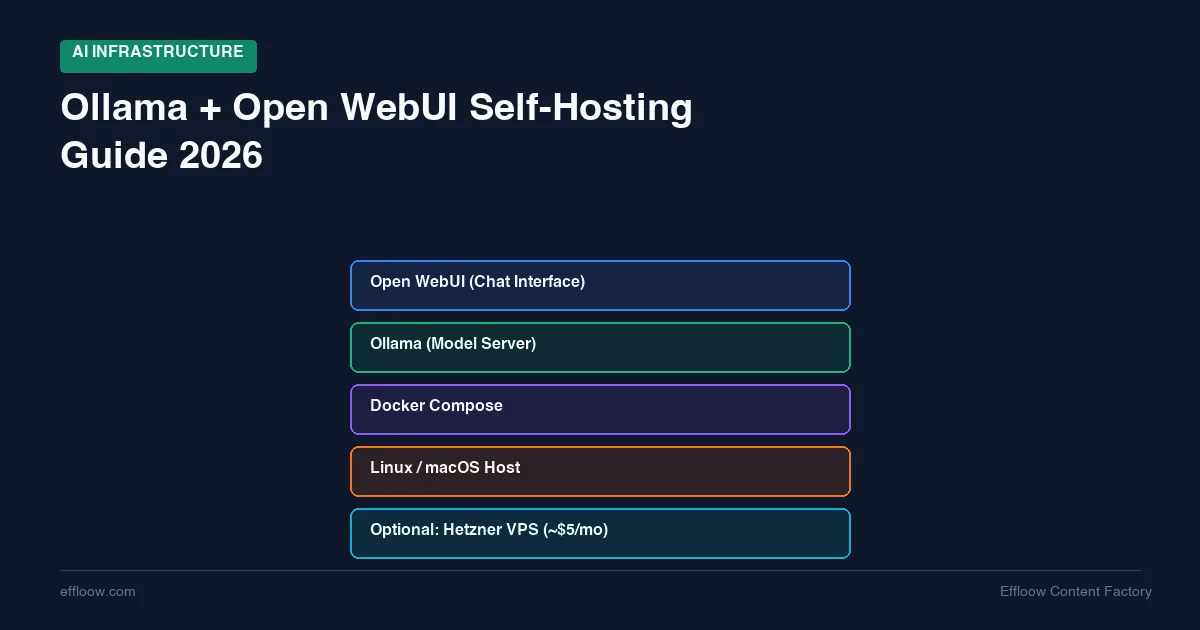
Ollama plus Open WebUI is a practical way to run a private chat interface against local or self-hosted models. It is not a blanket replacement for frontier model APIs, and this guide does not claim Effloow ran a fresh benchmark for it.
The safer question is narrower: when does a developer or small team benefit from owning the model runtime, the chat interface, and the stored conversation data? The answer depends on privacy needs, model size, hardware, concurrency, and tolerance for slower responses.
The stack is simple. Ollama runs and serves local models. Open WebUI provides the browser interface and can connect to Ollama or other OpenAI-compatible endpoints. The official Ollama API docs list the default local API at http://localhost:11434/api, and the Open WebUI docs describe it as a self-hosted platform that supports Ollama and OpenAI-compatible APIs.
This guide covers two paths: local setup on a Mac or Linux workstation, and a small VPS deployment for always-on access. It also adds a decision checklist, a source-derived capability table, failure-mode checks, and links to Effloow calculators so the page is useful beyond a generic setup recap.
Why Self-Host Your Own AI in 2026
Before diving into setup, it helps to understand why self-hosting has become practical this year — and when it actually makes sense.
The Cost Argument
This article does not publish a fixed monthly API-vs-local savings claim, because provider pricing and usage limits change. Instead, treat self-hosting as a break-even calculation:
- Local workstation: no extra hosting bill if you already own the hardware, but you still pay electricity and maintenance time.
- Small VPS: predictable monthly hosting bill, but CPU-only inference is slow and unsuitable for high-concurrency chat.
- GPU server: better latency, but fixed monthly cost means idle capacity can make it more expensive than APIs at low volume.
- API provider: no idle infrastructure cost, but sensitive prompts leave your environment unless the provider terms and data controls satisfy your policy.
For a numbers-first decision, use Effloow's LLM API vs self-hosting cost calculator. Enter the current provider prices yourself instead of trusting stale figures in an article.
The Privacy Argument
Every prompt you send to an API leaves your network. For some workflows — medical notes, client data, proprietary code, legal documents — that is a non-starter regardless of the provider's privacy policy.
Self-hosted inference keeps everything local. Your prompts never leave your machine or your VPS. This is not a theoretical benefit: it is a compliance requirement for many teams.
The Learning Argument
Understanding how LLM inference actually works — model loading, quantization, context windows, memory management — makes you a better AI engineer. Self-hosting forces that understanding in a way that API calls never will.
We covered a similar philosophy in our guide to self-hosting your entire dev stack for under $20/month. Ollama fits perfectly into that same infrastructure-as-education mindset.
Source-Derived Setup Matrix
The table below is this guide's original-value asset. It maps official-source facts to practical decisions a buyer or developer can act on.
| Decision point | Source-derived fact | What to do differently |
|---|---|---|
| Runtime API | Ollama's API is served locally by default at http://localhost:11434/api, and Ollama documents OpenAI compatibility for selected endpoints. |
Keep local apps pointed at localhost during development; expose the API only behind authentication, a private network, or a reverse proxy you control. |
| Browser interface | Open WebUI describes itself as a self-hosted platform that supports Ollama and OpenAI-compatible APIs. | Use Open WebUI when a team needs a shared browser UI, not just terminal prompts. |
| Docker persistence | Open WebUI's Docker quickstart warns to mount /app/backend/data with a persistent volume. |
Do not run the container without a data volume unless losing accounts, settings, and chat history is acceptable. |
| Budget VPS path | Hetzner's cloud pricing page lists low-cost CX and CAX cloud servers, but those instances are CPU-only. | Use a small VPS for always-on access and light async tasks; do not promise fast chat or multi-user production inference on that tier. |
| Cost comparison | Current API pricing and plan limits change frequently. | Use a calculator with current inputs instead of publishing a fixed "this saves X dollars" claim. |
Primary sources checked on 2026-06-14: Ollama API introduction, Ollama OpenAI compatibility docs, Open WebUI docs, Open WebUI Docker quickstart/README, and Hetzner Cloud pricing.
What Is Ollama + Open WebUI
Ollama: The Model Runtime
Ollama is an open-source tool that makes running LLMs locally as simple as ollama run llama3. It handles model downloading, quantization, GPU/CPU allocation, and exposes an OpenAI-compatible API at localhost:11434.
Source-backed facts to rely on:
- Ollama serves a local API by default at
http://localhost:11434/api. - Ollama documents OpenAI-compatible endpoints, but compatibility is not identical to every OpenAI API feature.
- Ollama can be used as a local runtime for development and private workflows where the model fits the machine.
- This guide does not state current download counts, model-library counts, or concurrency limits, since those numbers could not be verified from a primary source.
Open WebUI: The Chat Interface
Open WebUI is a self-hosted web interface that connects to Ollama (or any OpenAI-compatible API) and gives you a ChatGPT-like experience in your browser.
What the official docs and project materials support:
- Chat interface with conversation history and search
- Model switching (swap between models mid-conversation)
- Document upload and RAG (retrieval-augmented generation)
- Multi-user support with role-based access
- Prompt templates and system message customization
- Mobile-friendly responsive design
- Local/offline operation patterns depending on the configured model and deployment
Together, Ollama + Open WebUI give you a private, self-hosted ChatGPT alternative that you fully control.
Path A: Local Setup on Mac/Linux
This is the lowest-friction way to test whether local models fit your workflow. No server configuration is required for the Ollama runtime itself, and Open WebUI can be added with Docker.
Step 1: Install Ollama
macOS:
Download from ollama.com or use Homebrew:
brew install ollama
Linux:
curl -fsSL https://ollama.com/install.sh | sh
Step 2: Pull and Run a Model
# Pull a model (one-time download)
ollama pull llama3.2:8b

# Run it interactively
ollama run llama3.2:8b
That is it. You now have a local LLM running in your terminal. Type a prompt, get a response.
Step 3: Start the Ollama Server
For Open WebUI to connect, Ollama needs to run as a background server:
ollama serve
This starts the API on http://localhost:11434. You can verify it works:
curl http://localhost:11434/api/tags
Step 4: Install Open WebUI
The simplest method is Docker:
docker run -d \
  -p 3000:8080 \
  --add-host=host.docker.internal:host-gateway \
  -v open-webui:/app/backend/data \
  --name open-webui \
  --restart always \
  ghcr.io/open-webui/open-webui:main
Open http://localhost:3000 in your browser. Create an account (the first account becomes admin), and you will see your Ollama models ready to chat with.
Hardware Planning for Local
How much can your machine handle? Treat this as a planning table, not a benchmark:
| Model Size | Approximate RAM/VRAM Need (4-bit quantized) | Example Hardware Class | First validation step |
|---|---|---|---|
| 3B | 2-3 GB | Modern laptop or small VPS | Pull the model and ask a short factual prompt |
| 7-8B | 4-6 GB | Apple Silicon Mac or entry GPU workstation | Test a realistic task from your workflow |
| 13-14B | 8-10 GB | Higher-memory laptop or midrange GPU | Check latency before inviting teammates |
| 30-34B | 16-20 GB | High-memory workstation | Confirm memory headroom with other apps open |
| 70B | 35-40 GB | Very high-memory workstation or multi-GPU server | Validate load time, prompt latency, and cooling |
Rule of thumb: roughly 0.5 GB of VRAM per billion parameters with 4-bit quantization. Full precision (FP16) doubles that requirement. For a quick estimate at any model size and precision, use our free LLM VRAM calculator.
Apple Silicon Macs are useful for local LLM work because unified memory can be shared by CPU and GPU, but model fit and speed vary by machine, quantization, context length, and background load. Validate with your own prompt set before standardizing.
Path B: VPS Deployment on Hetzner
Not everyone wants to keep a laptop running 24/7. A VPS gives you always-on access from any device — your phone, a tablet, any browser.
The trade-off: VPS servers at this price point have no GPU, so inference is CPU-only. This means smaller models and slower generation. But for many use cases — quick questions, writing assistance, code review, document summarization — a 3B or 7B model on CPU is perfectly usable.
Why Hetzner
Hetzner is a reasonable planning example because its public cloud pricing page lists small fixed-price cloud instances. Verify the current price and availability before ordering:
- CX23: 2 vCPU, 4 GB RAM, 40 GB SSD
- CX33: 4 vCPU, 8 GB RAM, 80 GB SSD
For the full Hetzner server lineup including GPU options, see our Hetzner Cloud for AI Projects guide.
- EU data centers (Falkenstein, Helsinki) for GDPR compliance
- Flat monthly pricing with no bandwidth surprises
The CX23 class is only a candidate for small CPU-bound models. A CX33 class instance gives more RAM, but it is still not a GPU inference box. For larger models, use a workstation, GPU server, or API service instead of overpromising what a small VPS can do.
If you want to run these containers alongside other services (Gitea, Coolify, monitoring), check our comparison of Coolify vs Dokploy for managing deployments on a single server.
VPS Setup with Docker Compose
SSH into your Hetzner server and create a project directory:
mkdir -p ~/ollama-stack && cd ~/ollama-stack
Create docker-compose.yml:
version: "3.8"

services:
  ollama:
    image: ollama/ollama:latest
    container_name: ollama
    restart: unless-stopped
    ports:
      - "11434:11434"
    volumes:
      - ollama_data:/root/.ollama
    environment:
      - OLLAMA_NUM_PARALLEL=2
      - OLLAMA_MAX_LOADED_MODELS=1
      - OLLAMA_KEEP_ALIVE=10m
    # Remove the deploy section if your VPS has no GPU
    # deploy:
    #   resources:
    #     reservations:
    #       devices:
    #         - driver: nvidia
    #           count: all
    #           capabilities: [gpu]

  open-webui:
    image: ghcr.io/open-webui/open-webui:main
    container_name: open-webui
    restart: unless-stopped
    ports:
      - "3000:8080"
    volumes:
      - open_webui_data:/app/backend/data
    environment:
      - OLLAMA_BASE_URL=http://ollama:11434
      - WEBUI_AUTH=true
      - WEBUI_SECRET_KEY=change-this-to-a-random-string
    depends_on:
      - ollama

volumes:
  ollama_data:
  open_webui_data:
Start the stack:
docker compose up -d
Pull a model appropriate for your VPS:
# For CX23 (4 GB RAM) — use a 3B model
docker exec -it ollama ollama pull llama3.2:3b

# For CX33 (8 GB RAM) — you can try a 7B model
docker exec -it ollama ollama pull llama3.2:8b
Setting Up HTTPS with a Reverse Proxy
For remote access, you need HTTPS. The simplest approach is Caddy:
# Install Caddy
sudo apt install -y caddy
Edit /etc/caddy/Caddyfile:
chat.yourdomain.com {
    reverse_proxy localhost:3000
}
Reload Caddy:
sudo systemctl reload caddy
Caddy handles SSL certificates automatically. Your Open WebUI is now accessible at https://chat.yourdomain.com.
VPS Performance Expectations
Be realistic about what CPU inference delivers:
| Model class | VPS class | Expected behavior | Usability check |
|---|---|---|---|
| Small 3B-class model | 2 vCPU / 4 GB class | May fit, but responses can be slow | Ask five real prompts and time each response |
| 7-8B-class model | 4 vCPU / 8 GB class | May be too slow for live chat | Test with your longest expected prompt |
| Larger model | Small CPU VPS | Usually the wrong target | Move to local GPU, GPU server, or API |
This is fine for asynchronous workflows: ask a question, do something else, come back to the answer. It is not a strong fit for rapid-fire interactive chat or multiple simultaneous users.
Model Recommendations by Use Case
Choosing the right model matters more than choosing the right hardware. The notes below are starting points to test locally, not rankings or benchmark claims.
For Coding
- Try a coding-specialized 7B-class model first, then compare it against your real pull requests.
- Keep a cloud model fallback for architecture decisions, long-context debugging, and security-sensitive review where quality matters more than local control.
- If you are comparing self-hosted coding models against paid alternatives, see Effloow's AI coding tools pricing breakdown for the broader cost picture.
For Writing and Chat
- Start with a 7-9B-class general model if you want fast local drafting and summarization.
- Move to a 30B-class or larger model only after you know the smaller model fails your prompts.
- Do not treat local drafting as publish-ready content. Run editorial review and fact checks before shipping anything public.
For Resource-Constrained Environments (VPS/Old Laptop)
- Start with a 3B-class model.
- Keep prompts short and task-specific.
- Prefer async use cases such as draft notes, short summaries, and lightweight classification.
- Move to API services when the model repeatedly fails reasoning, code, or factual tasks.
For Multilingual Use
- Pick a model family whose official model card documents the target language.
- Test with your own source documents and expected output style.
- Do not infer production translation quality from a single chat sample.
Model Selection Checklist
| Question | If yes | If no |
|---|---|---|
| Does the model fit with memory headroom? | Test latency and output quality. | Choose a smaller quantization or smaller model. |
| Is the task privacy-sensitive? | Prefer local or private-network deployment. | API fallback may be simpler. |
| Does the output need citations or current facts? | Add retrieval and source display; do not rely on model memory. | Plain local chat may be enough. |
| Will multiple users chat at once? | Consider vLLM, a managed API, or a GPU server. | Ollama plus Open WebUI can be enough for solo use. |
| Is the workload cost-sensitive at volume? | Use the API vs self-hosting calculator. | Keep the simplest setup that works. |
Always check the model card and license before commercial use. This guide does not verify license terms for every model available through Ollama or third-party registries. For a worked example of that check on one family, our Qwen3 review covers the Apache 2.0 terms and the hybrid thinking mode that changes how the model answers once you pull it with ollama run.
Open WebUI Features Worth Configuring
Once your stack is running, these settings improve the experience significantly:
System Prompts
Set default system prompts per model via Settings > Models. This lets you configure a coding assistant persona for your coding model and a writing assistant persona for your writing model.
Document Upload (RAG)
Open WebUI supports uploading PDFs, text files, and other documents for retrieval-augmented generation. Upload a document, and the model can answer questions about its contents. This works well with models 7B and above.
Multi-User Access
If you are deploying on a VPS for a small team, Open WebUI supports multiple user accounts with role-based access. The first registered user becomes admin and can invite others.
API Access
Open WebUI also exposes its own API, letting you programmatically interact with your models from scripts, CI pipelines, or other tools. Pair it with a self-hosted automation platform like n8n and you can build AI-powered workflows entirely on your own infrastructure — we compare the options in our Zapier vs Make vs n8n guide.
Performance Expectations: An Honest Assessment
Self-hosted LLMs have real limitations. Here is what to expect:
What Works Well
- Personal assistant for writing, brainstorming, and summarization — Smaller local models can be useful when the task is low-risk and easy to review.
- Code assistance — Local coding models can help with snippets, refactors, and test ideas, but do not treat their output as reviewed code.
- Private document analysis — Upload sensitive documents and query them without data leaving your network.
- Learning and experimentation — Try different models, fine-tune for specific tasks, understand how LLMs work.
What Does Not Work Well
- Complex multi-step reasoning — Smaller local models can fail tasks that stronger hosted models handle.
- Multi-user production deployments — Ollama plus Open WebUI is easiest to reason about as a personal or small-team stack, not a production inference platform.
- Speed-critical applications — CPU inference on a small VPS is the wrong target for low-latency chat.
- Long context windows — Check the exact model card and runtime settings before assuming long-document support.
Documented Failure and Limitation Table
| Failure mode | Symptom | Likely cause | Safer response |
|---|---|---|---|
| Open WebUI starts but forgets users/settings | Accounts or chats disappear after container recreation | Missing persistent /app/backend/data volume |
Recreate with the documented volume mount before real use |
| Browser UI cannot see Ollama | No models appear in Open WebUI | Wrong container network or OLLAMA_BASE_URL |
Use OLLAMA_BASE_URL=http://ollama:11434 in Compose when both services share a Docker network |
| Model fails to load | Out-of-memory error or process exits | Model is too large for available RAM/VRAM | Pick a smaller model or lower quantization; estimate first with the LLM VRAM calculator |
| Remote chat feels unusable | Long pauses before usable output | CPU-only VPS running too large a model | Use a smaller model for async tasks or move to GPU/API |
| Team assumes local equals compliant | Sensitive data is still exposed through public ports or weak auth | Deployment, not model choice, is insecure | Put Open WebUI behind HTTPS, strong auth, firewall rules, and private networking where possible |
Worked Example: Verify the Stack Before Sharing It
Use a short verification prompt before inviting teammates or moving real documents into the system.
Input command:
curl http://localhost:11434/api/tags
Expected output shape:
{
  "models": [
    {
      "name": "your-local-model-name"
    }
  ]
}
If the command fails, fix Ollama before debugging Open WebUI. If it succeeds but Open WebUI shows no models, the problem is likely the Docker network or OLLAMA_BASE_URL, not the model runtime.
When to Use / When to Skip
Use Ollama plus Open WebUI when:
- You need private local experimentation with prompts, documents, or internal examples.
- A smaller model is good enough and the human can review the output.
- You want a browser interface for a solo developer or small team.
- You are learning model deployment and want the runtime visible rather than hidden behind an API.
Skip it, or use an API service instead, when:
- You need frontier-level reasoning, long-context reliability, or current factual answers.
- Multiple users need low-latency concurrent chat.
- You cannot maintain the server, authentication, backups, and updates.
- The break-even only works if you ignore your time or leave expensive hardware idle.
The smart approach for many teams is hybrid: self-host for privacy-sensitive tasks and high-volume simple queries, use APIs for complex reasoning and peak demand.
What Effloow Added
This is a source-verified decision guide built from official sources rather than first-person usage claims, exact speed numbers, or unsupported model scores. Effloow added:
- A source-derived setup matrix tied to official Ollama, Open WebUI, and Hetzner references.
- A failure and limitation table for the mistakes that usually break this stack.
- A worked command/output check for separating Ollama runtime issues from Open WebUI networking issues.
- Internal decision links to the LLM VRAM calculator, API vs self-hosting cost calculator, Docker Model Runner vs Ollama comparison, and self-hosting LLMs vs cloud APIs guide.
Quick Reference: Getting Started
The two-service Compose file from this guide also ships in our Self-Hosted AI Starter Kit, a free download that bundles it with the n8n, Dify, and Langfuse configs below so you can bring the whole stack up from one folder.
Local (Mac/Linux):
# 1. Install Ollama
brew install ollama  # macOS
# curl -fsSL https://ollama.com/install.sh | sh  # Linux

# 2. Pull a model
ollama pull llama3.2:8b

# 3. Start the server
ollama serve

# 4. Run Open WebUI
docker run -d -p 3000:8080 \
  --add-host=host.docker.internal:host-gateway \
  -v open-webui:/app/backend/data \
  --name open-webui \
  ghcr.io/open-webui/open-webui:main

# 5. Open http://localhost:3000
VPS (Hetzner):
# 1. SSH into your server
ssh root@your-server-ip

# 2. Install Docker
curl -fsSL https://get.docker.com | sh

# 3. Create docker-compose.yml (see VPS section above)

# 4. Start the stack
docker compose up -d

# 5. Pull a model
docker exec -it ollama ollama pull llama3.2:3b
Before using the stack with real work, run the verification command above, confirm persistence by restarting the container, and test at least five prompts from your actual workflow.
Conclusion
Self-hosting your own AI with Ollama and Open WebUI is a legitimate option for developers and small teams who want privacy, cost control, and the educational value of understanding how LLM inference works.
The stack is simple: Ollama runs models, Open WebUI provides the interface. The decision is less simple: you still need to size the model, protect access, persist data, and decide when an API is the better tool.
Will it replace hosted frontier models for complex work? Usually no. But for local drafting, private document experiments, and learning how inference behaves, it can be useful and fully under your control.
Start with a small model on hardware you already have. If it survives your prompts, estimate memory with the LLM VRAM calculator, model cost with the API vs self-hosting cost calculator, and only then decide whether to upgrade hardware or use an API. Use our AI Model Comparison Tool to compare available models before deciding which one to run locally.
Once you are comfortable running local models, the next step is connecting them to your own data. Our RAG tutorial with Python + LlamaIndex shows how to build a retrieval pipeline that uses Ollama for both embeddings and generation — keeping everything local and private.
Get the next one
in your inbox.
One short weekly dispatch with new guides, tools, and what we tested. No spam, unsubscribe anytime.
Get weekly AI tool reviews & automation tips
Join our newsletter. No spam, unsubscribe anytime.
More in Articles
Run Gemma 4 locally with Ollama and Open WebUI: all five model sizes compared against Google's own model card, plus VRAM sizing and setup steps.
Source-verified comparison of Docker Model Runner and Ollama for local LLM deployment, covering setup, APIs, GPUs, Compose, and tool fit.
Run AI on Hetzner Cloud: €5.49/mo CPU instances to €184/mo RTX 4000 Ada GPU servers. Post-June-2026 pricing, setup, and a sourced AWS/GCP comparison.
Self-host n8n with Docker Compose and build AI workflows. Source-verified guide covering setup, Ollama integration, agents, and deployment.
Tools you can use
Generate a CPU-only local Compose file with reviewed image references, explicit concurrency controls and a required secret placeholder.
Paste any docker run command and instantly get an equivalent docker-compose.yml service block. Supports ports, volumes, environment variables, restart policies, networks, GPUs, healthchecks, and more.
Free calculator: compare the monthly cost of an LLM API against self-hosting on your own GPU, and find the token volume where self-hosting starts to win.